3
1. Safety Information
1.4 General Safety Instructions
•
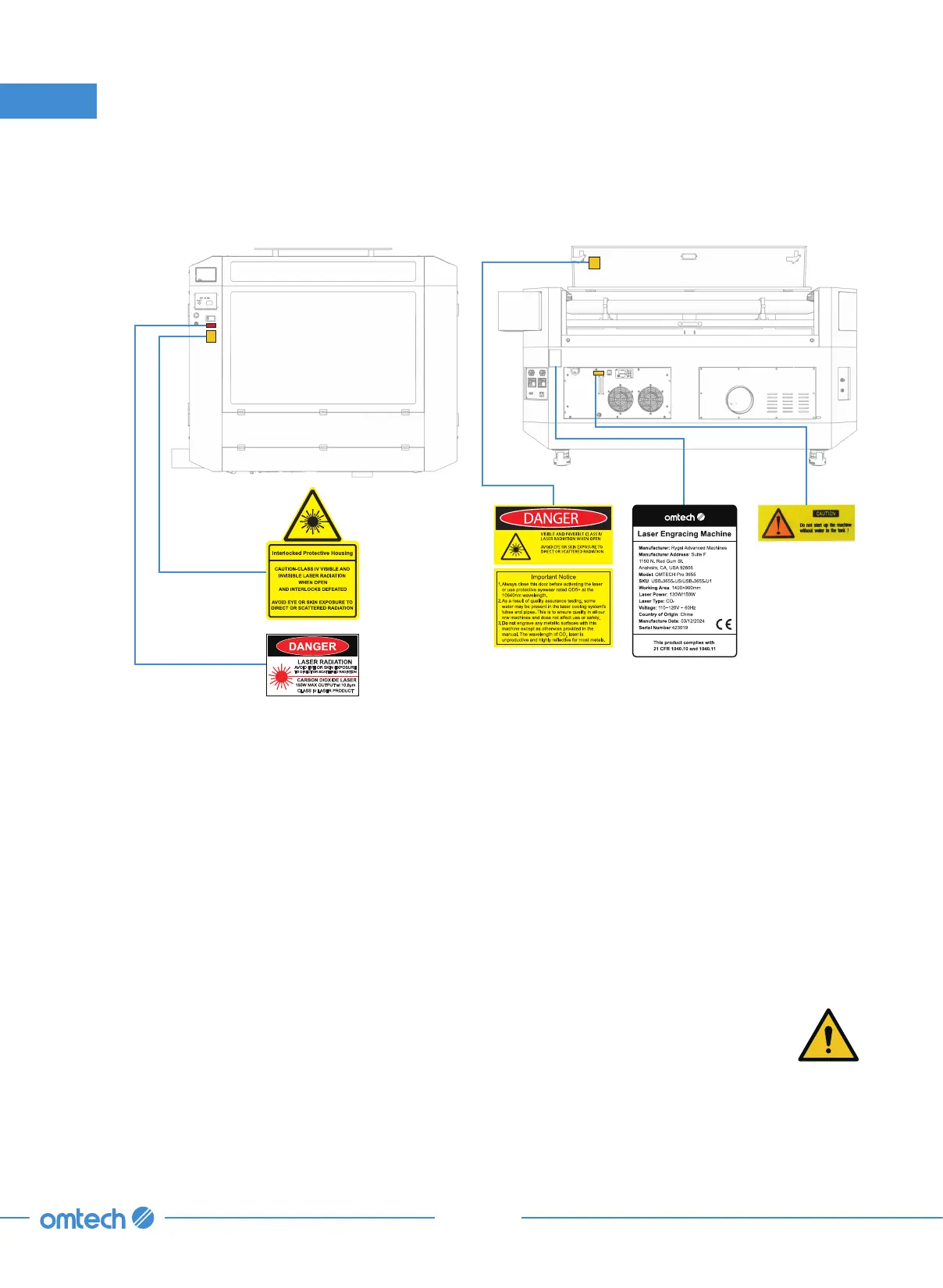
Your device should come with instruction labels in the following locations:
If any of these labels is missing, illegible, or becomes damaged, it must be replaced.
•
Use this laser engraving device only in accordance with all applicable local and national laws and
regulations.
•
Use this device only in accordance with this instruction manual and the manual for the engraving
software included with it. Only allow this device to be installed, operated, maintained, repaired,
etc. by others who have also read and understood both manuals. Ensure that this manual and
the software manual are both included with this device if it is ever given or sold to a third party.
•
DO NOT operate this engraver with its cooling liquid hotter than 104
℉
(40
℃
). If this temperature
is ever approached, stop using the laser but allow the exhaust and water cooling systems to
continue running to clear and cool the machine.
•
DO NOT leave this device unattended during operation. Observe the device
throughout operation and, if anything seems to be operating strangely, immediately
cut off ALL power to the machine and contact either our customer service or your
dedicated repair service. Similarly, ensure the device is FULLY turned off (including by
means of the emergency stop switch) after each use.
•
DO NOT allow minors, untrained personnel, or personnel suffering from physical or mental
impairment that would affect their ability to follow this manual and the software manual to
install, operate, maintain, or repair this device.



 To Next Page