21
2. Introduction
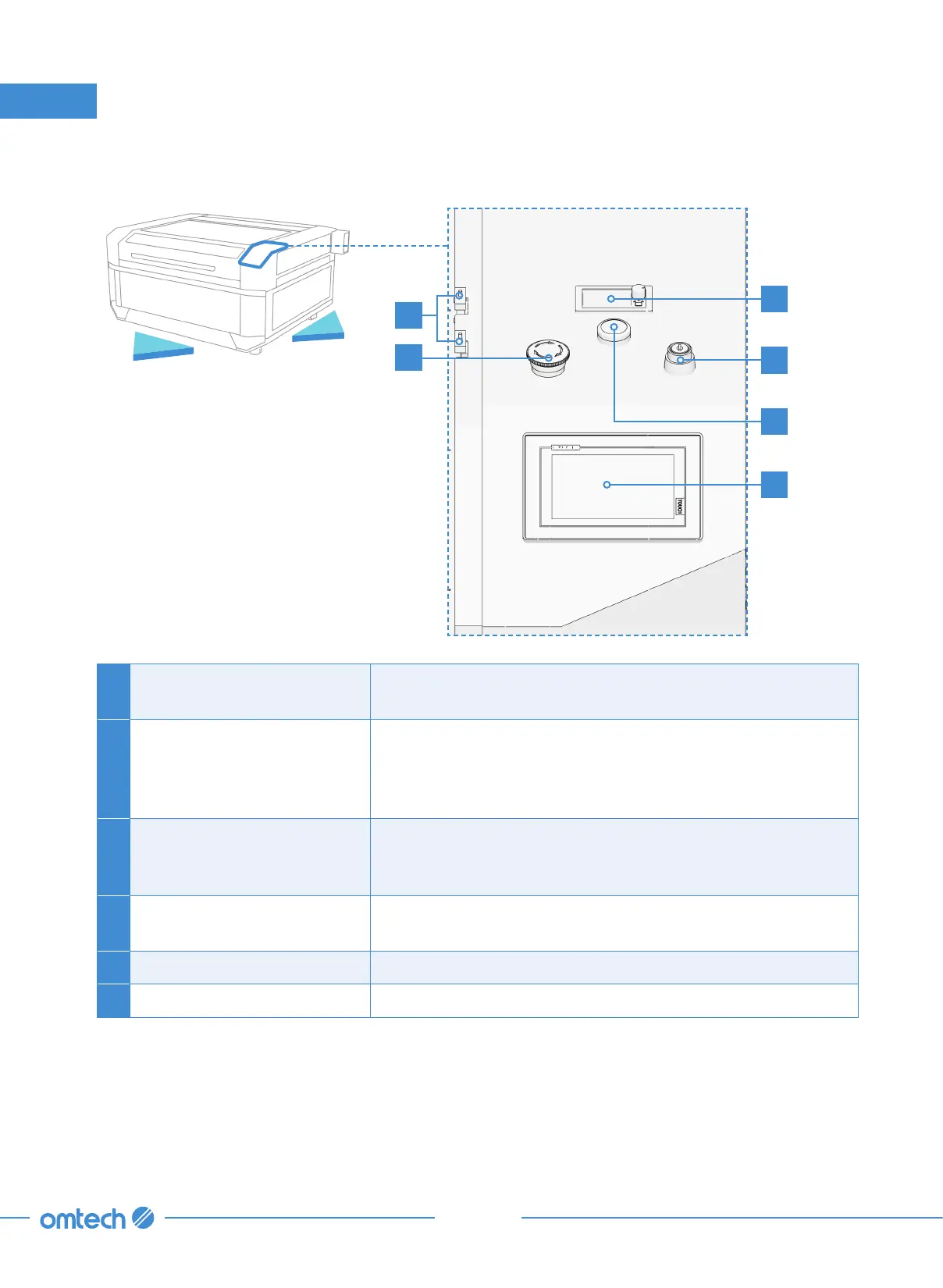
2.3.5 Control Panel
A Laser Key
This lock turns the laser power supply on and off, helping
ensure that only approved operators can use your engraver.
B Ammeter
This digital display shows the current being provided to the
laser tube in mA. The knob to its right is its master power
control. It should be turned completely clockwise to enable
your software to use the engraver’s full power range.
C Emergency Stop
This button immediately cuts all power to the engraver but
only leaves the chiller running in the event of an emergency.
Rotate it up before use and push it down between sessions
D Interlock
These switches automatically cut power to the laser tube if
the protective cover is raised.
E Digital Touchscreen This is the main control panel for the laser.
F Power Indicator Light This light illuminates upon the booting up of the engraver.
B
D
F
A
C
E
Front
Right



 To Next Page