74
5.5.3 Engraving Procedures Proper
Step 1. Prepare your engrave material per
§
5.2
Pre-Operation Preparation.
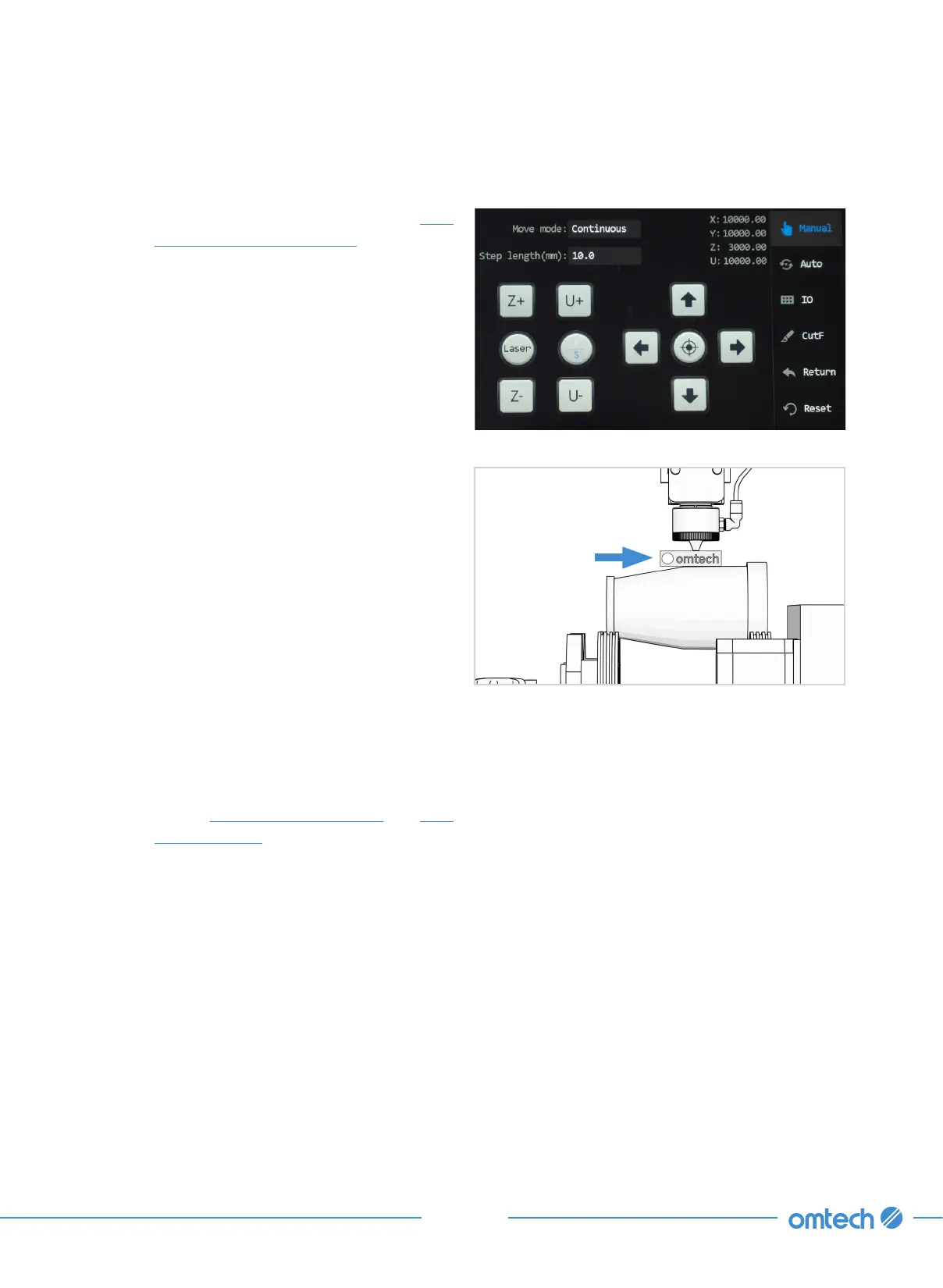
Step 2. Tap “Manual” in the main menu, and
the following menu pops up.
Step 3. Insert the provided focal height ruler
between the laser head and the
obeject to te engraved.
Step 4. Use the arrow up and dow keys to
move the laser head closer to the ruler,
stopping when the laser head gently
rests above the ruler.
Step 5. Remove the ruler.
Step 6. When finished with focusing, flip the
rocker switch to —
The rotation of the rotary attachment
will be controlled by the engraver’s Y
axis settings.
Step 7. Follow
§
5.3 Engraving Proper and
§
5.4
Wrapping up for the rest of the the
engraving process.



 To Next Page