38
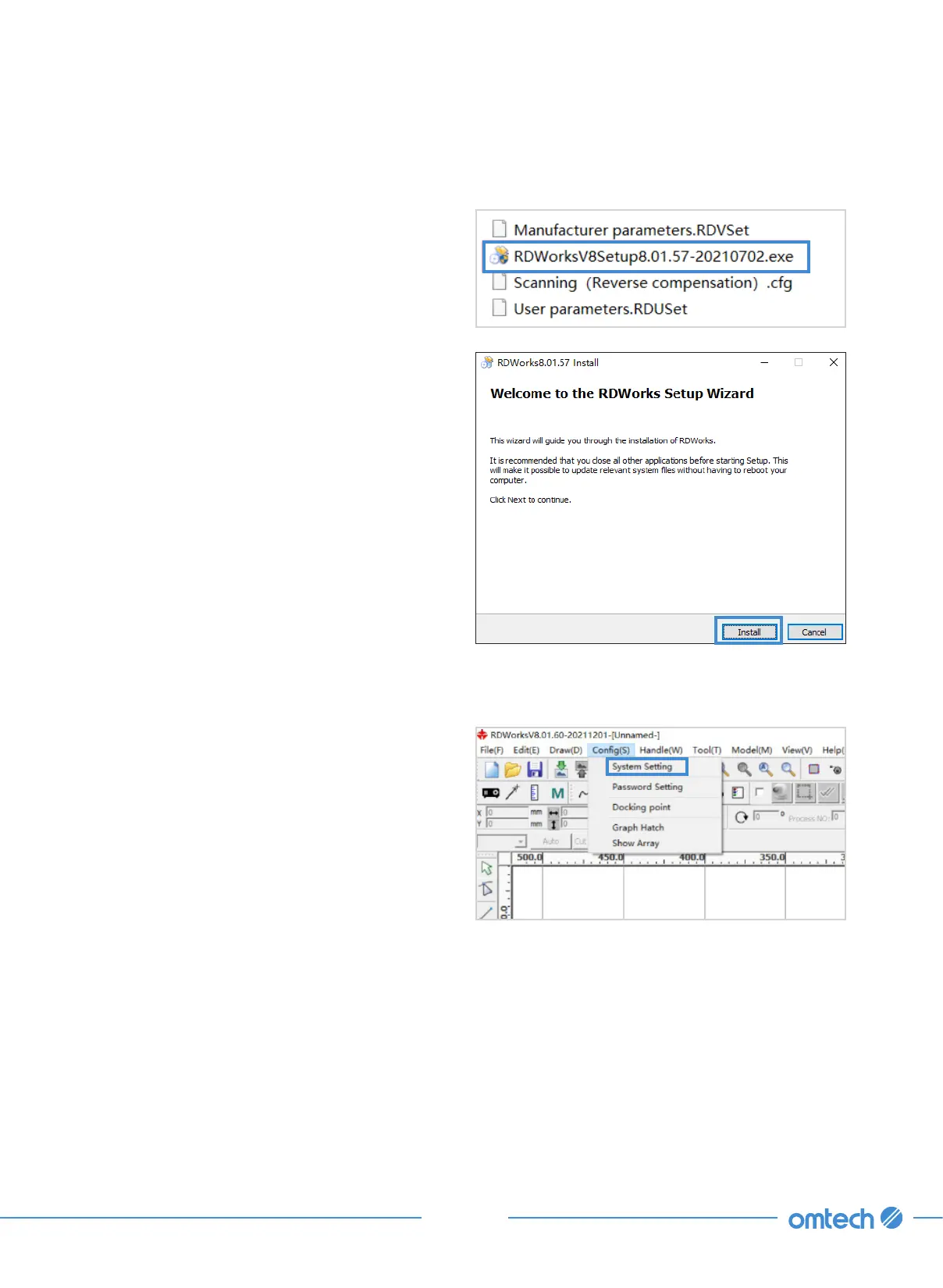
1. Insert the provided USB flash drive into a
port on your control laptop. Find the file as
shown. RDWorksV8Setup8.01.57.
2. Click open the file and click “Install”. Choose
a file route that you deem suitable.
3. When the installation is finished, click to run
the program.
4. Click “Config” and then “System Setting”.
3.8.1 RDWorks V8 Reverse Compensation
5. Click “Parameter setting” and then
“Optimize” in the pop up as shown. Click
“Import soft para”.



 To Next Page