107
7. Adjustment
7.2.1 Changing Temperature Display
•
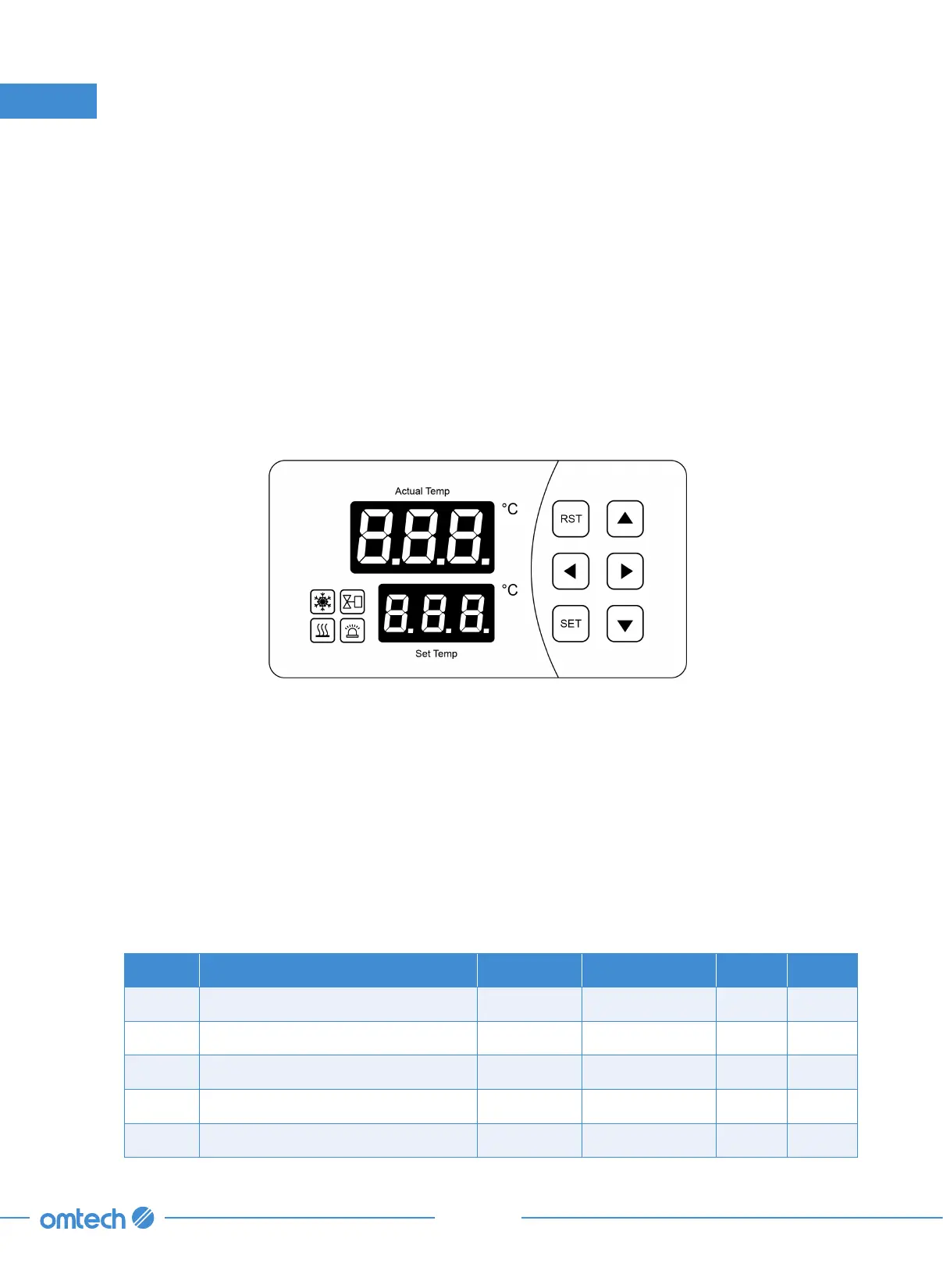
Press
⯈
once to display the ambient temperature (“t1”) detected by the chiller’s sensors.
•
Press
⯈
again to display the water’s current flow rate in deciliters per minute (0.1 L/min. or 0.03 gpm).
•
Press
⯈
again or wait 20 seconds without pressing any key to exit.
7.2.2 Changing the Target Temperature
1. Press SET, use
⯅
and
⯆
to adjust the value up or down.
2. Press RST to save your changes. (When the chiller is in “intelligent mode”, this adjustment will set
the relative difference between the ambient temperature and the water instead.)
7.2.3 Other Adjustment
For all other adjustments, enter the mode menu first:
1. Hold SET and
⯅
together until the upper window reads 00 and the lower window reads PAS.
2. Use
⯅
and
⯆
to adjust the value to the default passcode 8.
3. Press SET to enter the mode menu and set parameters.
The following are control mode selections.
Params Meaning Range Default Values Case 1 Case 2
F0 Water Temperature
(1)
F9–F8 25 N/A 28
F1 Temperature Difference
(2)
−15 to +5 −2 −3 N/A
F2 Cooling Hysteresis 0.1–3.0 0.1 0.5 2.0
F3 Control Mode
(3)
0, 1 0 1 0
F4 Overheated Water Alarm 1–20 10 10 5



 To Next Page