25
2.7 Touchscreen
2. Introduction
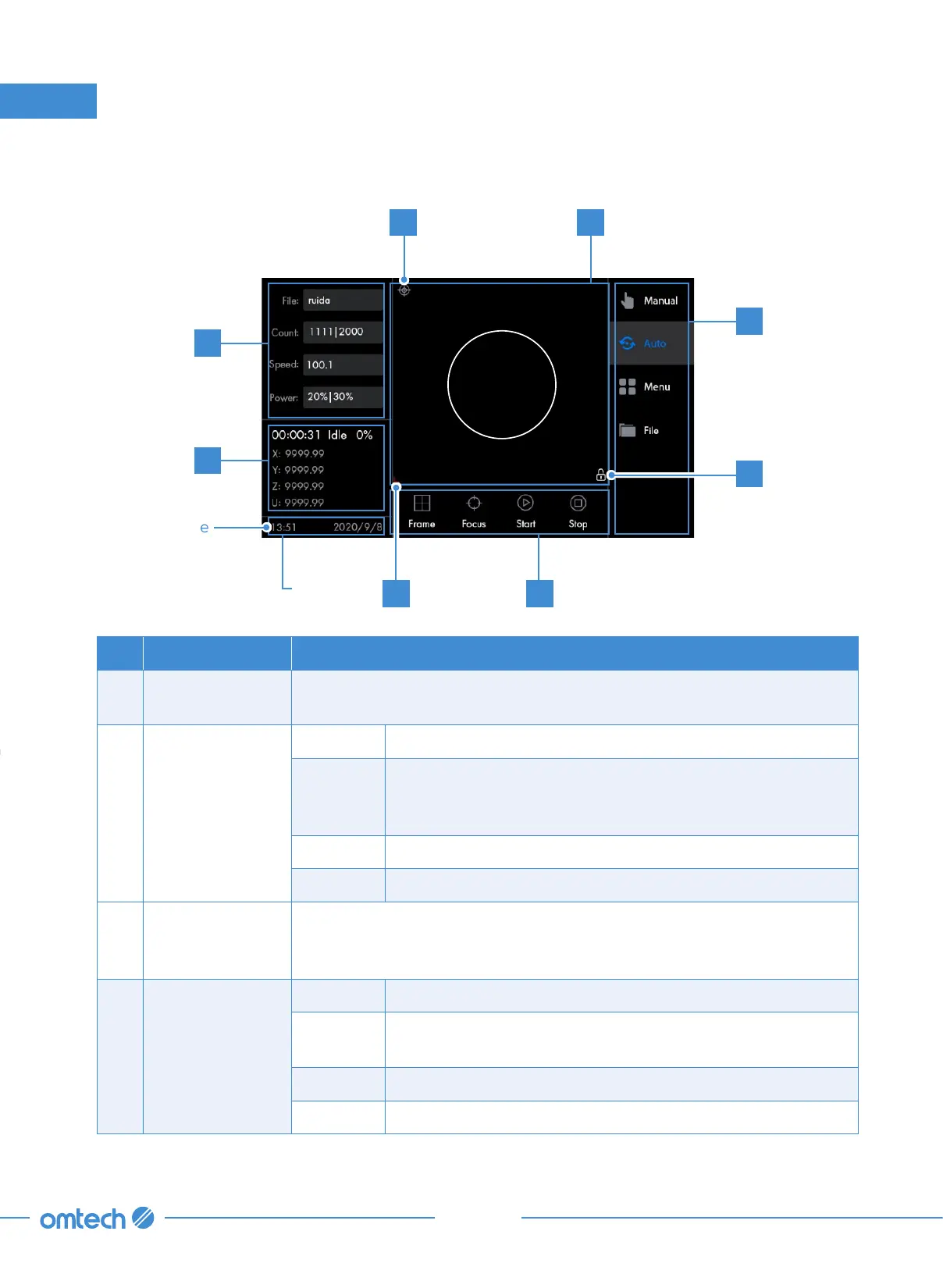
No. Display Areas Definitions&Functions
A
Graphic Display
Area
Shows the currently loaded image and, during work, the position of the
laser head.
B
Parameter
Display Area
File Shows the name of the file being processed.
Count
Shows the batch count and the total count (the current
batch count for work with the currently loaded file; the
current total count for work with the engraver).
Speed Shows the speed value (the 1st route and the 2nd route).
Power Shows the power value (the 1st route and the 2nd route).
C
Coordinates
Display Area
Shows the current position of the laser head along the X and Y axes
according to the system’s current orientation and the current bed
height (U) and laser head position (Z).
D Menu Area
Manual Tapping once enters the manual menu.
Auto
Tapping once enters the automatic function menu, which
the system displays by default after being powered-on.
Menu Tapping once enters the menu submenu.
File Tapping once enters the file management menu.
Keyboard Lock
When the strip of the display that shows
the time is tapped, the control panel will
be locked, with the panel displaying
on the right corner of the graphic display
area. Tapping the strip again unlocks the
panel.
Internet Status
This icon indicates that the system is
connected to the Internet.
Menu Area
Tapping “Manual” enters the manual
menu
Tapping “Auto” enters the automatic
function menu, which the system displays
by default after being powered-on.
Tapping “Menu” enters the menu
System
State Area
System time
AG
B
C
F
EH
D



 To Next Page