99
6.7.2 Language Settings
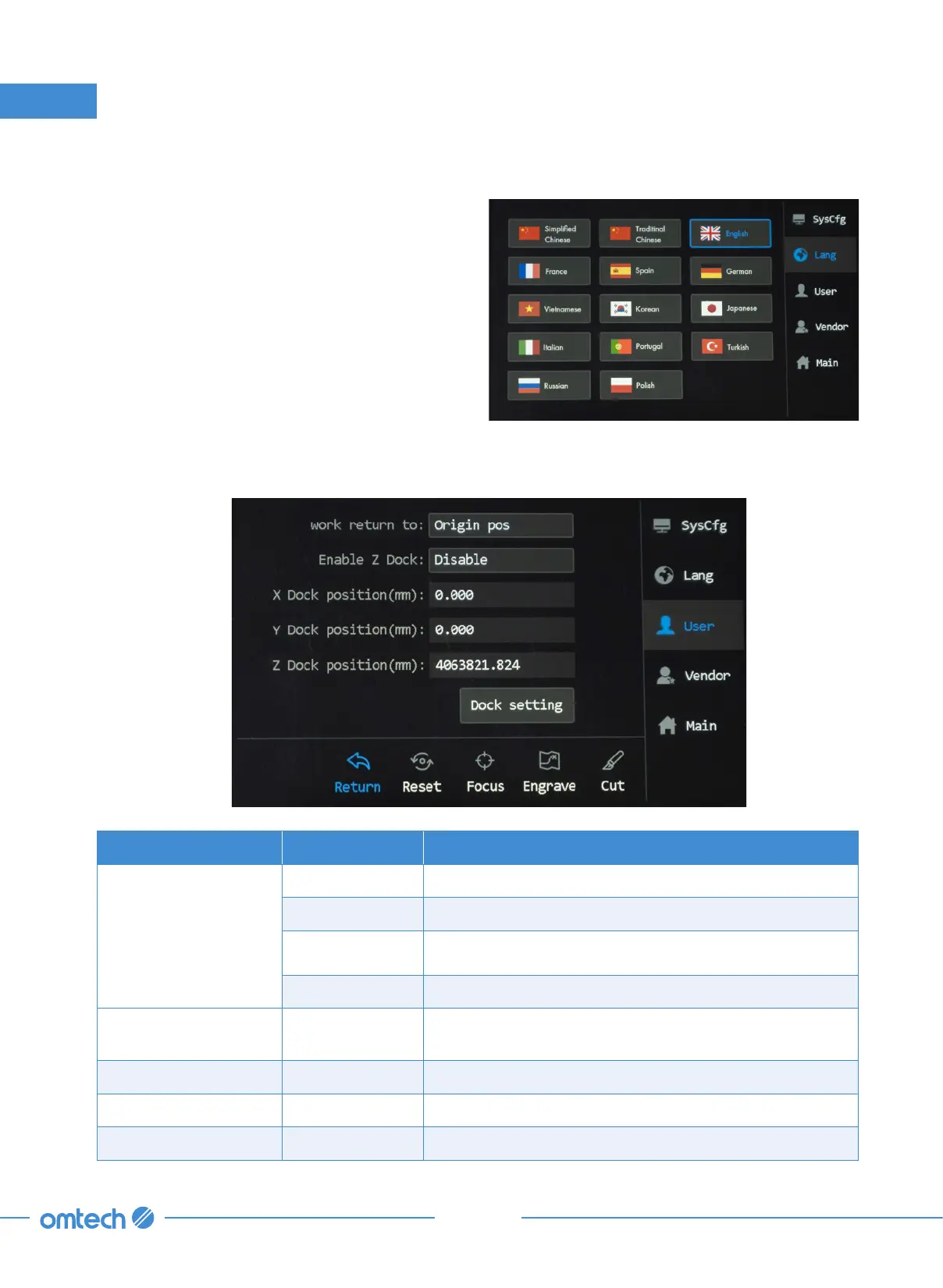
1. Tap Menu>Lang, and the menu as shown
shows up.
2. Tap to select a language that you desire to
use. The change will take effect immediately
after a language is selected, and the system
returns to the main menu automatically.
6. Touch Screen Operations
6.7.3 User Parameters
Return Submenu
Parameters Options Functions/Meanings
work return to
Origin pos Sets the laser head to return to the default origin.
ABS position Sets the laser head to return to the mechanical origin.
Docking Point Sets the laser head to return to the preset origin(s).
Not return Keeps the laser where it is.
Enable Z Dock Enable/Disable
Enables and disables the laser head’s return to a set Z
coordinate.
X Dock position(mm) Numerical Sets the laser head to return to a set X coordinate.
Y Dock position(mm) Numerical Sets the laser head to return to a set Y coordinate.
Z Dock position(mm) Numerical Sets the laser head to return to a set Z coordinate.



 To Next Page