41
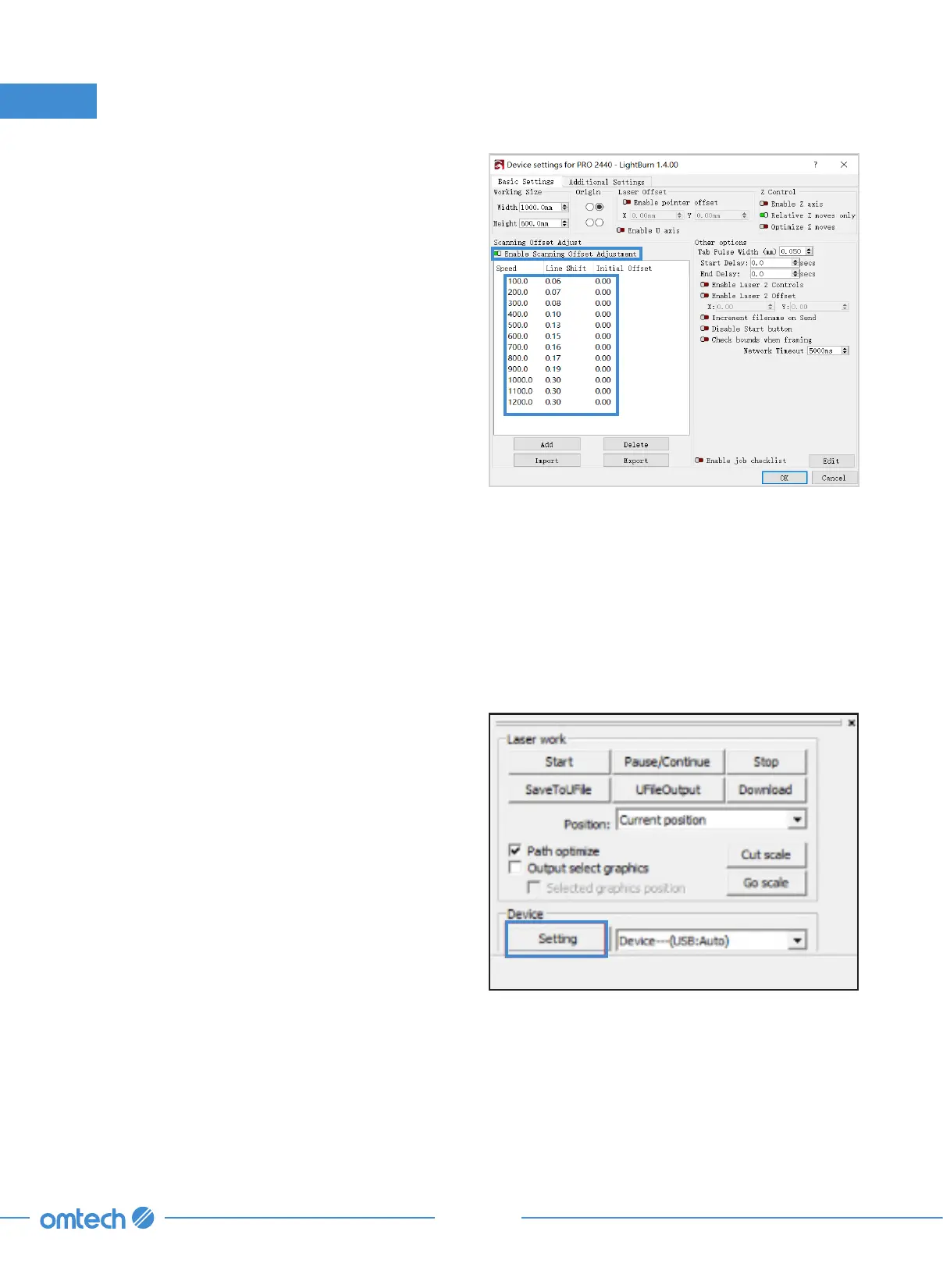
4. Enable the scanning offset adjustment by
clicking green the toggle switch as shown.
3. Installation
3.8.3 Connection Through the USB Cable
RDWorks V8
1. Initiate RDWorks V8 on your control
computer and connect it to the engraver
using the provided USB cable.
2. Click “Setting”.



 To Next Page