89
6.6 Setting Axes’ Movement
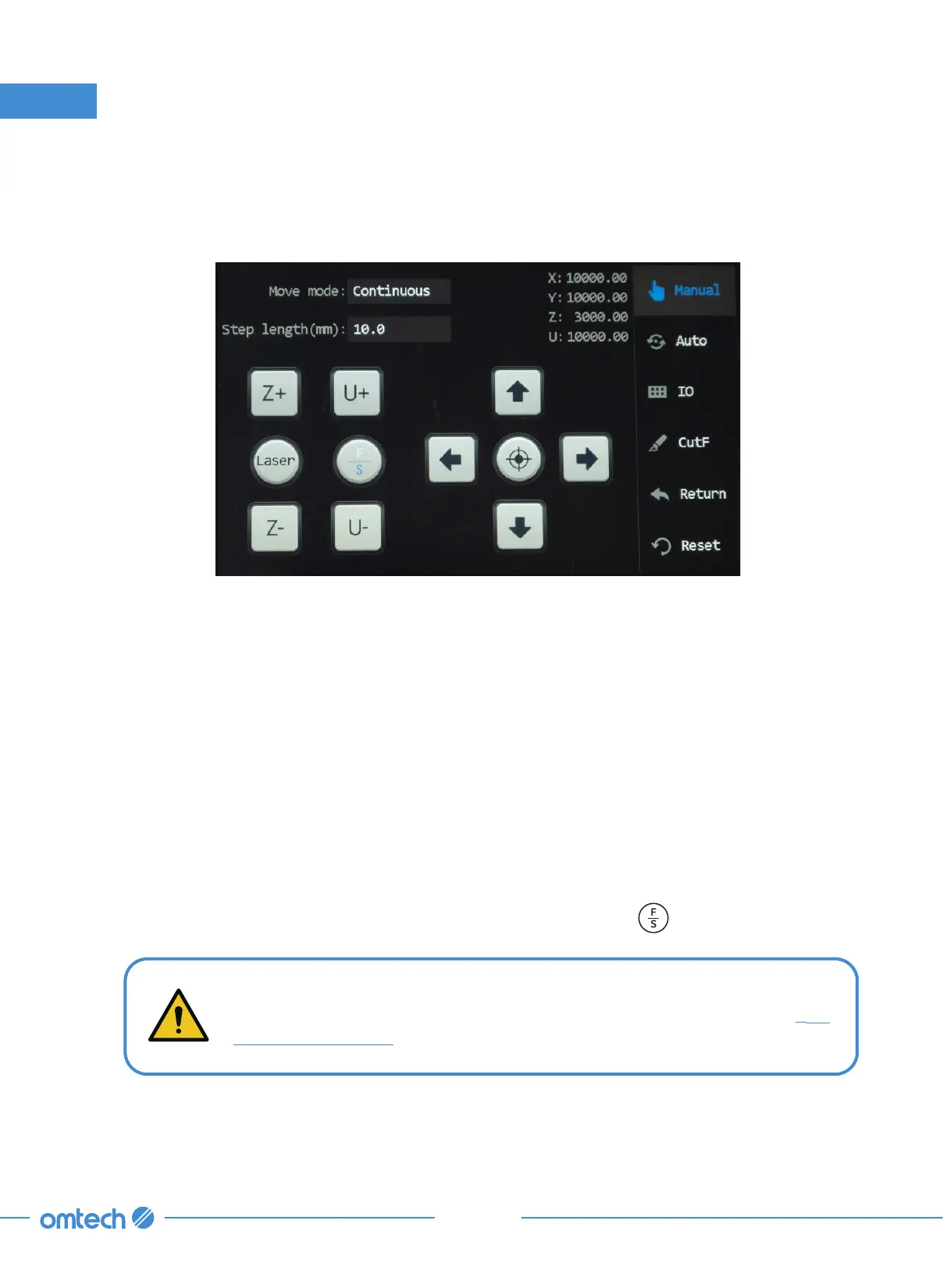
Tap Manual in the main menu, and the following menu pops up.
This menu is mainly for manual debugging, including axes (X, Y, Z, & U) motion, manual laser firing,
positioning, IO diagnosis, frame cutting, return and system reset, and aligning the laser path. To exit
this menu, tap Auto in this menu.
6.6.1 Movement Adjustment
Step Movement
To check that the laser head and the workbed can move normally for a set distance under manual
mode:
1. Tap Manual in the main menu, and the menu above pops up.
2. Tap Manual mode and select step.
3. Set “Step length” to a value that you desire (other than zero). Tap
to use a set slow or fast
speed.
When F is in blue, the selected axis travels at a fast speed. When S is in blue,
the selected axis travels at a slow speed. For speed adjustment, see
§
6.3
Setting Speed Levels.
4. Tap any axis icon, and the laser head or workbed should move for the distance that you set.
6. Touch Screen Operations



 To Next Page