88
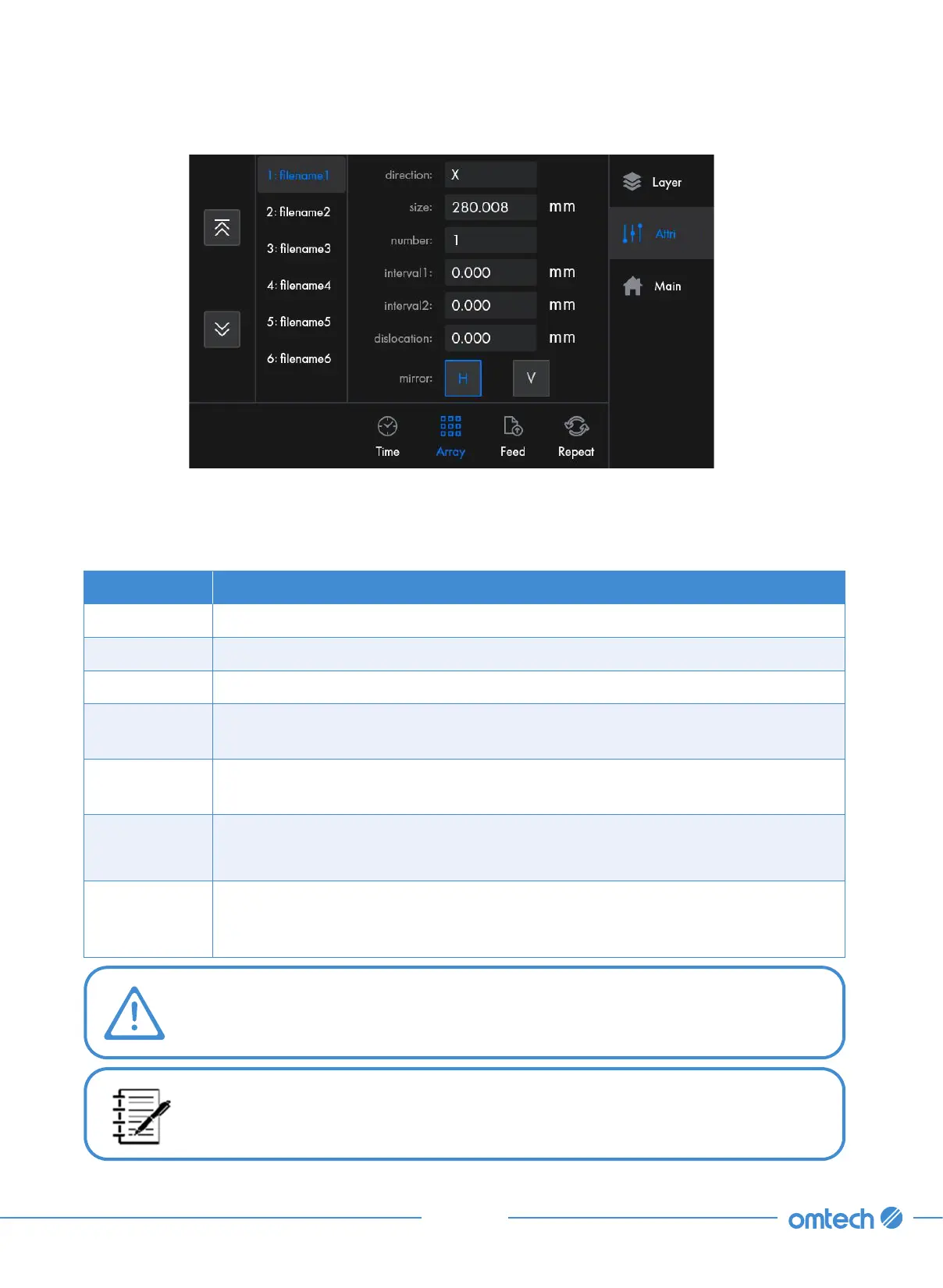
Listed on the left are all the array names for this file. Use the up and down button to scroll through
all the array names if there are many of them. After being tapped, the information of the selected
array is displayed as shown
Icons Functions
direction* Determines how an array will be formed, along the X or Y axis.
size Determines the size of array elements. The alteration is disabled.
number Controls the number of array elements along the X/Y axis.
Interval 1
Controls the graphic element interval value of the odd-numbered rows of the
array.
Interval 2
Controls the graphic element interval value of the even-numbered rows of the
array.
dislocation
Controls the dislocation value of the array graphics along the X/Y axis.
mirror
H selected, even-numbered rows are mirrored in the X/Y direction; V selected,
even-numbered columns are mirrored in the X/Y direction. Tap the icon blue to
enable this feature.
*Changes to this parameter automatically change other parameter values in this
menu.
The array information of a file that contains multiple array names is not modifiable.



 To Next Page