47
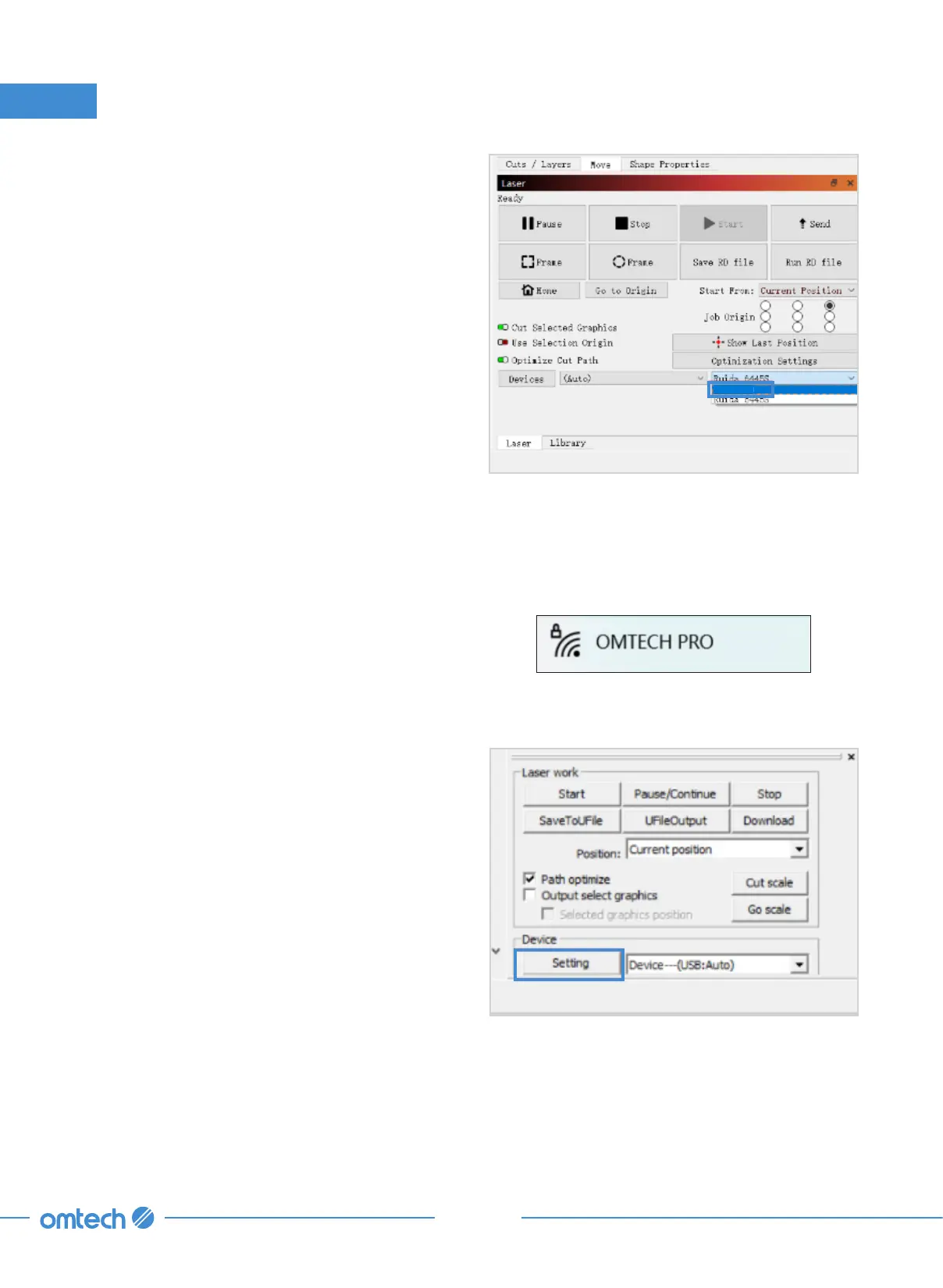
9. Click the device drop list in the lower
right corner and choose “PRO 3655”. The
engraver is connected when the system
shows “Ready”.
3. Installation
PRO 3655
3.8.4 Connection Through Wi-Fi
RDWorks V8
1. Enable Wi-Fi on your computer. Search or
select network “OMTECH PRO 3655”. Enter
the passcode (123456abc) to connect your
control computer to the laser engraver.
2. Initiate RDWorksV8. Click “Setting”.
3655



 To Next Page