98
Restore Factory Parameters
Tap “Restore”, and the menu as shown shows up.
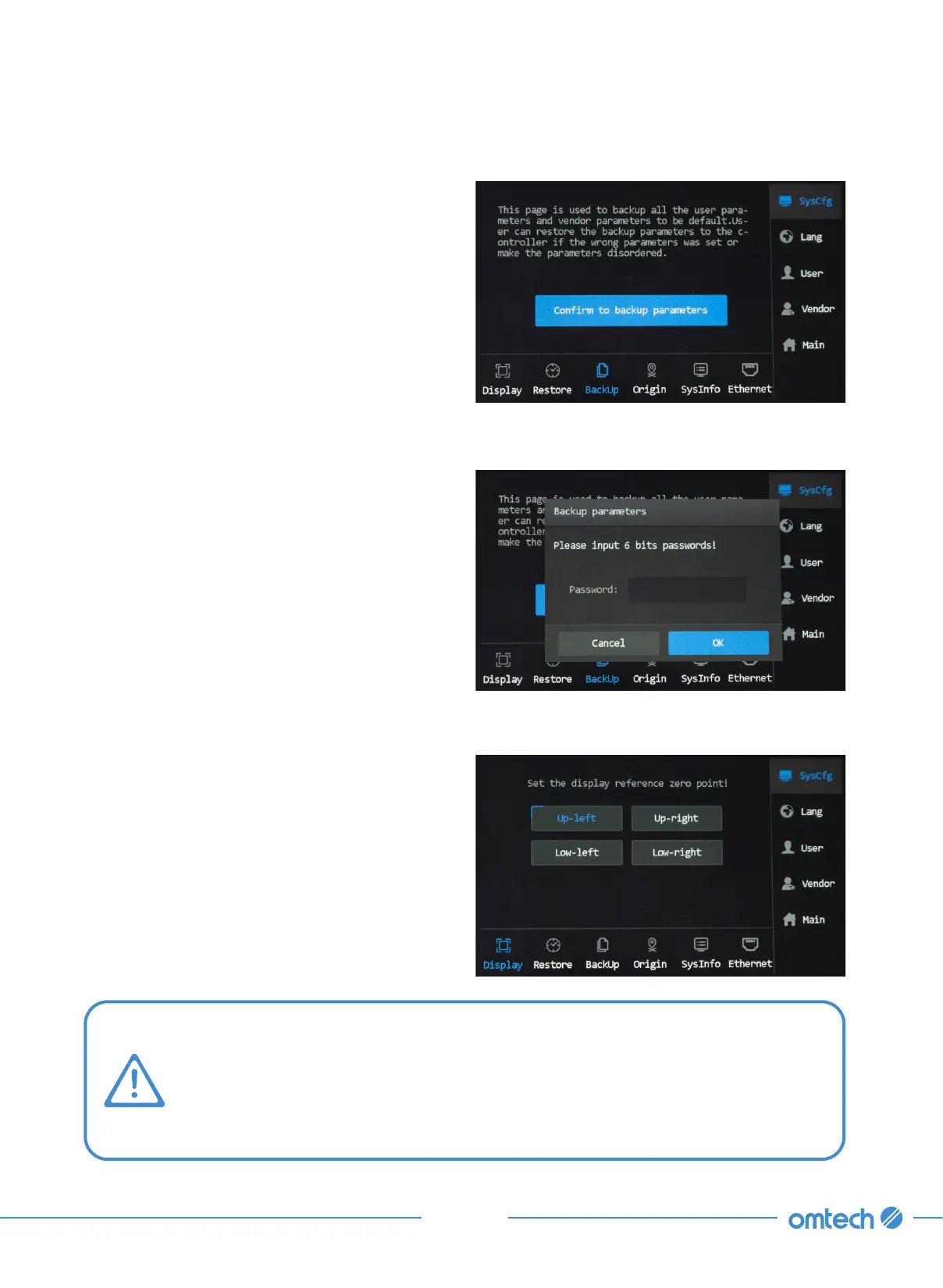
Note that your screen shows your engraving design the way you set your screen.
For instance, if the screen origin is set at the Up- left, then a design will be shown
in its original orientation. If you change the screen origin to Low-left, then the
design will be shown flipped down along the X axis. If you change the screen
origin to the Up-right, then the design will be shown flipped right along the Y axis.
To restore factory parameter values:
1. Tap “Confirm to restore default parameters
to controller!”
2. Put in your passcode.
3. Tap OK.
Setting the Screen Orientation
1. Tap Display, and the menu as shown shows
up.
2. To set a different screen orientation, tap one
of the four options that you desire.



 To Next Page