130
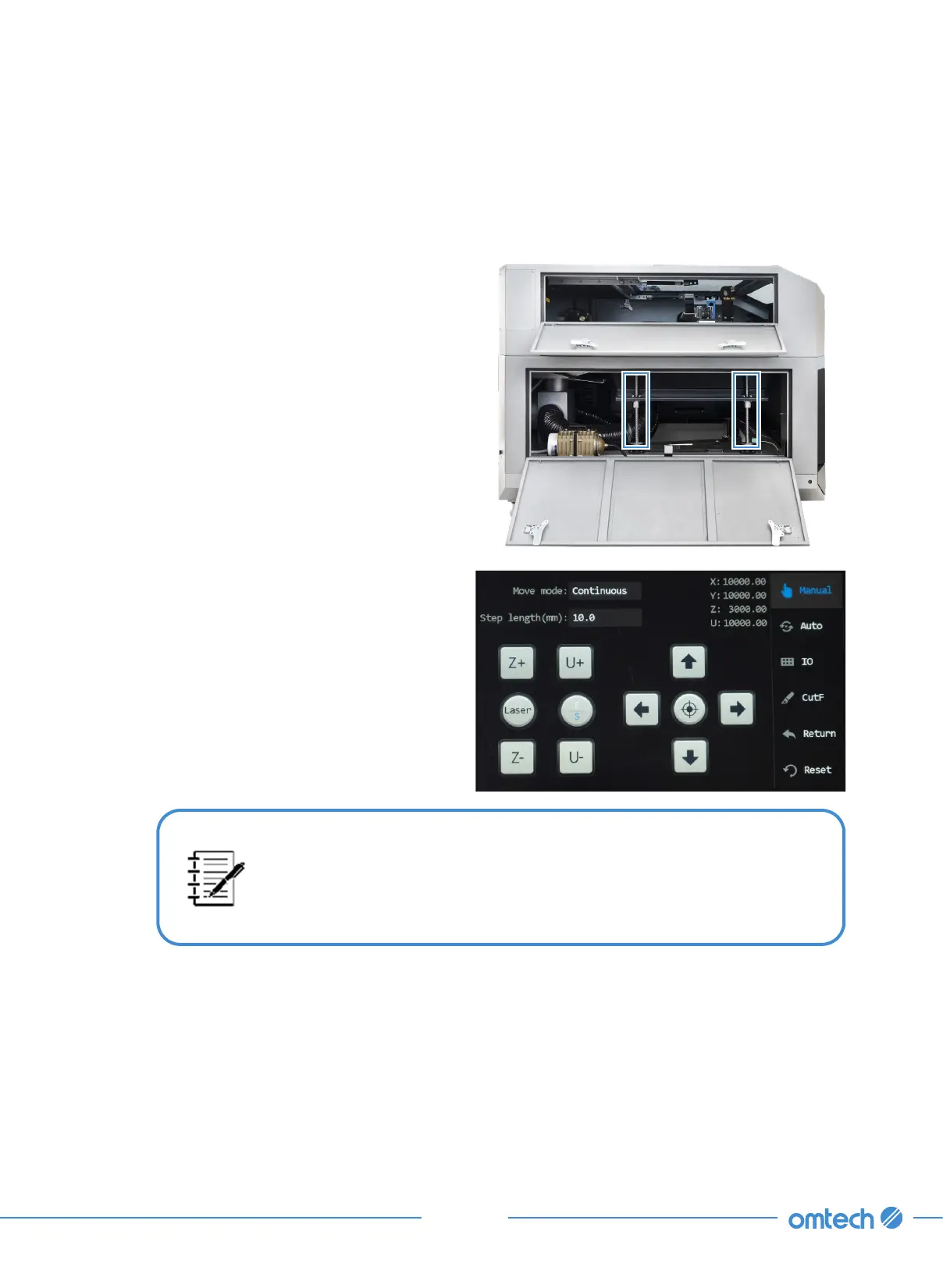
This menu is mainly for manual debugging, including axes (X, Y, Z, & U)
motion, manual laser firing, positioning, IO diagnosis, frame cutting,
return and system reset, and aligning the laser path. To exit this menu,
tap “Auto” in this menu.
Tools Needed:
•
Cotton cloth
•
White lithium grease
Step 1. Disconnect the engraver from power.
Step 2. Open the rear access door to access
the bolts.
Step 3. Tap Manual in the main menu, and the
following menu pops up.
Step 4. Clean any contaminated grease off the bolts using a piece of cloth.
Step 5. Apply some new lithum grease at the middle of the bolts.
Step 6. Use the up and down keys to move the workbed along it full stroke of motion along the
bolts.
Step 7. Raise and lower the workbed to distribute the lubricant evenly along the screws.



 To Next Page