49
3. Installation
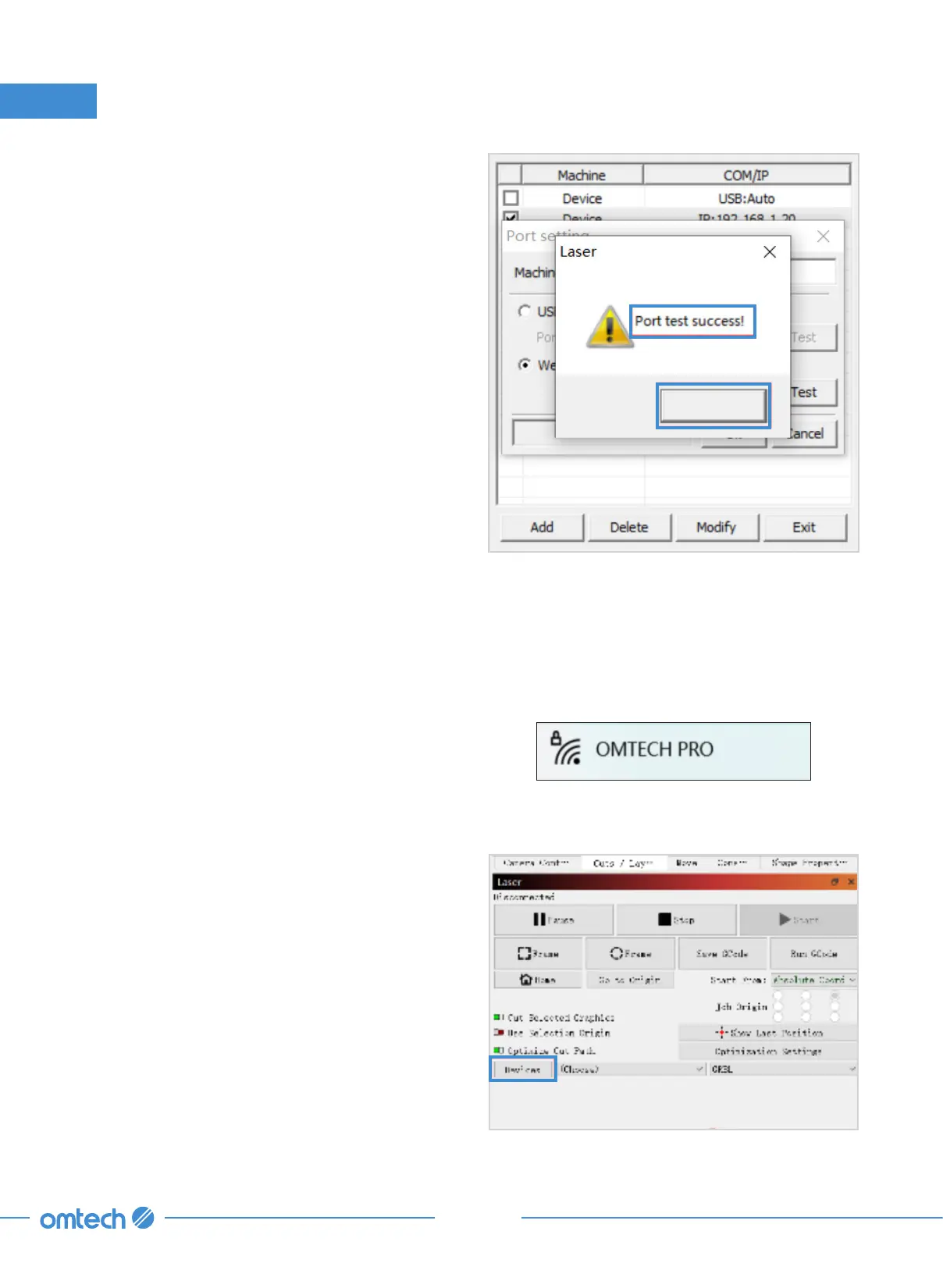
5. You should see the pop-up as shown. Click
OK.
OK
6. Click “Exit” to return to the home interface.
Lightburn
1. Enable Wi-Fi on your computer. Search or
select network “OMTECH PRO 3655”. Enter
the passcode (123456abc) to connect your
control computer to the laser engraver.
3655
2. Initiate Lightburn and click “Device: in the
lower right corner as shown.



 To Next Page