WARNING:
It is recommended to perform the Auto-calibration process when instructed. If
the Auto-calibration process is not possible, schedule your sensor to be sent
back to the OnRobot factory for a re-calibration. If the Auto-calibration warning
pop-up is disabled, the following statements must be taken into consideration:
The sensor is not reliable in the overload range.
The overload protection will be less precise.
The Force overload protection is only reliable if the HEX-Zero command is
used properly.
TCP
In the normal view of the panel the TCP of the robot can be overwritten by the TCP of the tool
by pressing the Automatic overwrite of the robot TCP configuration checkbox.
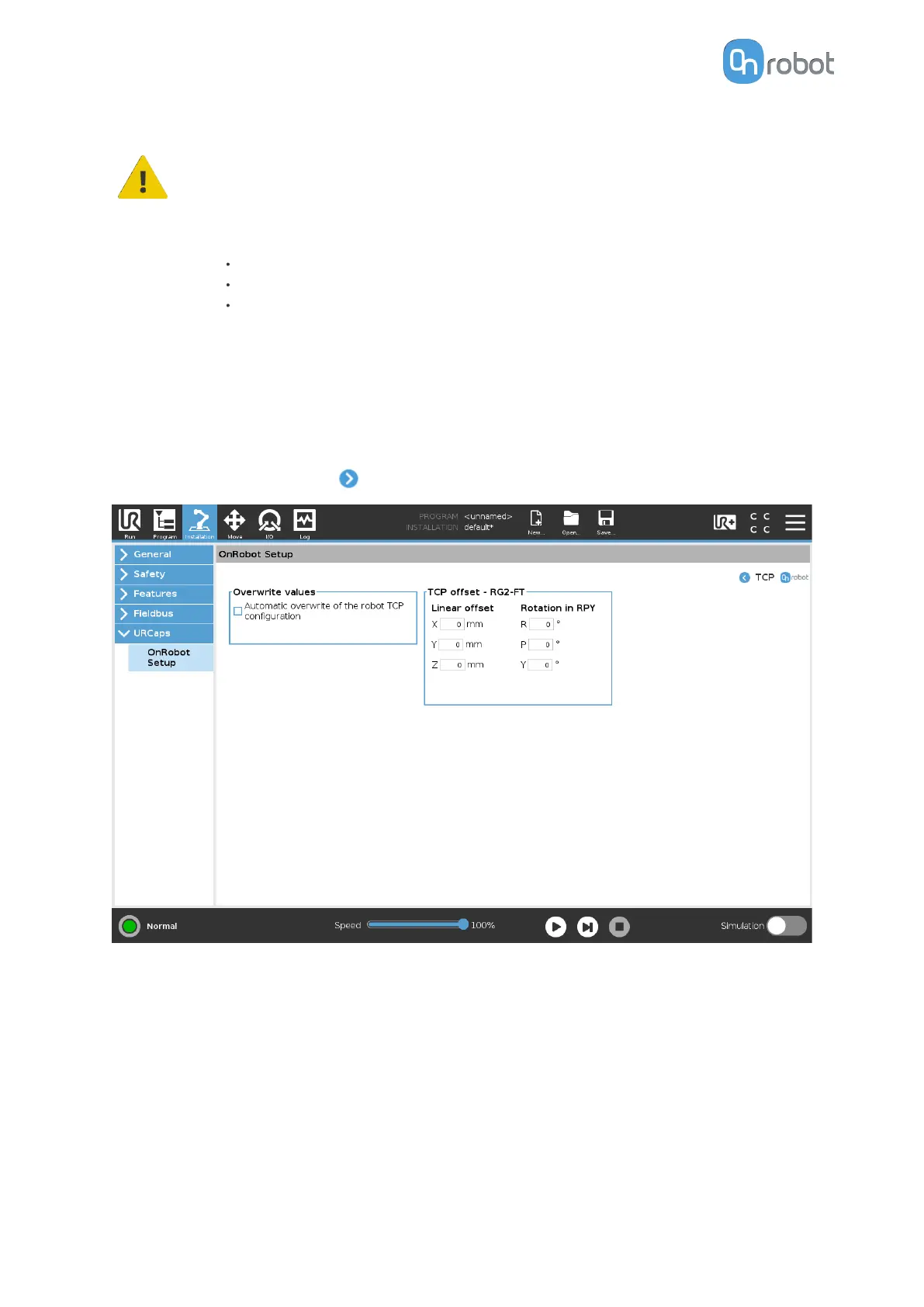
To see more options press on
and the following screen will show:
Overwrite values
Automatic overwrite of the robot TCP configuration: when checked, the UR's TCP
configuration is automatically overwritten (Dynamic TCP mode). When unchecked the TCP
is left unchanged (Static TCP mode).
For further information and best practices on the TCP setting see TCP Configuration
section.
TCP
oset
Set the Linear oset (X,Y,Z) and the Rotation in RPY (Roll-Pitch-Yaw) values to adjust the
OnRobot device dependent calculated TCP.
SW INSTALLATION
34



 To Next Page