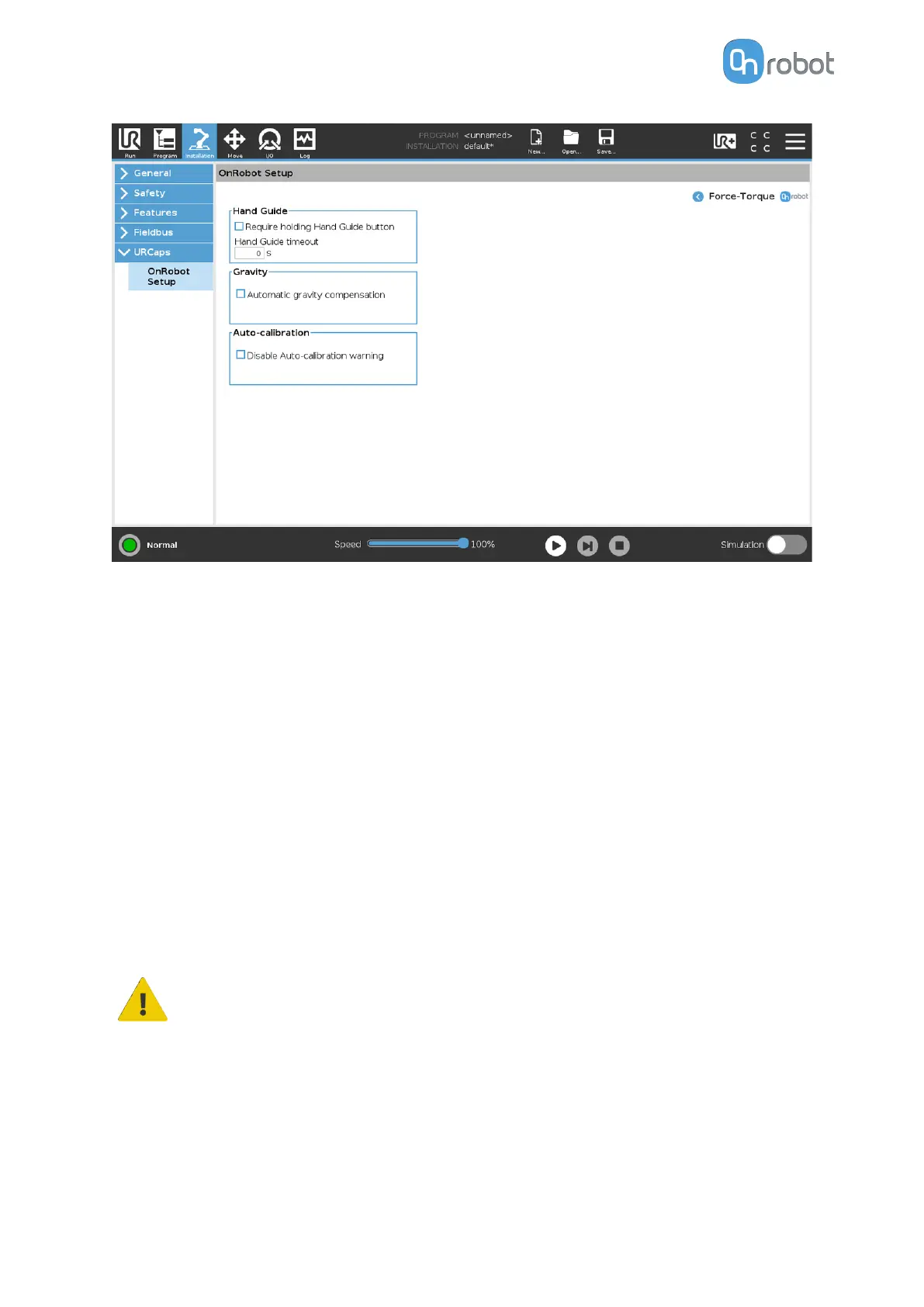
Hand Guide
Require holding Hand Guide button: If checked (recommended), press the Hand Guide
enable button constantly during the hand guiding. If unchecked, you can start the hand
guiding by pressing the enable button and can stop it by pressing the enable button again.
Timeout: After the set timeout value, the hand guiding will be stopped automatically. The
default value is 0 that sets the timeout to
infinite.
Gravity
Automatic gravity compensation: If enabled, the weight of the tool and the part will be
compensated while the robot orientation is changed.
Make sure that the weight and the Center of Gravity is set correctly.
Gravity compensation is only available for the following operations:
•
Force Control
•
Pin insertion
•
Hand Guiding
•
Sanding
WARNING:
The robot cannot be tilted when you use gravity compensation.
Auto-calibration
Disable Auto-calibration warning: When selected, the Auto-calibration warning pop-up will
be disabled. The need for Auto-calibration will appear as a log entry. For further information
on Auto-calibration, see the 6.1.3.2. Web Client: Devices Menu section.
SW INSTALLATION
33



 To Next Page