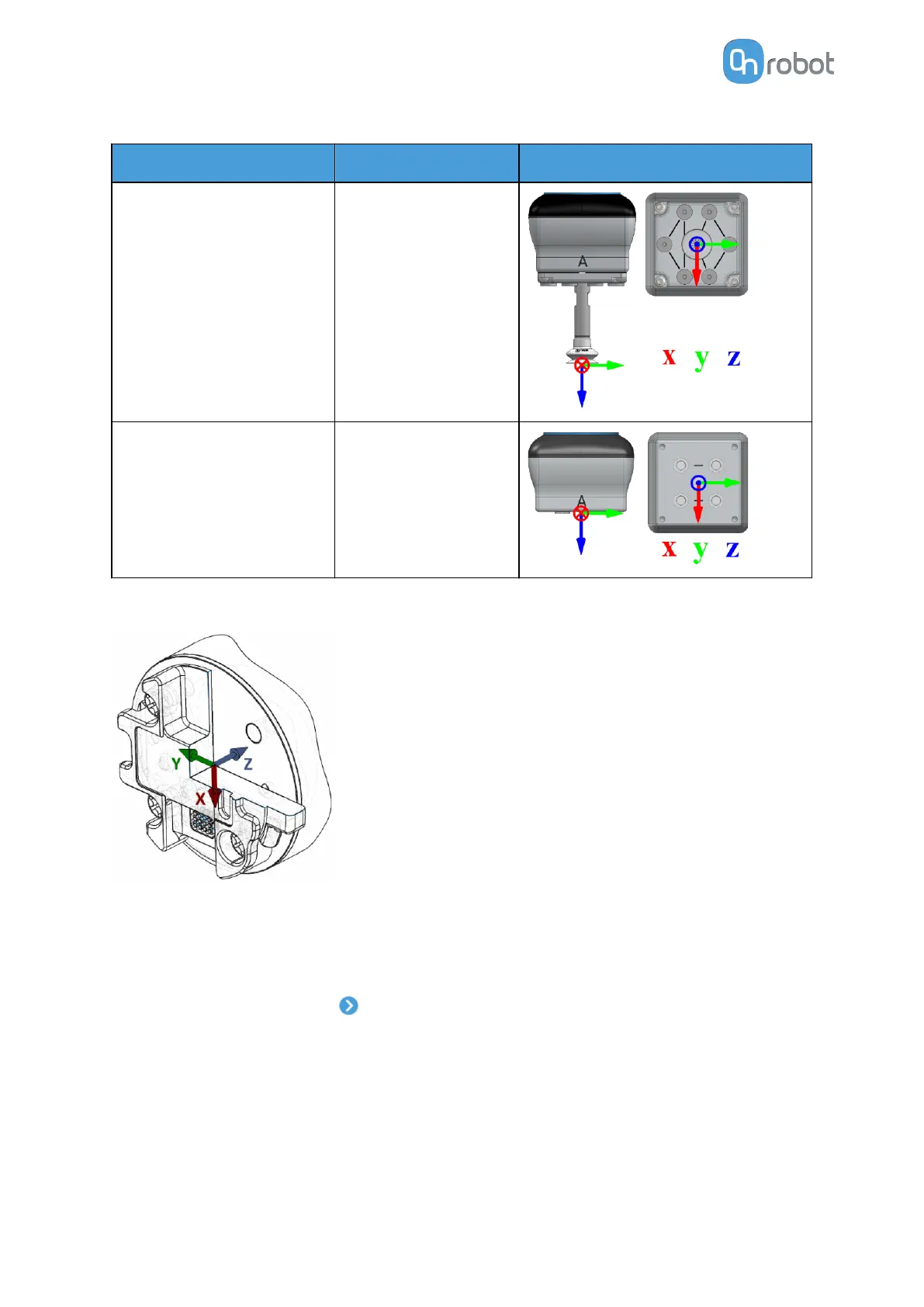
Attachment TCP (x, y, z) [mm] Image
Adaptor + Pipe + Cup (0, 0, 160)
For customization (0, 0, 75)
The TCP values have their origin in the top part of the gripper as shown in the image below.
TCP
In the normal view of the panel the TCP of the robot can be overwritten by the TCP of the tool
by pressing the Automatic overwrite of the robot TCP configuration checkbox.
To see more options press on and the following screen will show:
SW INSTALLATION
38



 To Next Page