•
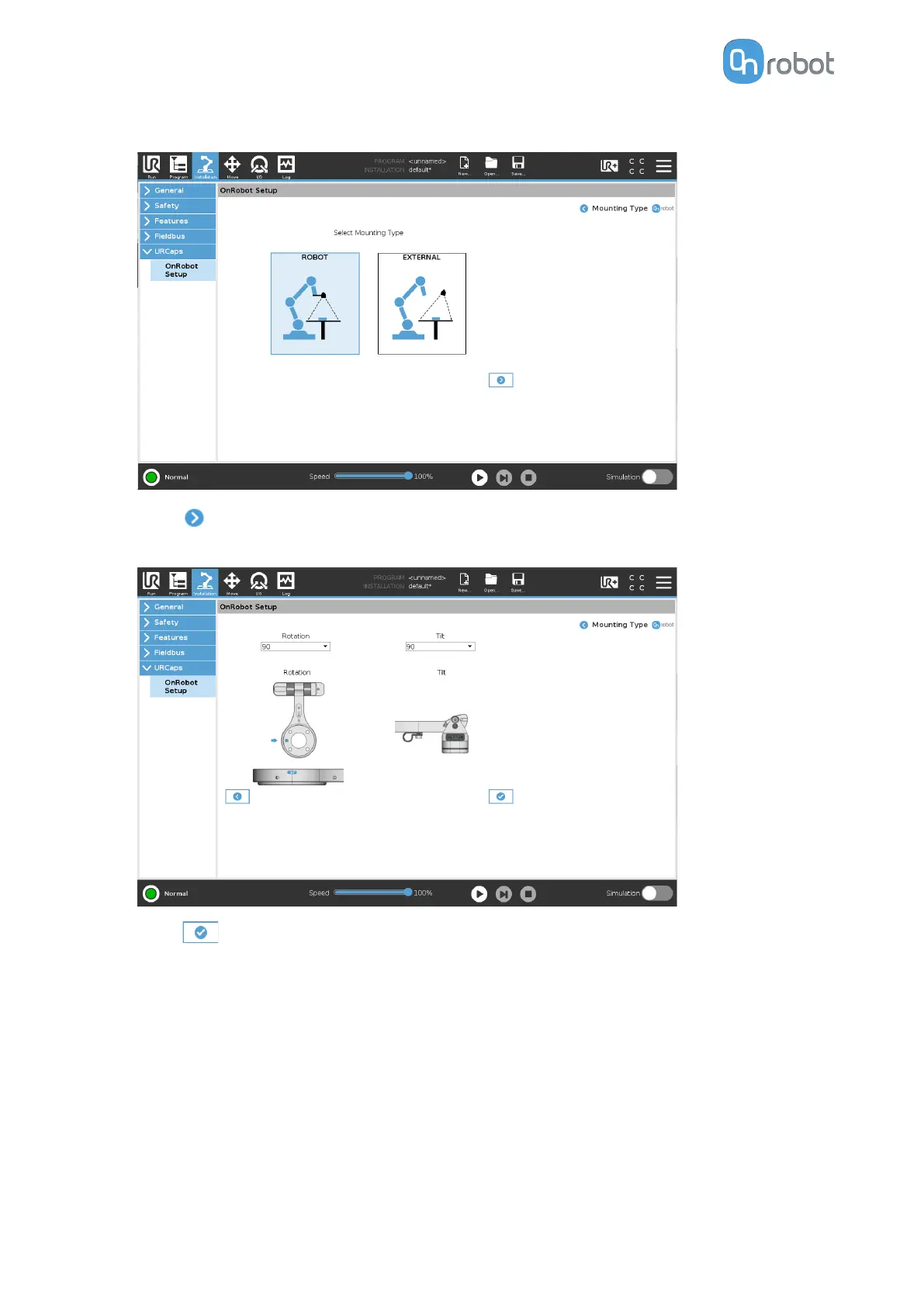
Select ROBOT camera mount.
•
Press .
•
Select the Rotation and the Tilt parameters from the drop-down lists, respectively.
•
Press .
Rotation (°)
The rotation parameter specifies the orientation of the camera around the robot’s tool
flange. You can adjust the rotation of the robot mount by rotating the arm of the mount
once it has been mounted to the robot’s tool flange. The rotation angle is specified on the
side of the mount, and can be one of the following values:
•
0 degree
•
90 degrees
•
180 degrees
•
270 degrees
SW INSTALLATION
40



 To Next Page