•
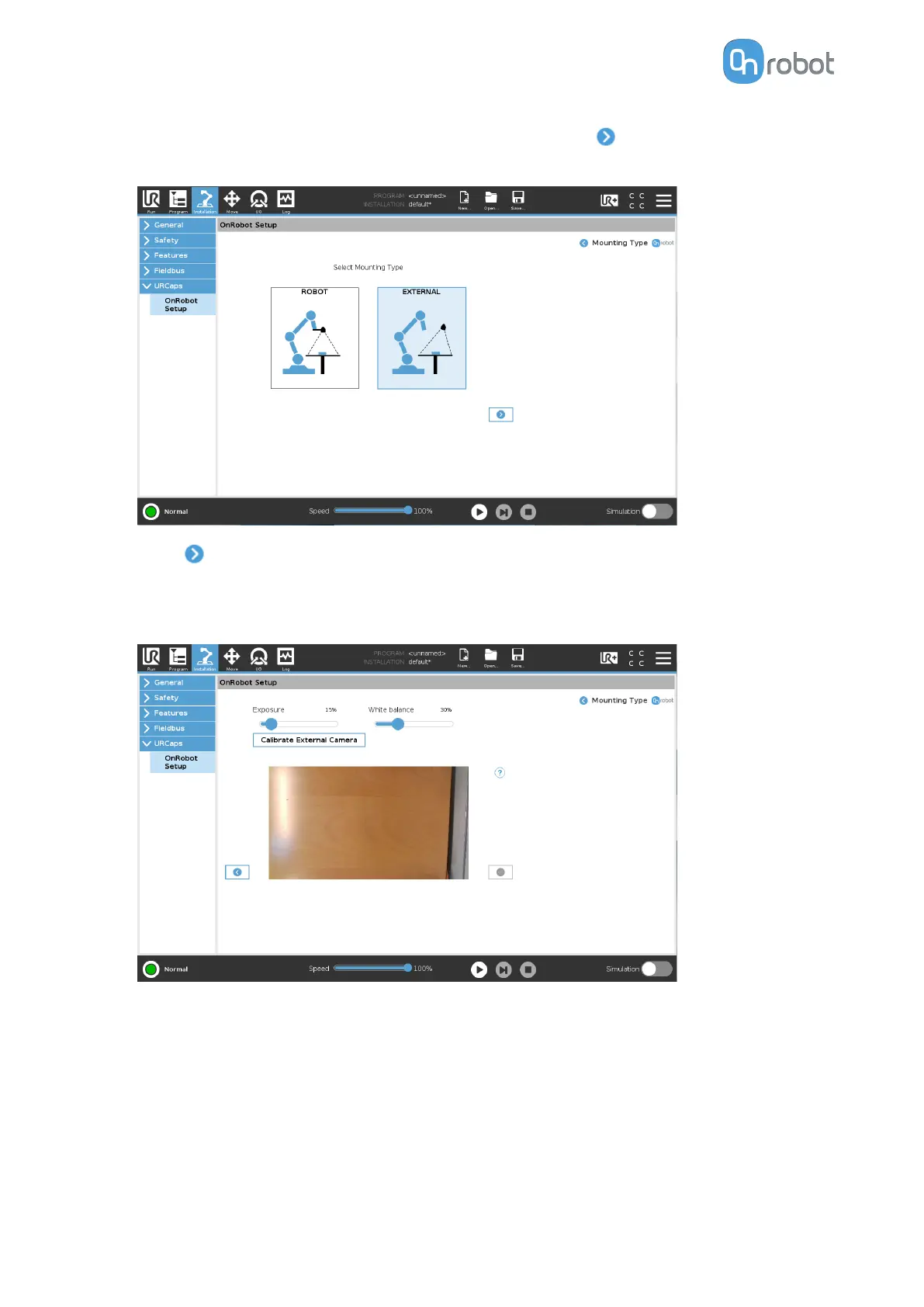
Go to the Eyes Setup page. Under Mounting Settings, press .
•
Select EXTERNAL camera mount.
•
Press .
•
Adjust the image using the Exposure and the White balance parameters, if needed. Use
the sliders to change the parameters.
Under Camera feed, you can see the current camera image.
Use the Calibrate External Camera button to calibrate the Eyes. With the calibration
process, the Eyes gets the relative pose of itself with respect to the robot.
Calibrate the Eyes as follows:
SW INSTALLATION
43


 To Next Page