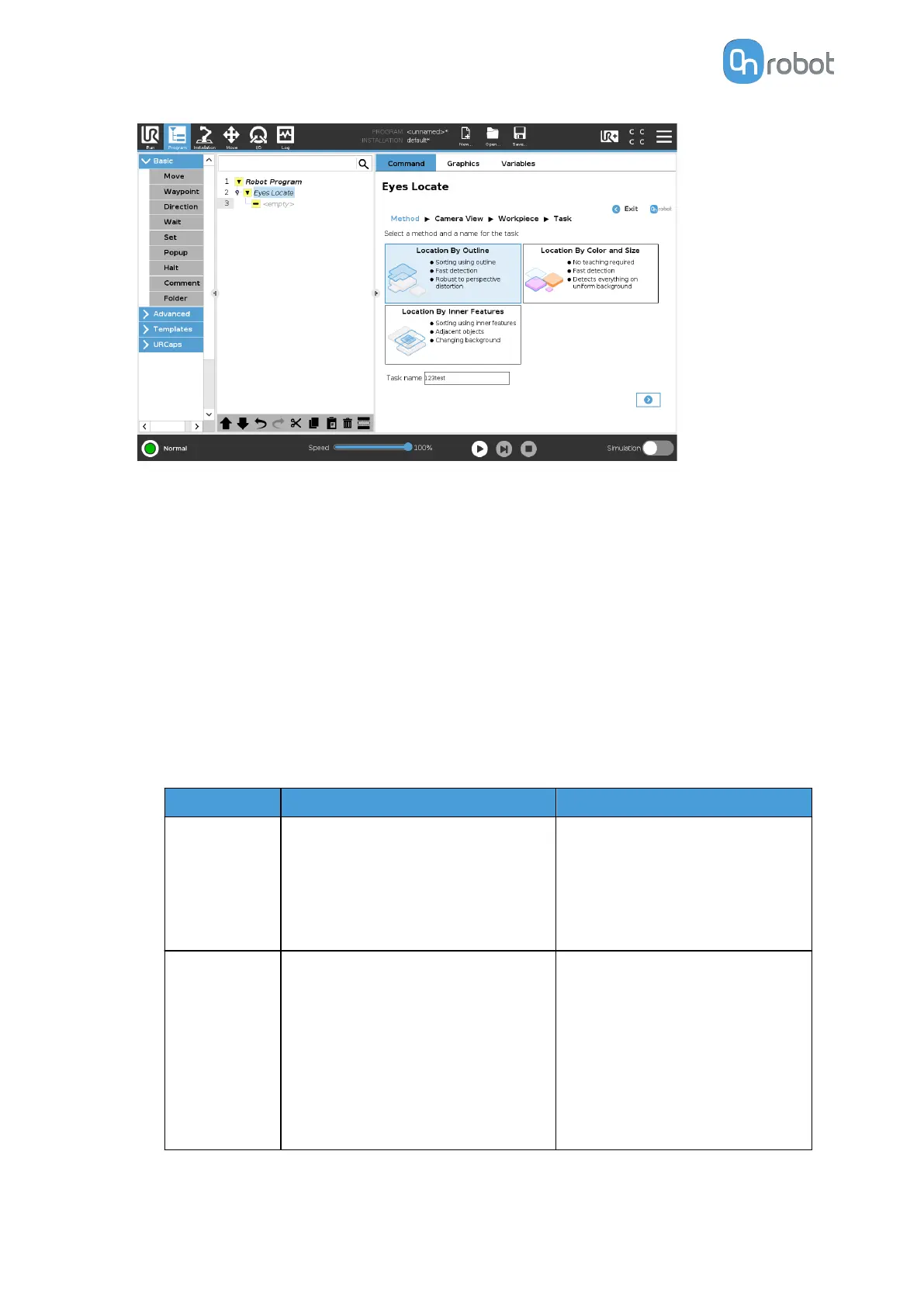
You can select one of the following location methods:
•
Location by workpiece's outline
This detection method uses the selected workpiece's outline to locate and sort the
objects in the scene. Color can be used as a sorting variable in case of objects with
identical outer shape.
•
Location by workpiece's inner features
This detection method uses the selected workpiece's inner features like holes, edges,
and similar features to locate and sort the objects in the scene. Color can optionally be
used as a sorting variable. Adjacent and touching objects can be identified as well.
•
Location by color and size
This detection method is intended for fast deployment. It does not require teaching
and the parts are identified based on the color and the size boundaries you set. The
following table gives an overview of the Part Location methods.
Method
Strengths Limitations
Workpiece's
outline
•
Guarantees OneShot
detection
•
Requires few parameters
to adjust
•
Provides fast cycle time
•
Cannot distinguish the
inner features of the
object
•
Cannot handle
adjacent or touching
objects
Workpiece's
inner features
•
Can identify adjacent or
touching objects
•
Background does not
need to remain constant
during the operation
•
Perspective distortion
on tall objects could
lead to false negative
results
•
Does not guarantee the
detection of all objects
when using OneShot
•
Provides variable cycle
time
OPERATION
47



 To Next Page