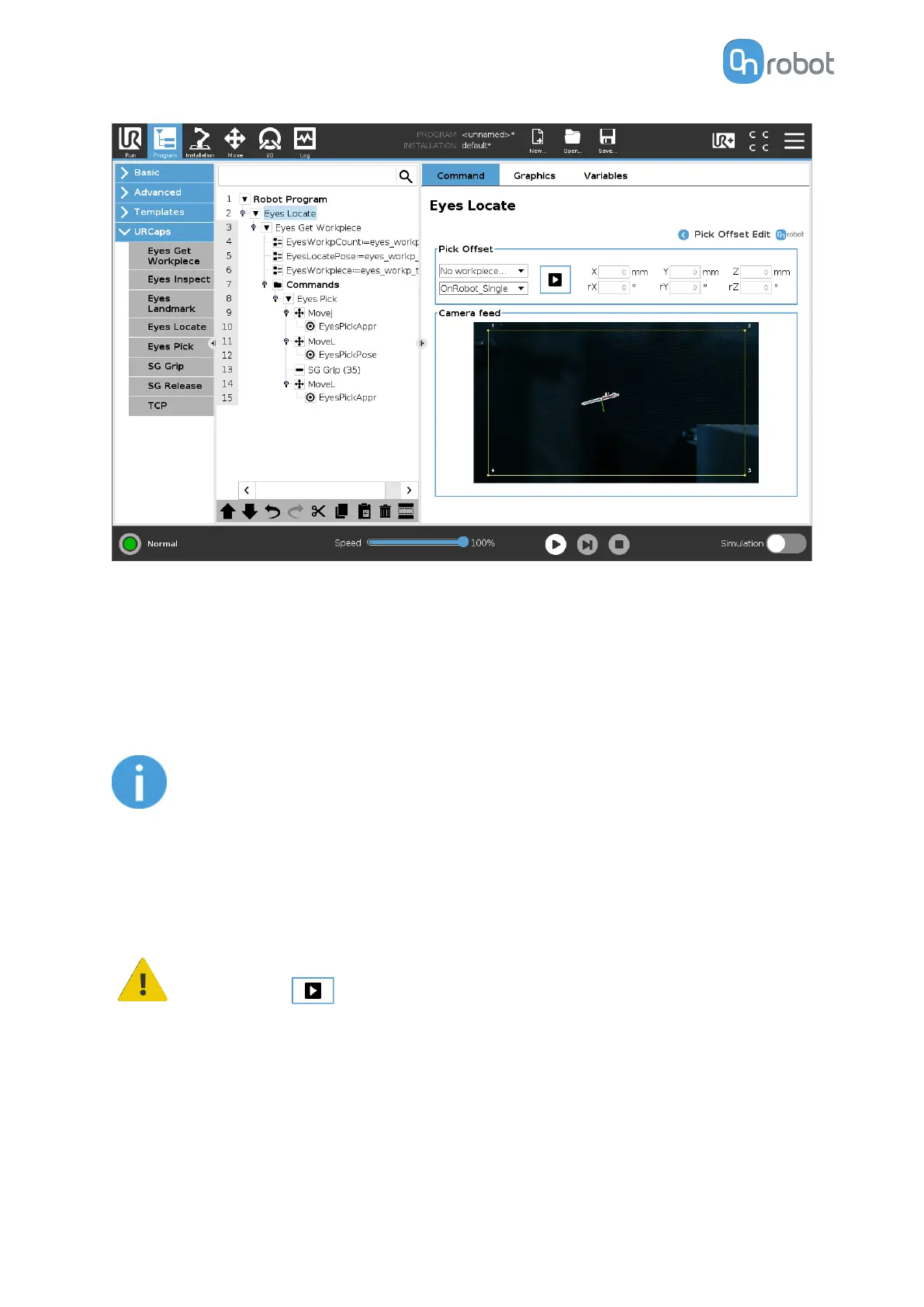
Pick Oset
In the first dropdown menu, the user can select which workpiece's pick osets and rotation
will be edited. If the picking position of the workpiece is placed inside the region of interest,
picking position and axes are visualized in the camera image. Axes X, Y, Z are represented by
lines colored red, green and blue, respectively. If sections of the axis are covered by the
workpiece/surface, the color of that section of the axis will be shown darker.
NOTE:
The osets are applied in the non-rotated frame of the detected workpiece.
For this reason, it is more intuitive to adjust the picking osets first, and the
picking orientation afterwards.
These pick
osets can also be modified from Web Client and aect only the selected
workpiece type in the selected task.
WARNING:
Pressing will simulate the picking operation by moving the robot to the
detected part.
This can be used to validate that the picking osets are correct for the application. In the
second dropdown menu, the TCP for this move can be selected. Use OnRobot_Single, when
working with 1 OnRobot gripper, use OnRobot_Dual_1 or OnRobot_Dual_2 when working with
Dual Quick Changer.
OPERATION
67



 To Next Page