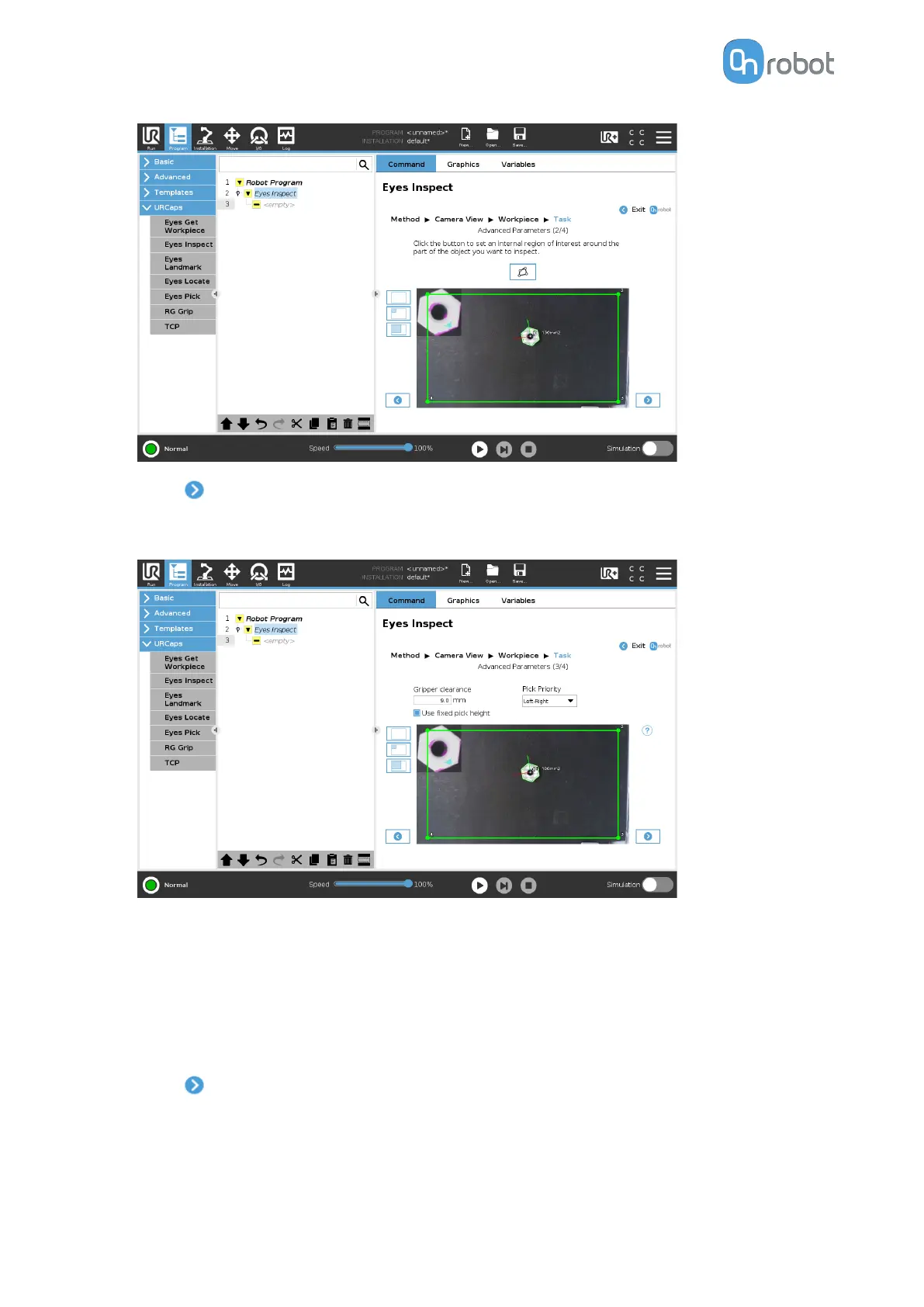
•
Press
.
•
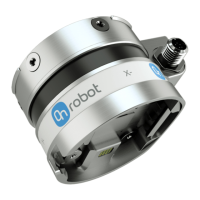
Adjust the inspection by setting the Pick priority, Gripper clearance, and Use fixed pick
height parameters.
•
Gripper clearance (mm): Sets the distance in [mm] of the required free space around
an object to be detected. This parameter guarantees that the gripper will be able to
grip the object.
•
Pick priority (Workpiece marked in white will be picked
first): Defines in which order
the workpieces will be picked, based on their position in the image.
•
Use
fixed pick height: If selected, the height of the workpiece will be considered 0
mm and the position will be given in the camera view plane.
•
Press .
•
Adjust the picking oset and the rotation. If the workpieces are placed inside the region of
interest, the picking position and the orientation are visualized in the image feed. Axes X,
Y, Z are represented by red, green, and blue lines, respectively. If parts of the axis are
covered by the workpiece in the 3D space, the color of that part of the axis will be darker.
OPERATION
79


 To Next Page