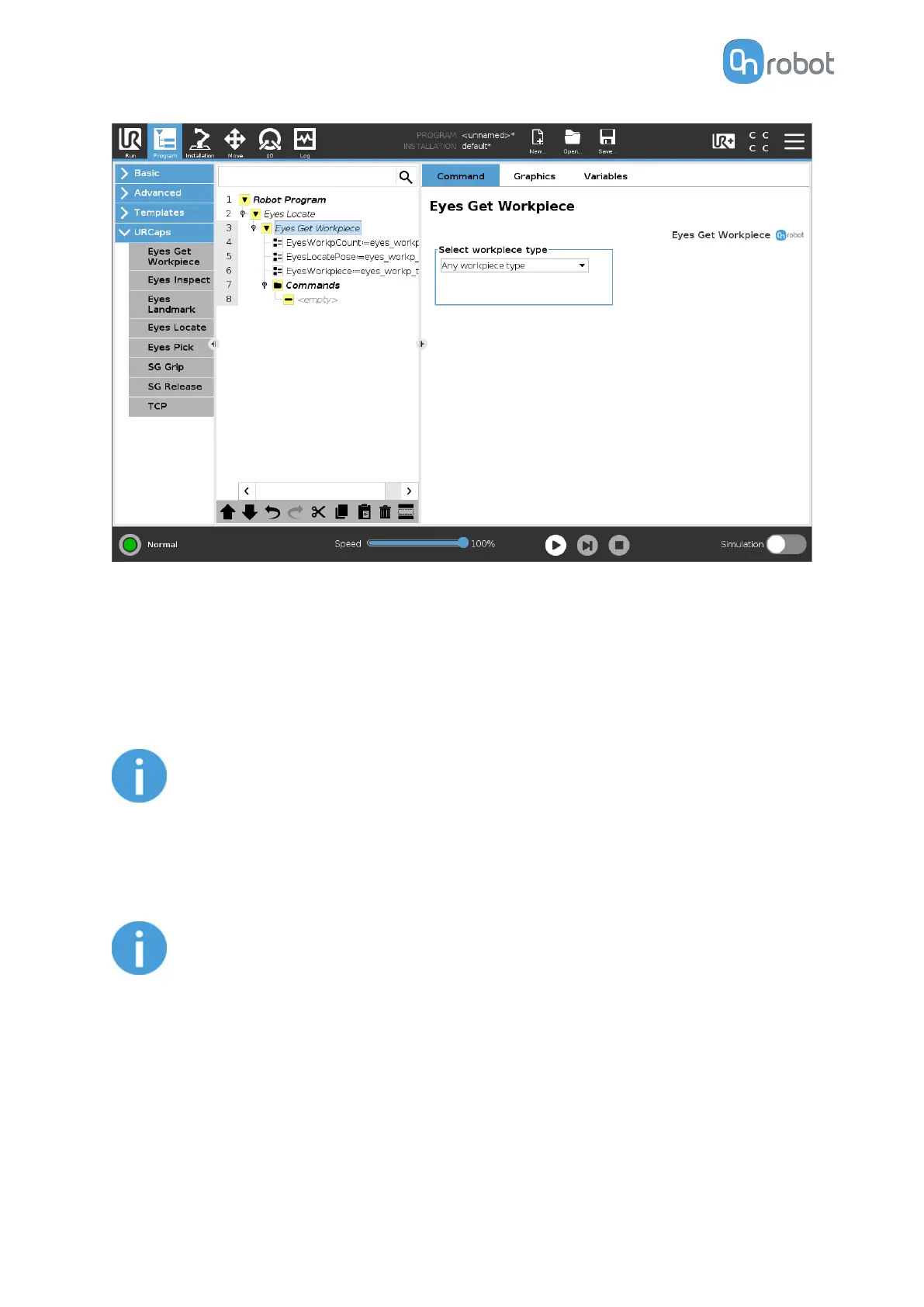
In the robot program, the created variables and their assignments can be seen. These
variables are explained below:
EyesWorkpCount: this variable assigns the number of detected workpieces located by the
Eyes Location Task.
EyesLocatePose: this variable assigns the detected workpiece’s pose when the Eyes Locate
command is executed.
NOTE:
The detected workpiece's pose is given to the robot using the robot's Base
frame as reference.
EyesWorkpiece: this variable assigns the detected workpiece’s type as defined in the Eyes
Location Task.
NOTE:
Changing the variable names or expression in the variable assignment nodes
will result in unwanted behavior from the Robot Program.
Select workpiece type
The user can select what workpiece information will be return in the assignments for this
command. When selecting Any workpiece type, the picking priority
configured in Eyes task
configuration is used to select which workpiece is returned.
Eyes Get Workpiece for Eyes Inspect (close up camera view) command
OPERATION
89



 To Next Page