6.
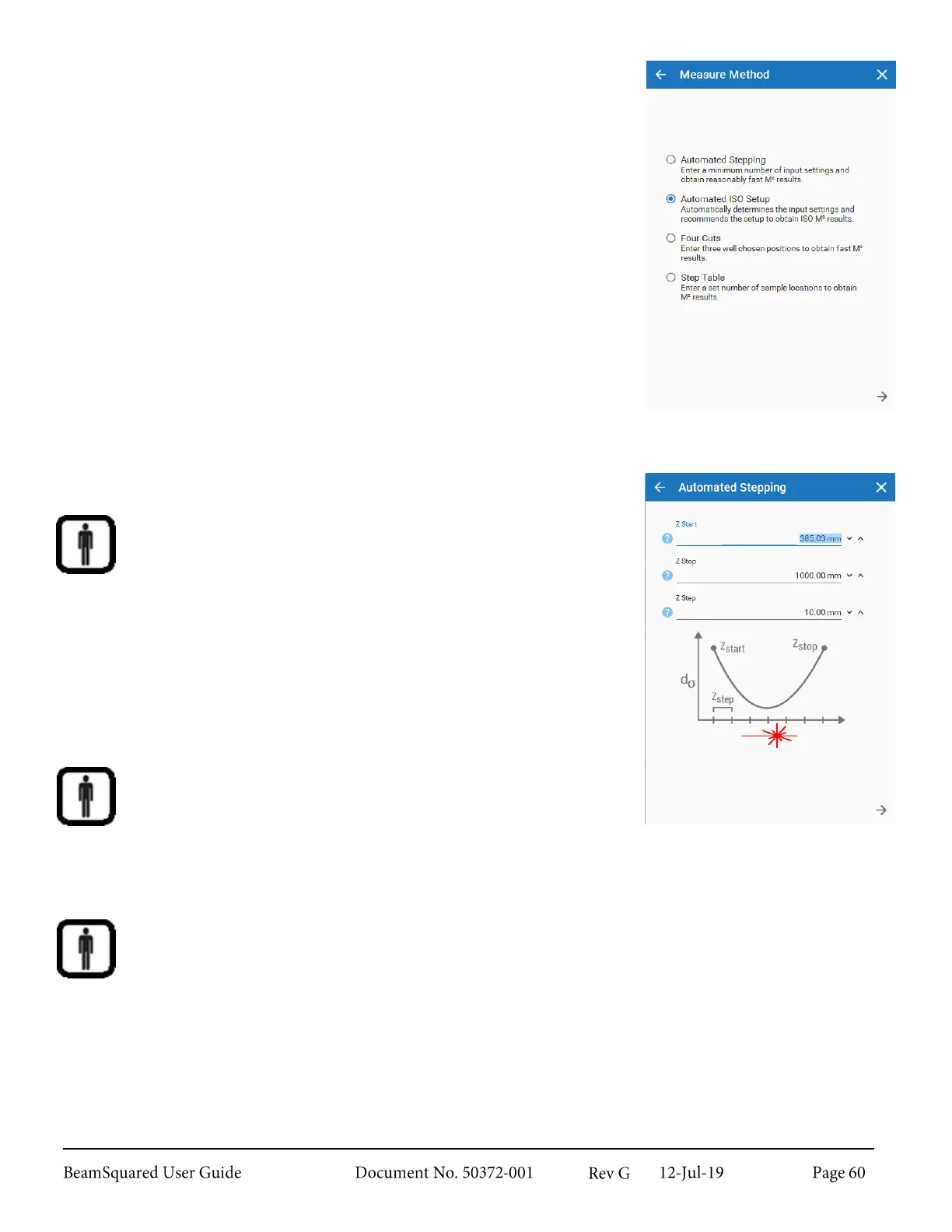
Select the preferred operating mode from the Measure Method
screen.
7.
Enter the values for the selected method:
a.
Automated Stepping method
To obtain accurate waist location results, the distance from the
front principal plane of the input lens to the sensor image plane
of the camera must be accurately measured for each data frame
and input as the Z location.
Selecting Automated Stepping Values
i.
Move the rail to either position "A" or until the beam
fills about 2/3 of the camera's imager to get the Z
Start value. All data runs must start somewhere
between the focused beam waist and the lens.
Enter the Z distance of the first measurement location as
measured from the lens to the image plane of the camera sensor.
ii.
Move the rail to either the "B" position or until the
beam fills about 2/3 of the camera's imager on the
opposite end of the rail to get the Z Stop value.
Enter the Z location that corresponds to the last measurement location of the sensor image plane as
measured from the lens.
iii.
Z Step values vary by beam. Values between 30-
50mm are typically appropriate. If your beam focuses
quickly a smaller Z Step should be considered. If the
Z Step value is too large a warning appears notifying
that the step size may be too large to obtain enough
points to meet the ISO specification.



 To Next Page