b.
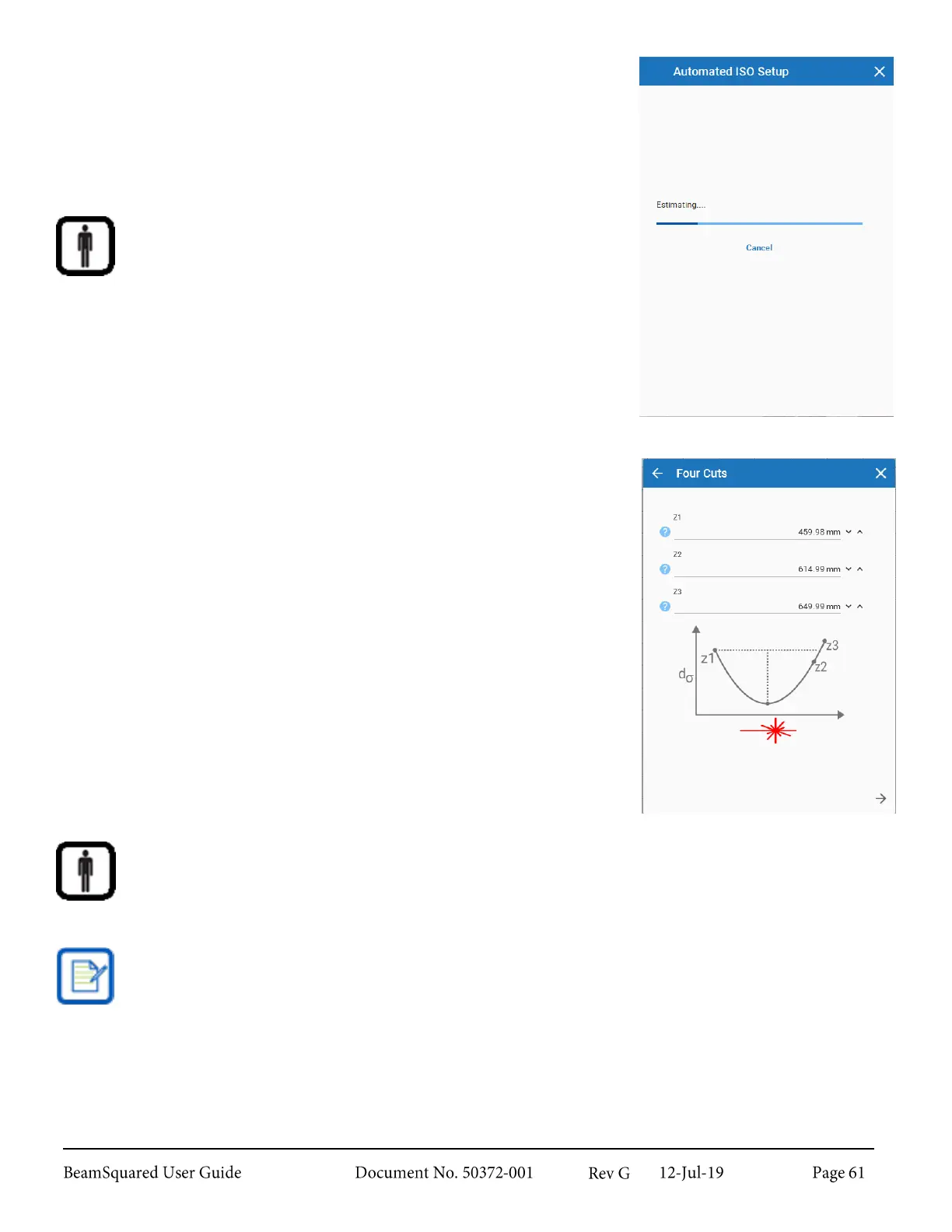
Automated ISO Setup method
i.
No additional inputs are required when using this
method. The software performs an initial scan of the
beam and populates either the Step Table or
Automated Stepping values with the points
recommended to achieve an ISO measurement.
Automated ISO Setup is not available in Manual mode.
c.
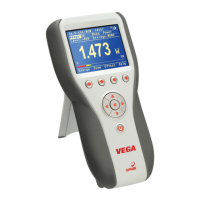
Four Cuts method
Choosing Four Cuts Values
i.
The Z1 should be a point selected somewhere
before the waist.
ii.
The Z2 should be a point beyond the waist where
the beam width is smaller than at Z1.
iii.
The Z3 should be a point selected beyond the waist,
and should be a value close to Z2 where the beam
width of Z1 falls between the widths at Z2 and Z3.
iv.
The remaining cuts are populated automatically by
the software.
If these criteria are not met, the wizard fails and an error
appears, terminating the run. Should this occur, reenter
proper values.
During a run, the software usually prompts the user to collect point Z6 after Z1. The run fails if Z2
is taken instead of Z6.
The Four Cuts method is not ISO standard, but can supply quicker results that are just as accurate.


 To Next Page