81
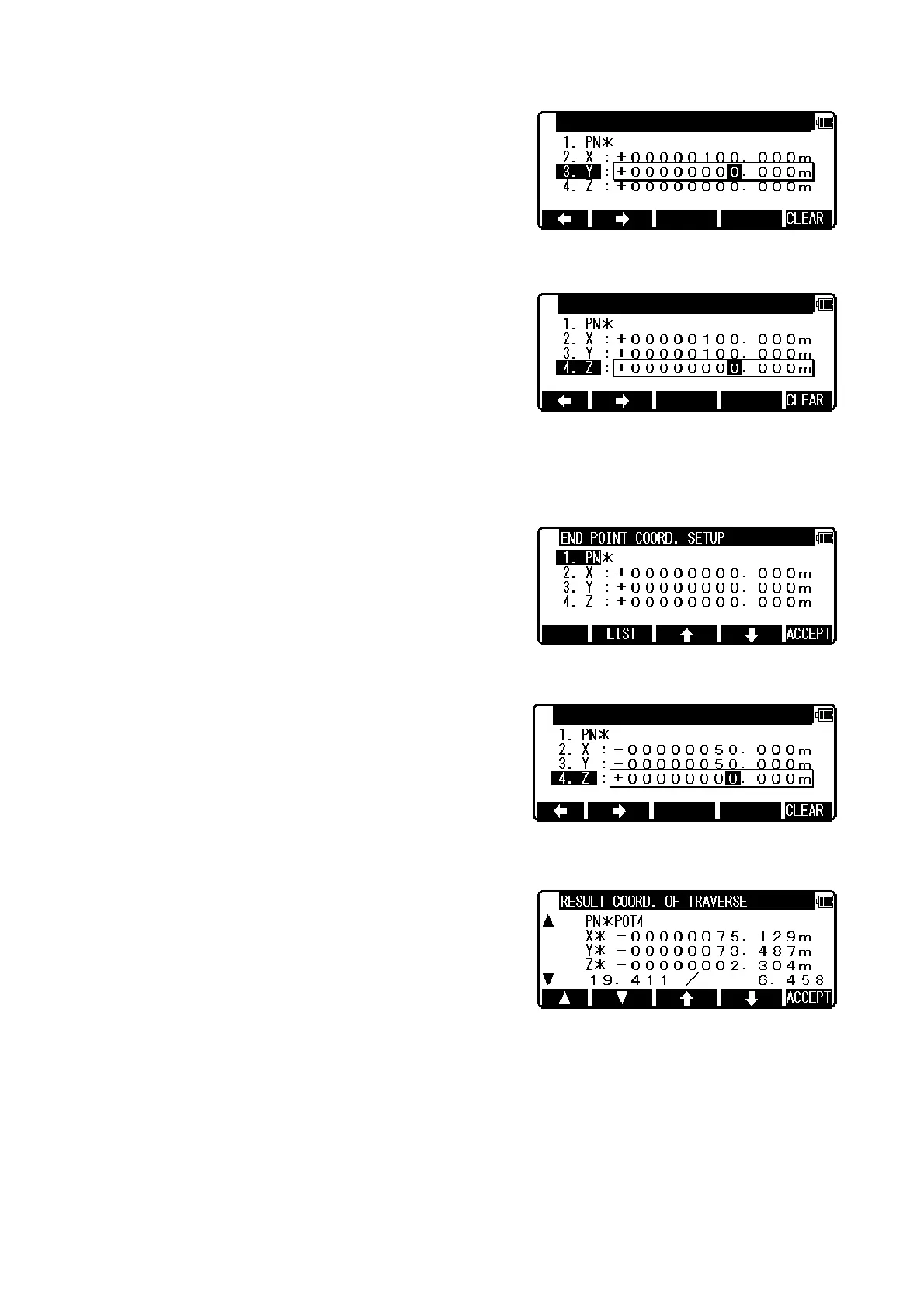
Press [ENT] to open the Y coordinate input screen and input.
Press [ENT] to open the Z coordinate input screen and input.
Only in the case of fixed traverse,
End point coordinates setup screen is displayed.
(Input the PN , Coordinates and PC of the End point.)
After Z coordinate input, END POINT COORD. SETUP screen is viewed.
Input the PN, X, Y, Z Coordinates and PC name of the End point.
Press [ENT] to view the RESULT COORD. OF TRAVERSE screen.
“ e / S ” indication means “ closing errors / total length “.
[F1] and [F2]s indicate only corner points in order.
[F3] and [F4]s indicate all points in order.
Press [F5][ACCEPT] to save the all corner, sideshot points, and known points.
START POINT COORD.SETUP
START POINT COORD.SETUP
END POINT COORD.SETUP


 To Next Page
 Loading...