63
The PN, X, Y, Z and PC are viewed and can be edited.
If all items are OK, press [F5][ACCEPT] to save them.
8.2 2D SURFACE
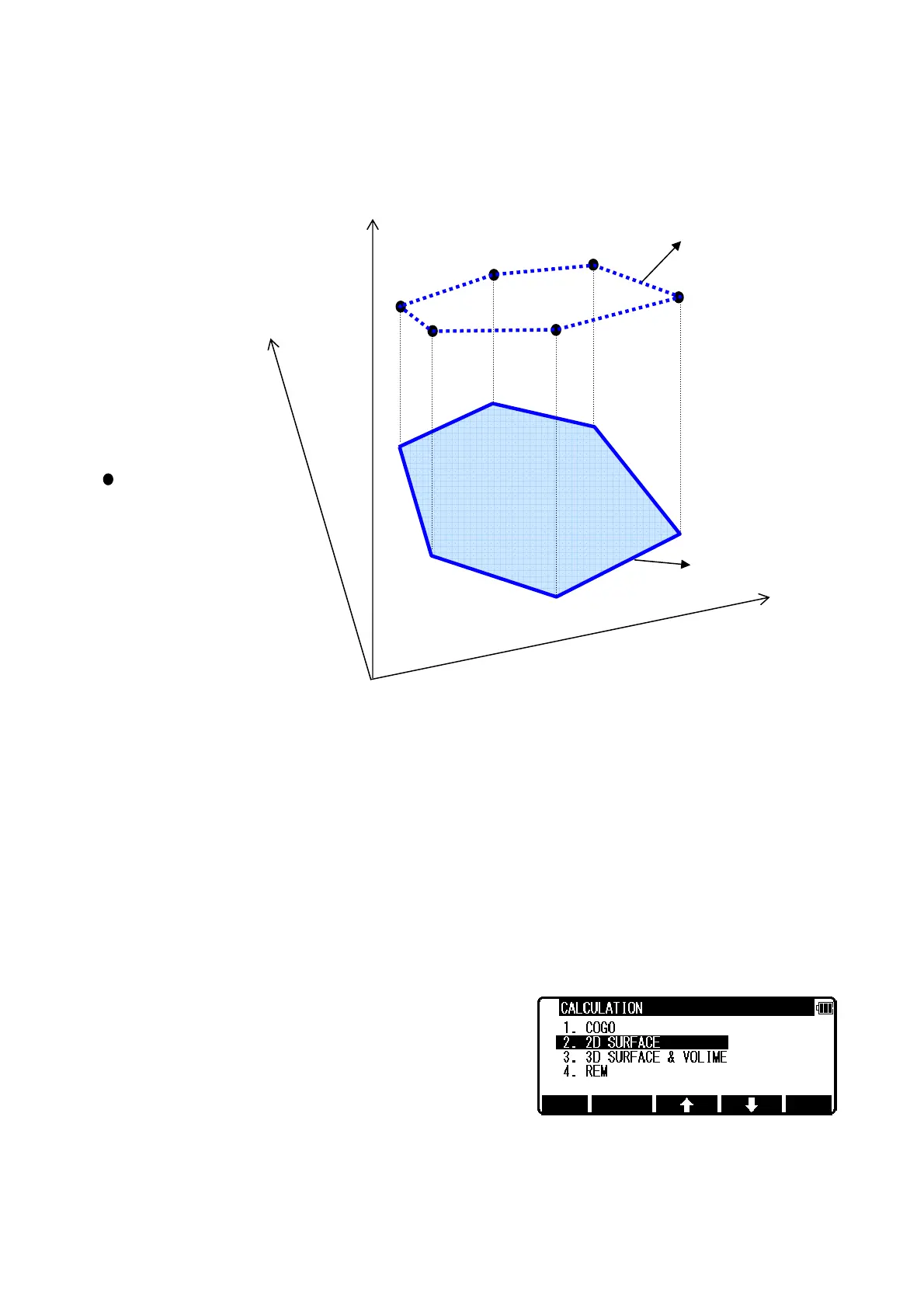
This function calculates the 2D and 3D contour of a polygon and the 2D surface of the area defined
by the polygon.
You define the polygon by selecting points and PowerTopoLite then calculates contour and 2D
surface.
Note: The polygon is defined by the point you select. Therefore, the order in which you enter the
point is important. If you select points by [ALL] or [FROM][TO], the polygon is defined according to
the order of the memory address. If you select points one by one by [ENT], the polygon is defined
according to the order of your selection.
Note: You have to select points in such a way that the line segments that define the polygon do
not intersect.
Note: Selected points should be less than 1500 points.
From the PowerTopoLite screen, press [F2][CALC] to view the CALCULATION screen.
Select 2. 2D SURFACE and press [ENT] to view POINT SELECTION FROM THE LIST screen.
2D SURFACE
2D CONTOUR
3D CONTOUR
X
Y
Z
STORED POINTS


 To Next Page
 Loading...