12
3. FILE MANAGER
The Data storage memory status, creating a new Job name and the Selection and Deletion of a Job
name are executed by this function.
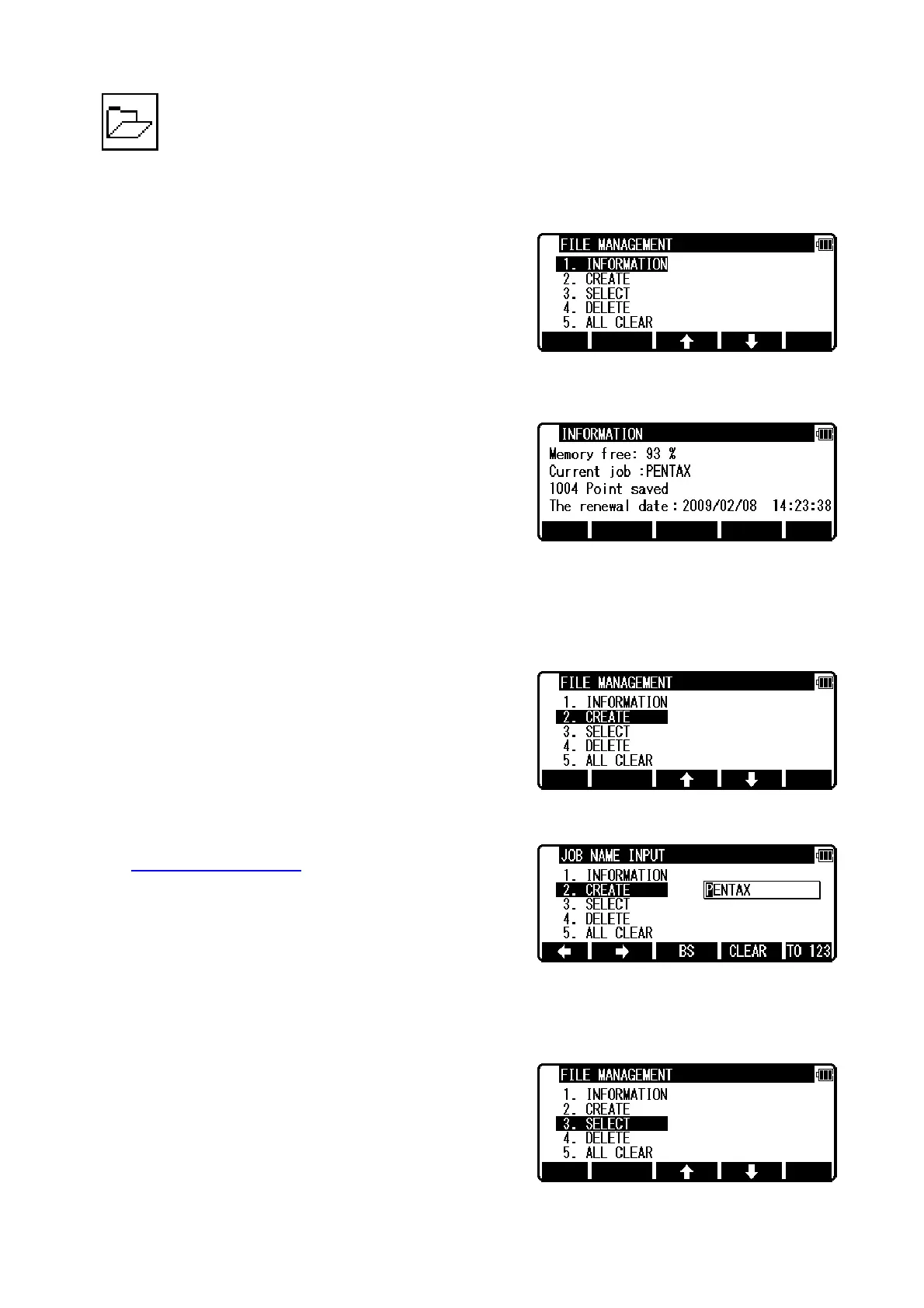
From the PowerTopoLite screen, press [F1][FILE] to view
the FILE MANAGEMENT screen.
3.1 Information of the remaining memory available
Press [ENT] to view INFORMATION screen.
The remaining memory available and a JOB name PENTAX are viewed on the screen.
The Job name “PENTAX” is a default setting.
3.2 Creation of a new Job
Select 2. CREATE by down arrow key.
Press [ENT] to view the JOB NAME INPUT screen.
z The Job name input method can be selected by the
“Input method selection
” of the “Preference”. This is
the “10 KEY SYSTEM” input selection.
z If a new Job is created, the new data are stored in this new Job.
3.3 Selection of a Job name
Select 3. SELECT by pressing the down arrow key.


 To Next Page
 Loading...