7–14
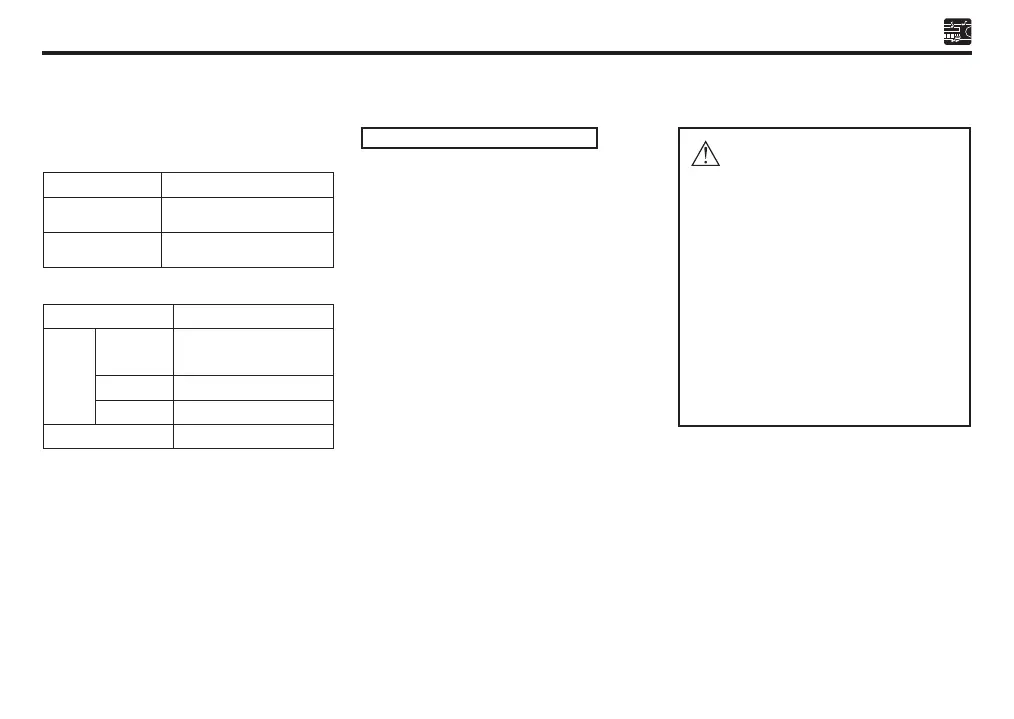
Summary of Bluetooth button function
Interchange between
auto-answering mode and
manual answering mode.
Active pairing mode
Bluetooth reset
Reject call
Button pressing time: Less than 2 seconds
Current Operation
Incoming Call/
Conversation
Any Mode
Bluetooth Button Function
Interchange between
telephone menu mode
Receive/end call
Button pressing time: More than 2 seconds
Operasi Semasa
ADD DEVICE
MANU ANS
BT
MENU
MODE
Incoming Call
BT RESET
Fungsi Butang Bluetooth
Notes on Bluetooth operation
• Use the mobile phone in areas with good
mobile receptions.
• If talking volume is low or noisy (claim
from the person on the other end of the
line), close the window, change the air
direction, or adjust the air blower’s level
to low of the air conditioner.
• If the mobile phone’s battery is at low
charge, the Bluetooth connection may
occasionally be lost. To maintain good
connectivity, ensure that the phone battery
is adequately charged.
• This unit can store up to 5 phones pairing.
If the memory is full, the LCD will displayed
“MEM FUL” and pairing mode is invalid.
Perform BT Reset to clear all the memory
to make sure the pairing mode can valid.
• Echo will happen depending on mobile
phone or service network.
• Caller ID display (caller number only) is
dependent on mobile phone and network
provider.
Caution
• Telephone conversation during driving
may result in consequences adverse
to safety. Kindly follow the local laws
and regulations.
• Pair, connect & adjust the volume level
of incoming calls appropriately before
start driving.
• Park your car in a safe place by using
a parking brake before you make a
call.
• This audio system is designed only for
receiving calls with taking account of
safety.
Sect 07_EN D42L.indd 14 25/10/2019 11:45 AM



 To Next Page