User’s Manual of GS-5220 LCD Series
356
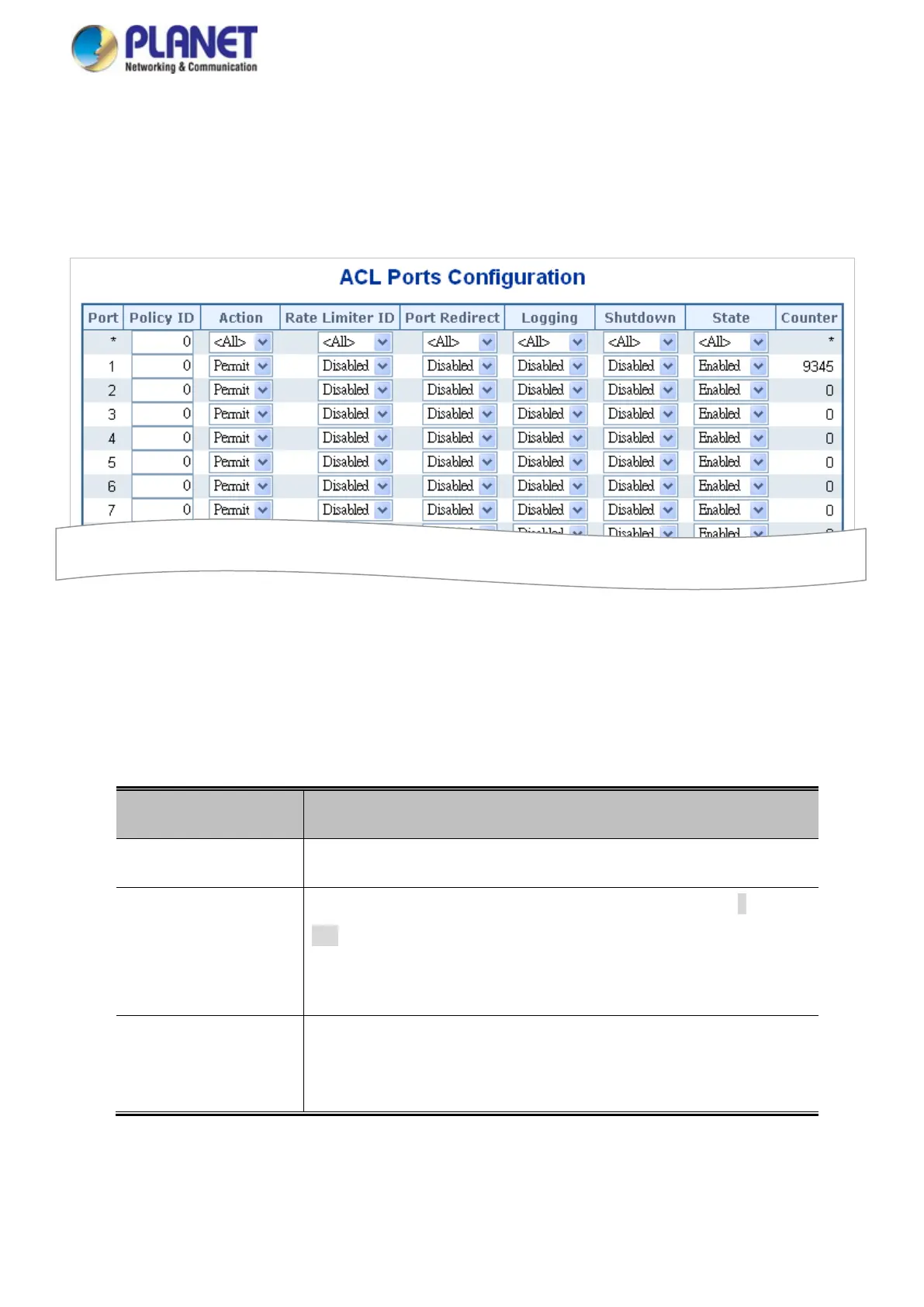
4.10.4 ACL Ports Configuration
Configure the ACL parameters (ACE) of each switch port. These parameters will affect frames received on a port
unless the frame matches a specific ACE. The ACL Ports Configuration screen in Figure 4-10-4 appears.
Figure 4-10-4: ACL Ports Configuration Page Screenshot
The page includes the following fields:
Object Description
• Port
The logical port for the settings contained in the same row.
• Policy ID
Select the policy to apply to this port. The allowed values are 0 through
255.
The default value is 0.
• Action
Select whether forwarding is permitted ("Permit") or denied ("Deny").
The default value is "Permit".



 To Next Page
 Loading...









