User’s Manual of IXT-900 PoE series
147
4.4.4 Bandwidth Control
Configure the switch port rate limit for the switch port on this page.
4.4.4.1 Ingress Bandwidth Control
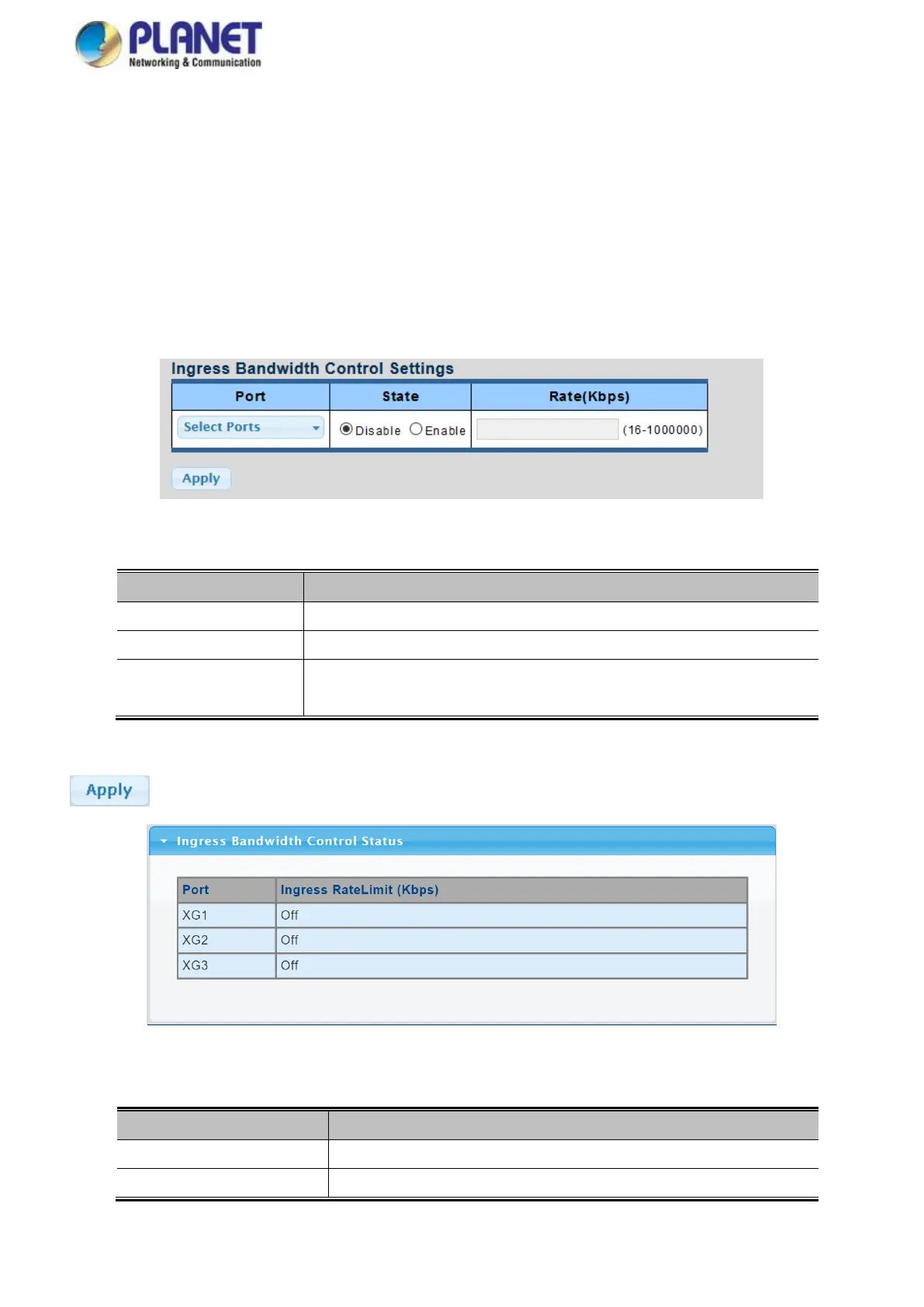
This page provides to select the ingress bandwidth preamble. The Ingress Bandwidth Control Setting and Status screens in
Figure 4-4-17 & Figure 4-4-18 appear.
Figure 4-4-17 Ingress Bandwidth Control Settings Page Screenshot
The page includes the following fields:
Select port number for this drop down list.
Enable or disable the port rate policer. The default value is "Disabled".
Configure the rate for the port policer. The default value is "unlimited". Valid
values are in the range 16 to 1000000.
Buttons
: Click to apply changes.
Figure 4-4-18 Ingress Bandwidth Control Status Page Screenshot
The page includes the following fields:
The switch port number of the logical port.
Ingress Rate Limit (Kbps)
Display the current ingress rate limit.



 To Next Page