User’s Manual of IXT-900 PoE series
45
4.1.2.1 Saving Configuration
In the Managed Media Converter, the running configuration file stores in the RAM. In the current version, the running
configuration sequence of running-config can be saved from the RAM to FLASH by ”Save Configurations to FLASH” function,
so that the running configuration sequence becomes the startup configuration file, which is called configuration save.
To save all applied changes and set the current configuration as a startup configuration. The startup-configuration file will be
loaded automatically across a system reboot.
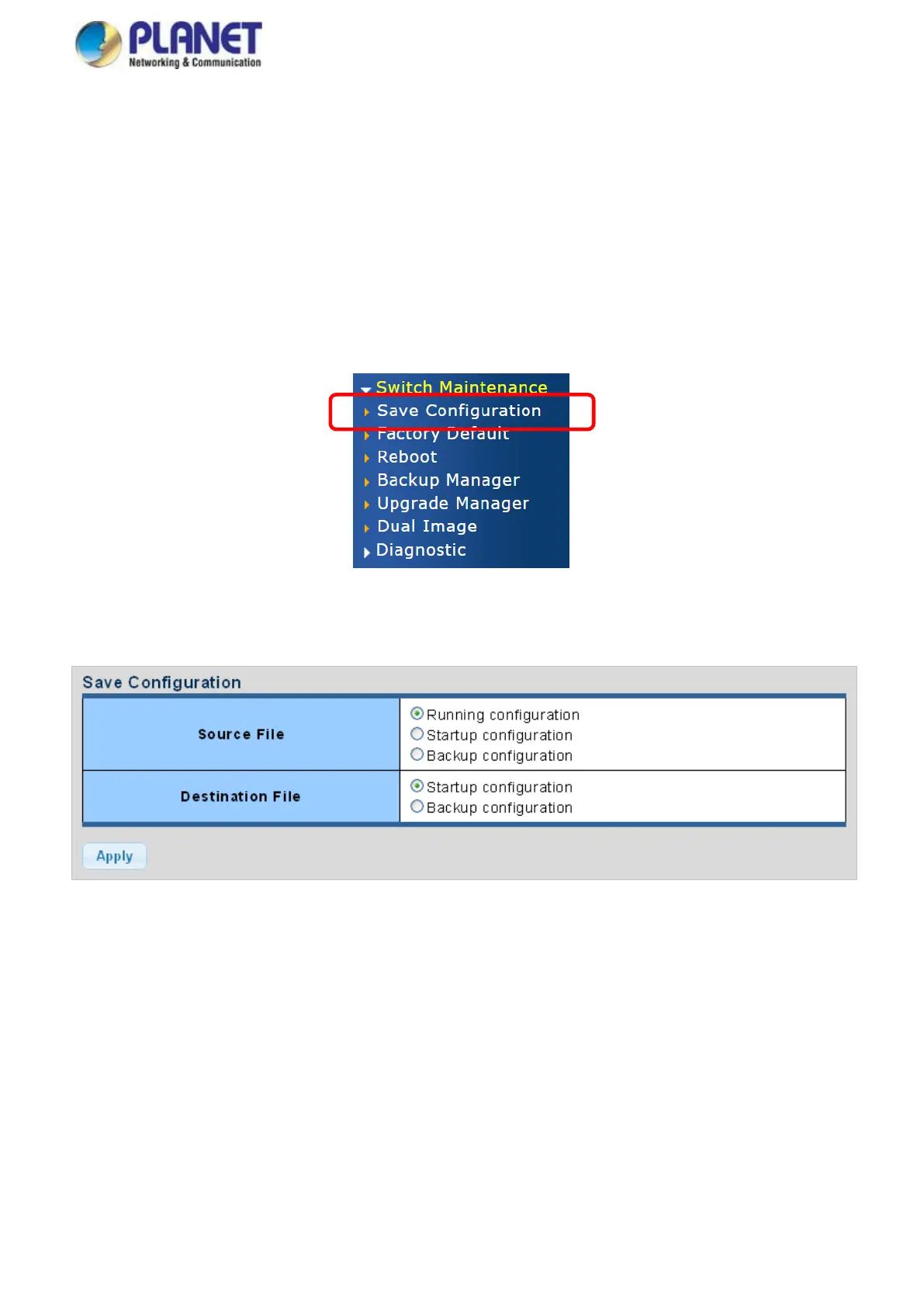
1. Click “Save Configuration” on the main menu on the left.
2. Select ”Running Configuration” as the Source File and “Startup Configuration” as the Destination File.
3. Press “Apply” button to save running configuration to startup configuration.



 To Next Page