User’s Manual of IXT-900 PoE series
34
3.3 Change the Default Password upon Initial Login
1. Use a modern Web browser to enter the default IP address https://192.168.0.100 to access the Web interface.
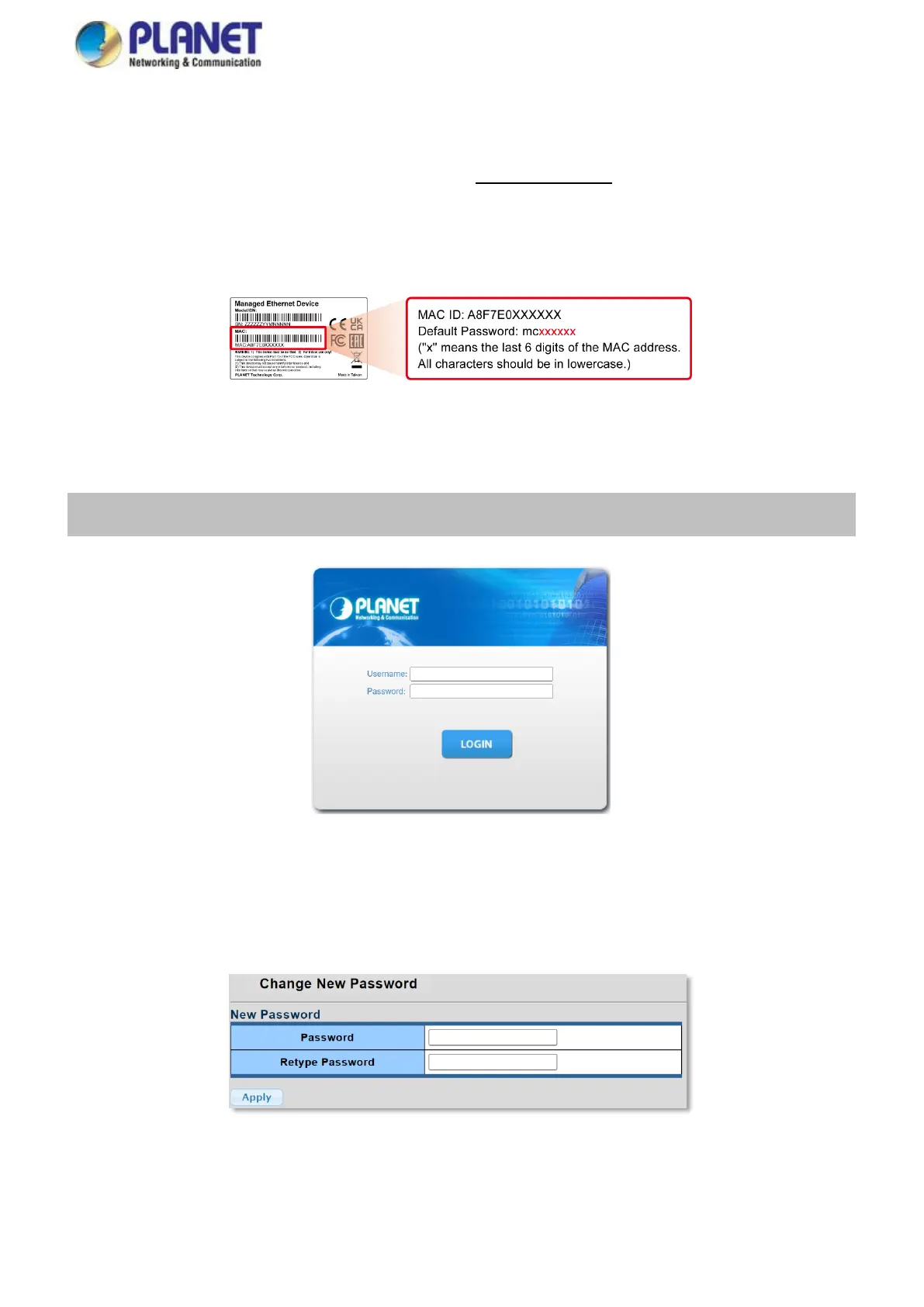
2. Before starting the login process, it is important to determine the initial password from the device label. The default
password format is "mc" followed by the last six characters of the MAC ID, as indicated on the label. These characters
should be entered in lowercase.
3. When the dialog box in Figure 3-1 appears, enter the default username and password.
Username: admin
Password: mc + the last 6 characters of the MAC ID in lowercase
Figure 3-1: Web Login Screen of Industrial Managed PoE Media Converter
4. After entering the username and password, you will be prompted to change the initial password to a new, permanent one.
Please adhere to the guidelines provided for creating a secure password.
Figure 3-2: Create a New Password



 To Next Page