User’s Manual of IXT-900 PoE series
50
4.2.1.3 IPv6 Configuration
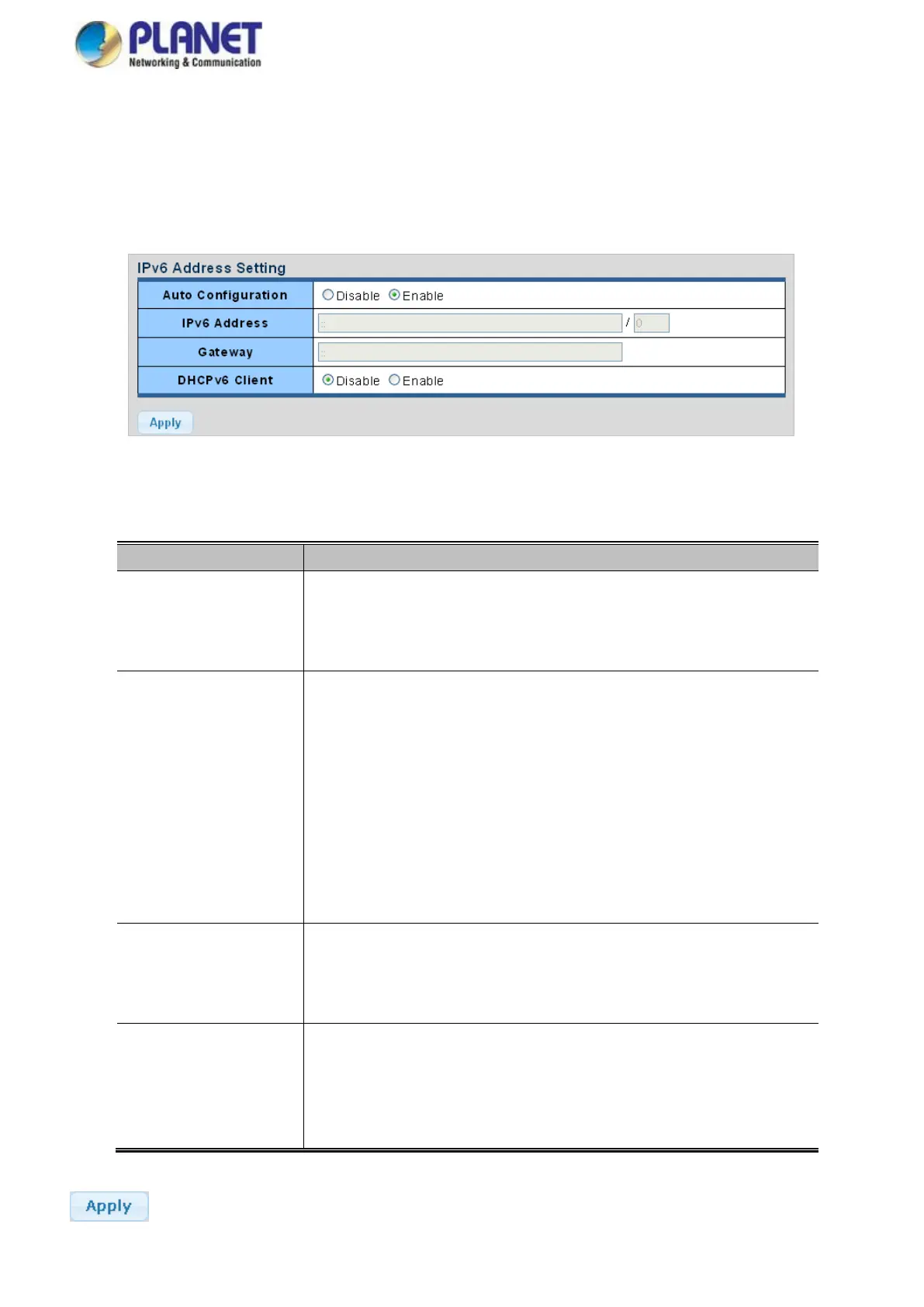
The IPv6 Configuration includes Auto Configuration, IPv6 Address and Gateway. The configured column is used to view or
change the IPv6 configuration. Fill out the Auto Configuration, IPv6 Address and Gateway for the device. The screens are
shown in Figure 4-2-4 and Figure 4-2-5.
Figure 4-2-4 IPv6 Address Setting Screenshot
The page includes the following fields:
Enable IPv6 auto-configuration by checking this box.
If it fails, the configured IPv6 address is zero. The router may delay responding to
a router solicitation for a few seconds; the total time needed to complete
auto-configuration can be significantly longer.
Provide the IPv6 address of this media converter.
IPv6 address is in 128-bit records represented as eight fields of up to four
hexadecimal digits with a colon separating each field (:). For example,
'fe80::215:c5ff:fe03:4dc7'.
The symbol '::' is a special syntax that can be used as a shorthand way of
representing multiple 16-bit groups of contiguous zeros; but it can only appear
once. It also uses the following legally IPv4 address. For example, ':192.1.2.34'.
Provide the IPv6 Prefix of this media converter. The allowed range is from 1
through 128.
Provide the IPv6 gateway address of this media converter.
IPv6 address is in 128-bit records represented as eight fields of up to four
hexadecimal digits with a colon separating each field (:). For example,
'fe80::215:c5ff:fe03:4dc7'.
To enable this Managed Media Converter to accept a configuration from a
Dynamic Host Configuration Protocol version 6 (DHCPv6) server. By default,
the Managed Media Converter does not perform DHCPv6 client actions.
DHCPv6 clients request the delegation of long-lived prefixes that they can push
to individual local hosts.
Buttons
: Click to apply changes.



 To Next Page