User’s Manual of IXT-900 PoE series
44
4.1.2 Configuration Manager
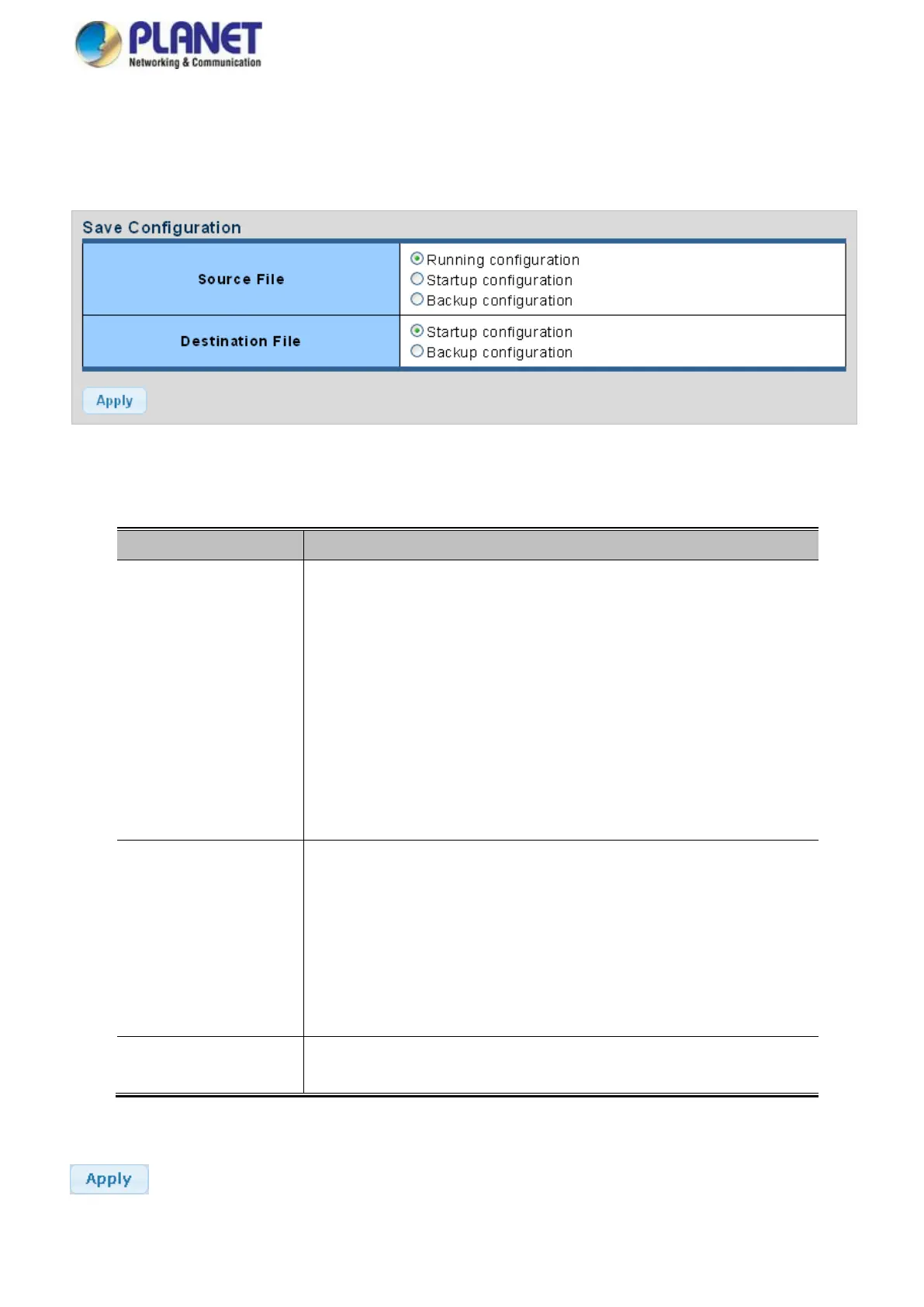
The system file folder contains configuration settings. The screen in Figure 4-1-7 appears.
Figure 4-1-7 Save Button Screenshot
The page includes the following fields:
Refers to the running configuration sequence use in the media converter.
In media converter, the running configuration file stores in the RAM. In the
current version, the running configuration sequence running-config can be saved
from the RAM to FLASH by saving “Source File = Running Configuration” to
“Destination File = Startup Configuration”, so that the running configuration
sequence becomes the startup configuration file, which is called configuration
save.
To prevent illicit file upload and easier configuration, media converter mandates
the name of running configuration file to be running-config.
Refers to the configuration sequence used in media converter startup.
Startup configuration file stores in nonvolatile storage, corresponding to the
so-called configuration save. If the device supports multi-config file, name the
configuration file to be .cfg file, the default is startup.cfg.
If the device does not support multi-config file, mandates the name of startup
configuration file to be startup-config.
The backup configuration is empty in FLASH; please save the backup
configuration first by “Maintenance > Backup Manager”.
Buttons
: Click to save configuration.



 To Next Page