User’s Manual of IXT-900 PoE series
24
2.1.4 Switch Upper Panel
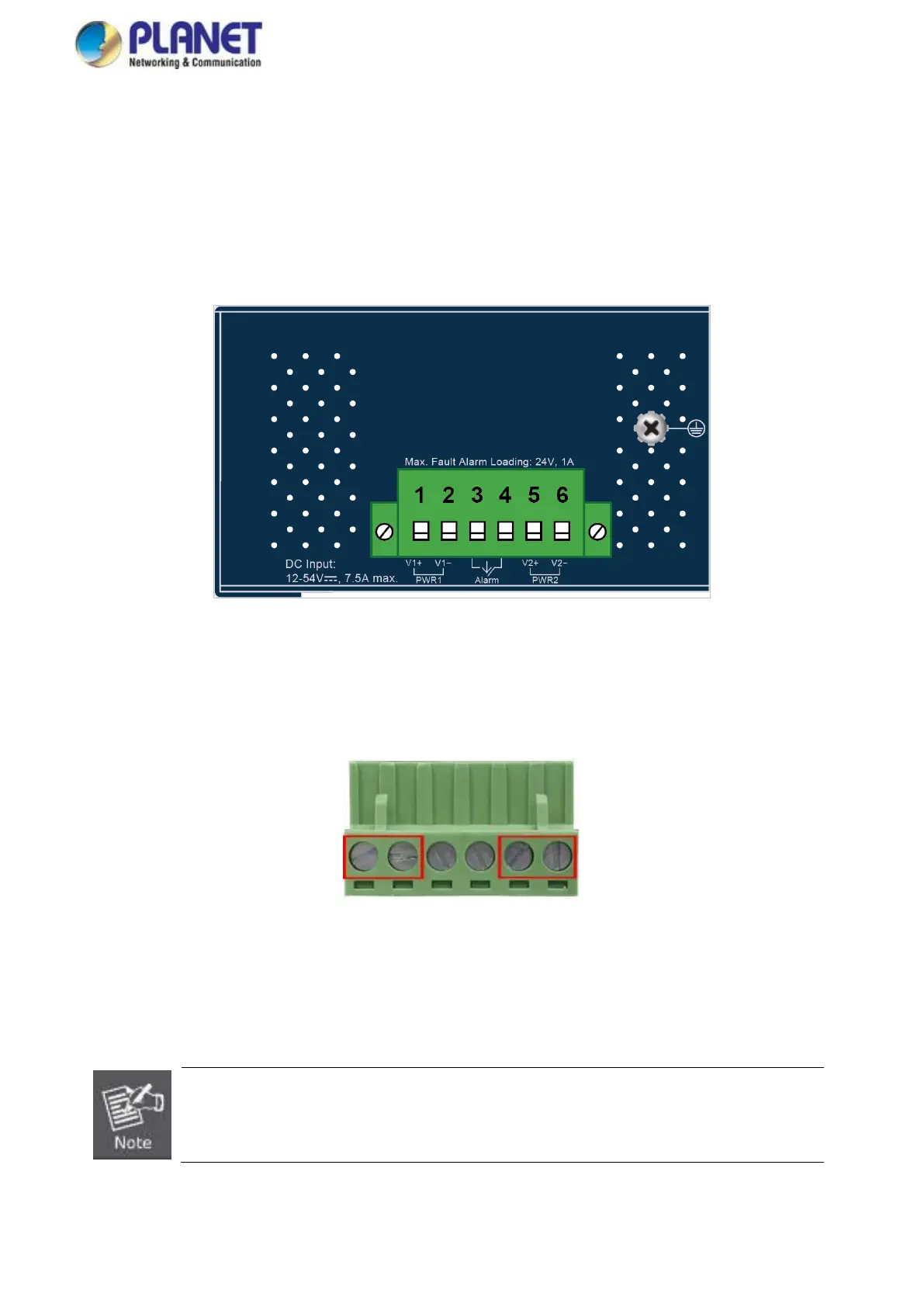
The Upper Panel of the Industrial Media Converter comes with a DC inlet power socket and one terminal block connector with
6 contacts.
1. Insert positive/negative DC power wires into contacts 1 and 2 for DC Power 1, or 5 and 6 for DC Power 2.
Figure 2-1: IXT-900 PoE series Upper Panel
2. Tighten the wire-clamp screws for preventing the wires from loosening.
1. The wire gauge for the terminal block should be in the range of 12 ~ 24 AWG@25°C.
2. When performing any of the procedures like inserting the wires or tightening the wire-clamp screws,
make sure the power is OFF to prevent from getting an electric shock.



 To Next Page