User’s Manual of IXT-900 PoE series
180
4.8 Maintenance
Use the Maintenance menu items to display and configure basic configurations of the GS-4210 802.3BT PoE++ Series. Under
maintenance, the following two topics are provided:
You can save the configuration, reboot or reset default, configuration
backup/restore of the switch on this page.
You can run the cable diagnostics or ping IPv4/IPv6 IP address of the switch
on this page.
4.8.1 Switch Maintenance
Under the switch maintenance, the following topics are provided to back up, upgrade, save and restore the configuration. This
section has the following items:
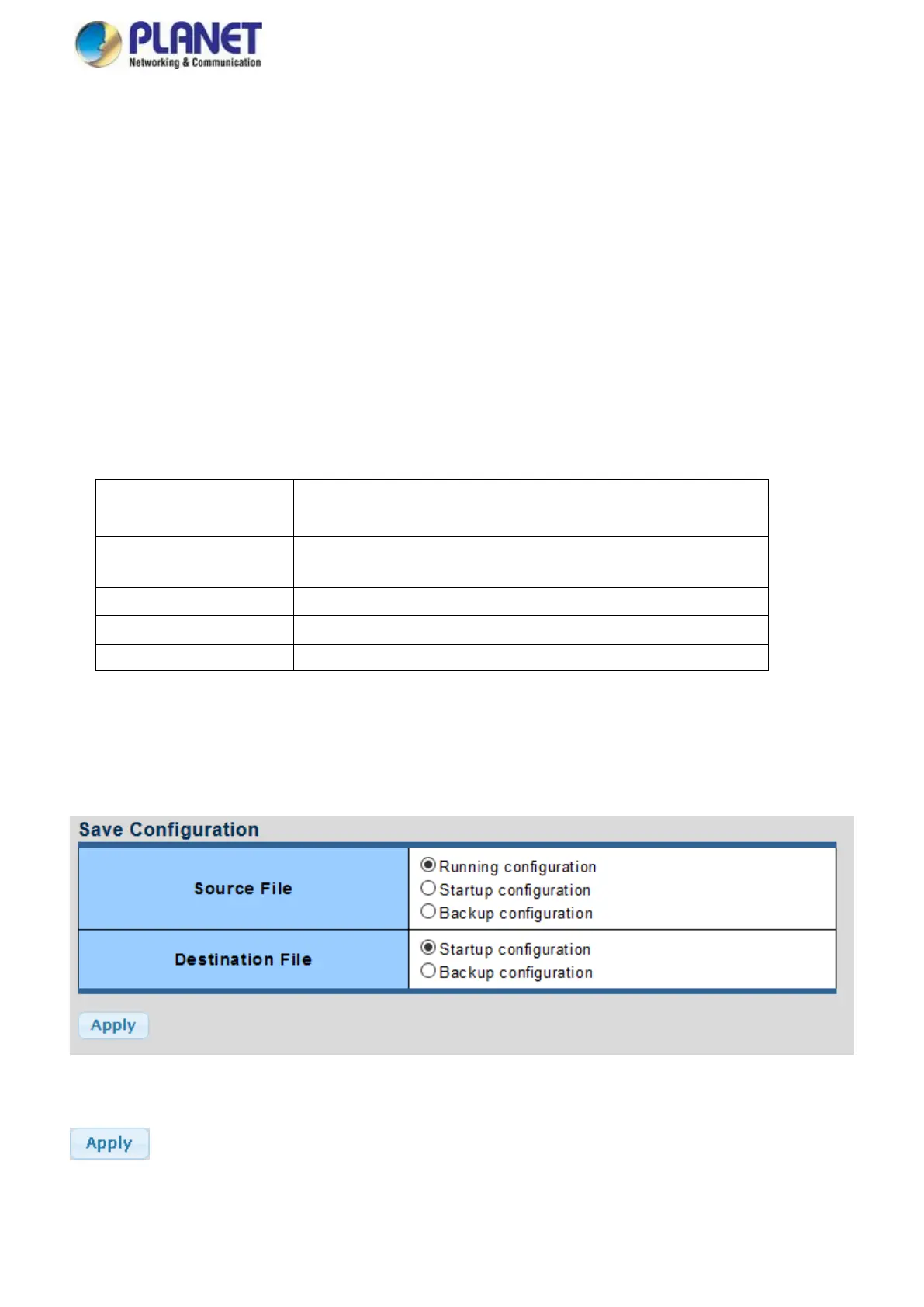
You can save the configuration of the switch on this page.
You can reset default the configuration of the switch on this page.
You can restart the switch on this page. After restart, the switch will boot
normally.
You can back up the switch configuration.
You can upgrade the switch configuration.
Select active or backup image on this Page.
4.8.1.1 Save Configuration
You can save the configuration of the switch on this page. The Factory Default screen in Figure 4-8-1 appears.
Figure 4-8-1 Save Configuration Page Screenshot
Buttons
: Click to apply changes.



 To Next Page