User’s Manual of IXT-900 PoE series
22
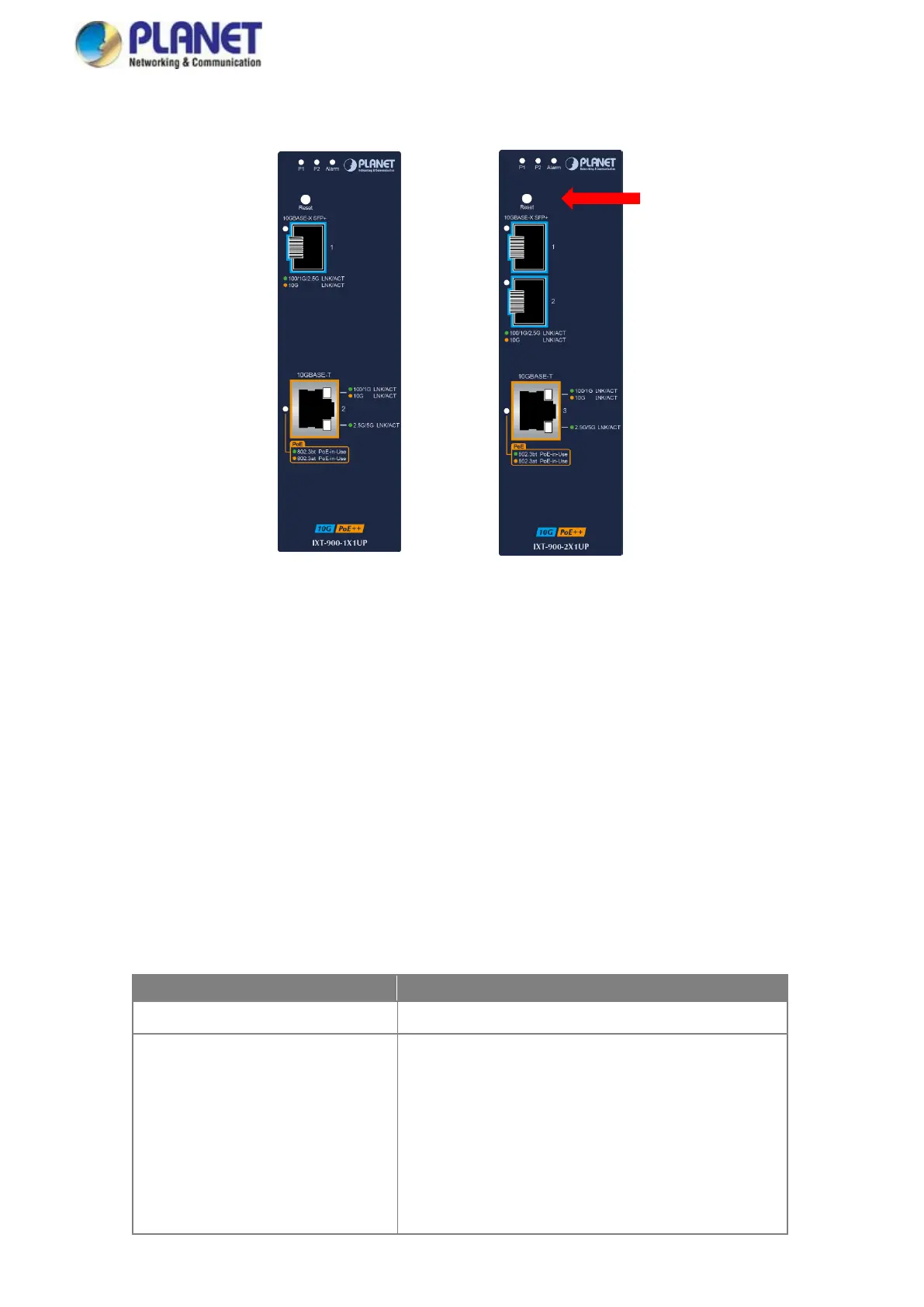
2.1.2 Front Panel
IXT-900-1X1UP IXT-900-2X1UP
■ 10G TP Interface
100/1000/2500/5000/10000BASE-T Copper, RJ45 Twisted-pair: Up to 100 meters.
Support IEEE 802.3bt PoE++ standard
■ SFP+ Slot
100/1000/2500/10000BASE-X mini-GBIC slot, SFP+ (Small-form Factor Pluggable) transceiver module: From 550 meters
to 2km (multi-mode fiber) and to 10/20/30/40/50/70/120 kilometers (single-mode fiber). Note: the max. distance tor
operating at 10G is 80km.
■ Reset Button
On the upper left side of the front panel, the reset button is designed for rebooting the 10G Media Converter without turning
off and on the power. The following is the summary table of reset button functions:
Reset the 10G Media Converter to Factory Default
configuration. The 10G Media Converter will then reboot and
load the default settings as shown below:
。 Default Username: admin
。 Default Password: admin
。 Default IP address: 192.168.0.100
。 Subnet mask: 255.255.255.0
。 Default Gateway: 192.168.0.254



 To Next Page