EasyManua.ls Logo

Planet IXT-900-1X1UP - Upgrade Manager

Planet IXT-900-1X1UP
190 pages
Print Icon
To Next Page IconTo Next Page
To Previous Page IconTo Previous Page
Loading...
User’s Manual of IXT-900 PoE series
183
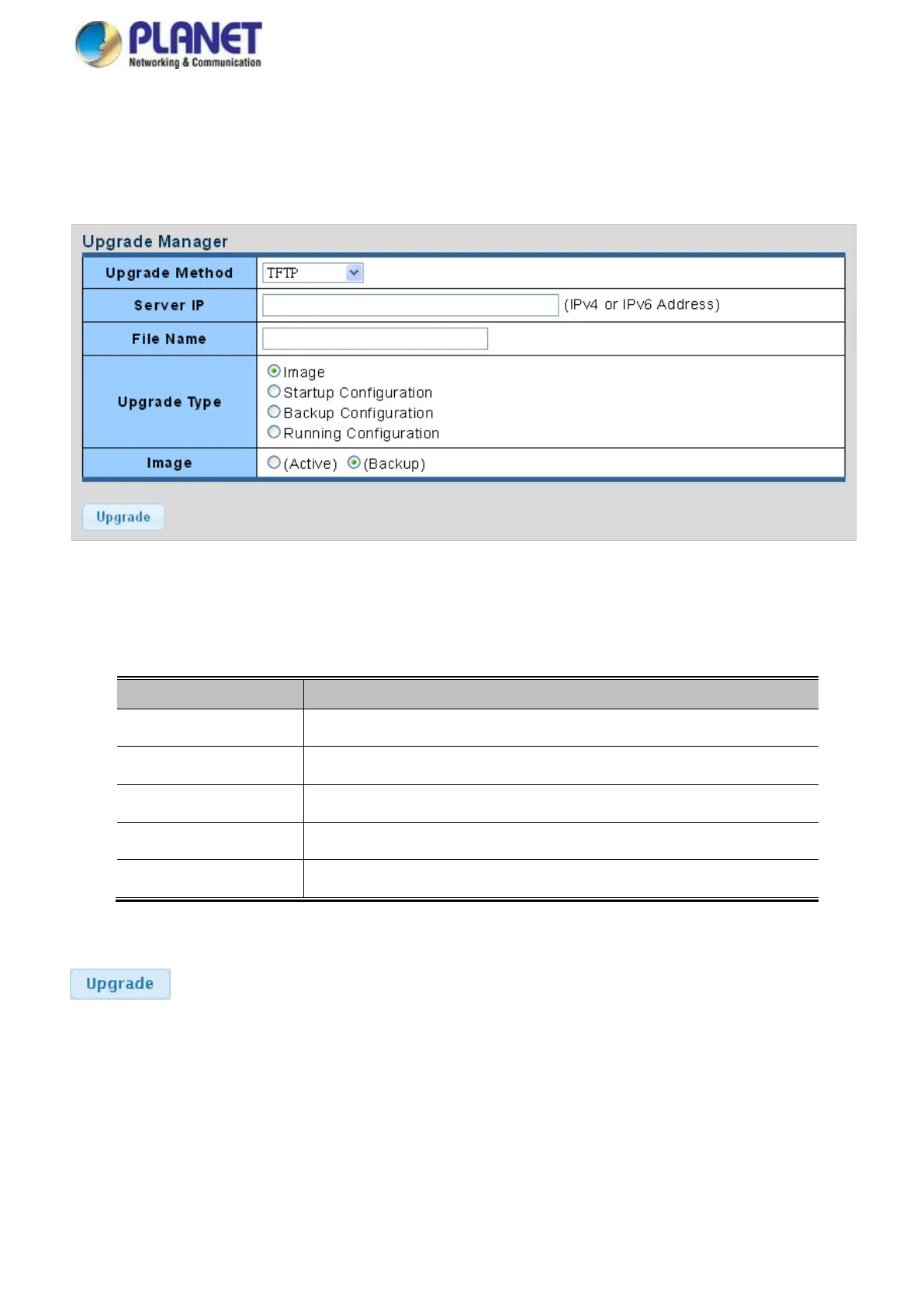
4.8.1.5 Upgrade Manager
This function allows reloading of the current image or configuration of the Managed Media Converter to the local management
station. The Upgrade Manager screen in Figure 4-8-5 appears.
Figure 4-8-5 Upgrade Manager Page Screenshot
The page includes the following fields:
Object
Description
Upgrade Method
Select upgrade method for this drop down list.
Server IP
Fill in your TFTP server IP address.
File Name
The name of firmware image or configuration.
Upgrade Type
Select upgrade type.
Image
Select active or backup image.
Buttons
: Click to upgrade image or configuration.

Table of Contents

Related product manuals