User’s Manual of IXT-900 PoE series
172
This section displays the PoE Power Usage of the Current Power Consumption as shown in Figure 4-7-3.
Figure 4-7-3: Current Power Consumption Screenshot
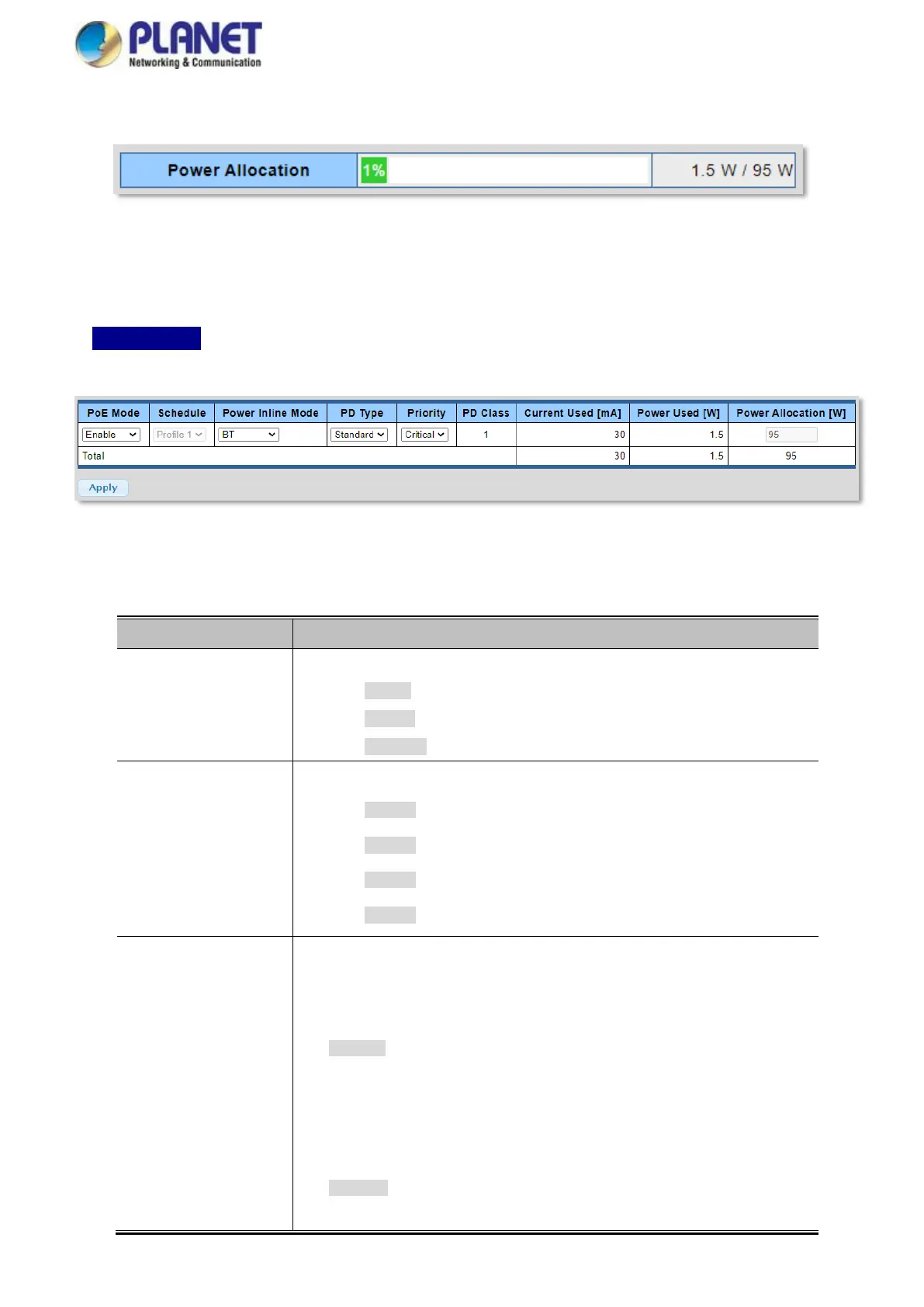
This section allows the user to inspect and configure the current PoE port settings as Figure 4-7-4 shows.
IXT-900-2X1UP-- 802.3bt PoE++ Media Converter – PoE Port Configuration
Figure 4-7-4: Power over Ethernet Configuration Screenshot
The page includes the following fields:
There are three modes for PoE mode.
Enable: enable PoE function.
Disable: disable PoE function.
Schedule: enable PoE function in schedule mode.
Indicates the scheduled profile mode. Possible profiles are:
Profile1
Profile2
Profile3
Profile4
It allows user to select IEEE802.3at/802.3bt/Ultra PoE compatibility mode to meet
all PoE PD types for various PoE applications.
Setting the Right Power Inline Mode for Each Application:
Midspan: Set inline mode to IEEE 802.3at PoE+ Mid-span PSE.
Pins 4-5 (pair #1 in both T568A and T568B) form one side of the
DC supply and pins 7-8 (pair #4 in both T568A and T568B)
provide the return.
Maximum power is 36.0 watts.
Endspan: Set inline mode to IEEE 802.3at PoE+ End-span PSE.
Pins 1-2 (pair #2 in both T568A and T568B) form one side of the



 To Next Page