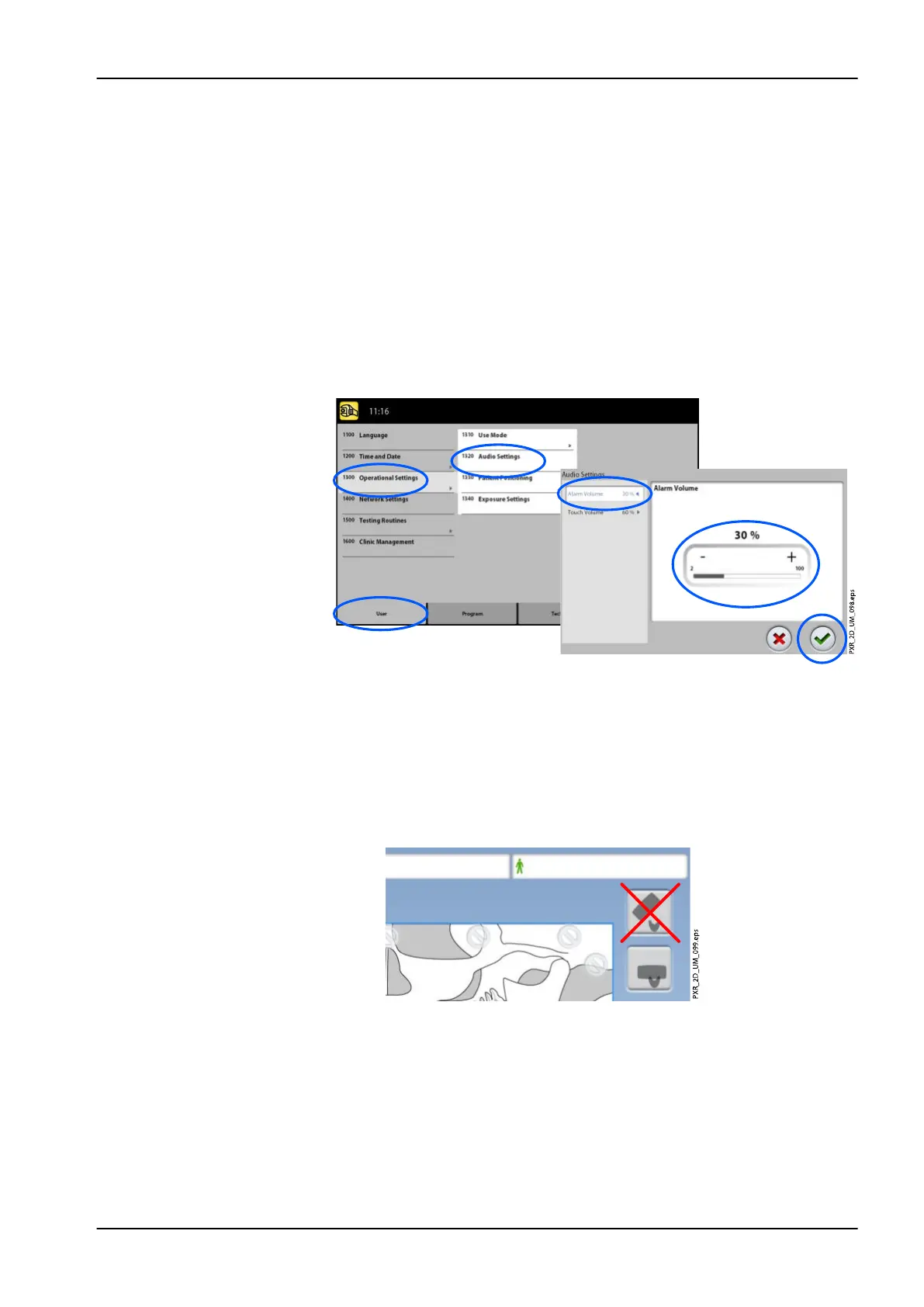
To control audio settings:
1. Select User > 1300 Operational Settings > 1320 Audio Settings.
2. Select:
• Alarm Volume
This setting adjusts the volume of the radiation warning tone. Use
the minus or plus button to reduce or increase the volume.
• Touch Volume
This setting adjusts the volume of the audible signal that you hear
when you make a selection on the touch screen. Use the minus or
plus button to reduce or increase the volume. Set the volume level to
0% if you do not wish to use this function.
3. Select the green check mark button.
To manage settings for patient positioning:
1. Select User > 1300 Operational Settings > 1330 Patient Positioning.
2. Turn an option(s) ON or OFF:
• Side Entry
Turn this option OFF if you do not wish to use the open (full view)
patient entry position. This might be necessary if there is no space
for the C-arm to move back.
NOTE
Planmeca ProMax 2D S2 X-ray units offer only one patient entry
position. This entry position is the closed patient entry position where
the C-arm is positioned around the temple supports.
• Midsagittal and Frankfort Lights in Tomo
Turn this option ON if you wish to use the midsagittal and Frankfort
plane lights when you take 2D tomographic or 3D exposures.
• Temple Supports
9 Settings
User's manual Planmeca ProMax 89














 To Next Page