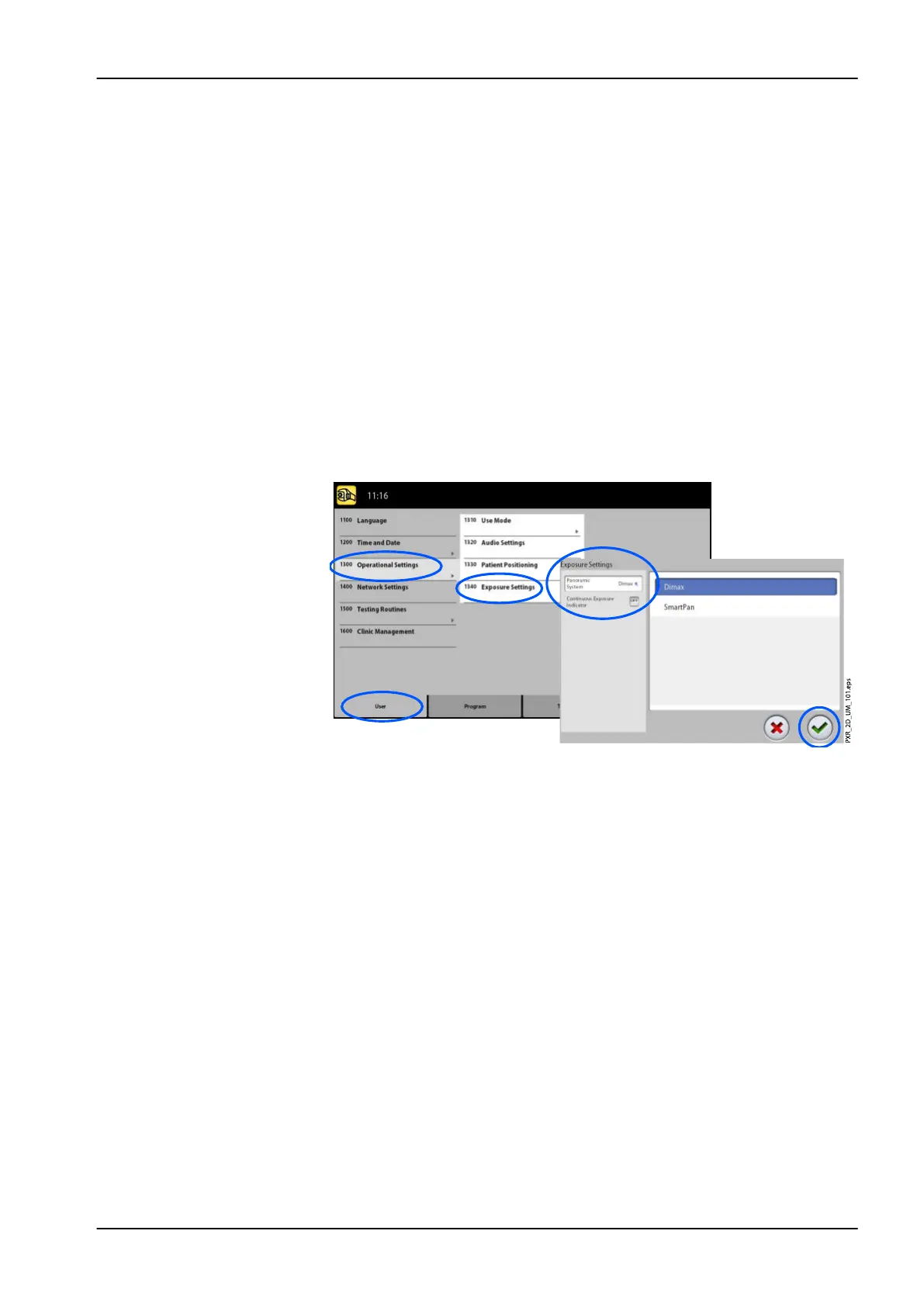
To control exposure settings:
1. Select User > 1300 Operational Settings > 1340 Exposure Settings.
2. Select:
• Panoramic System
On 3D X-ray units you can use either the Dimax sensor or the 3D
sensor for taking 2D exposures. Select the Dimax or SmartPan (3D
sensor) system and change the sensor as described in section
"Attaching and removing sensor" on page 29.
• Continuous Exposure Indicator
Turn this option ON if you wish to set the X-ray unit so that the yellow
radiation warning light stays on continuously (instead of flashing)
when you take an exposure.
Note that the setting affects all indicator lights that are connected to
your X-ray system (indicator light on the hand-held exposure switch,
wall exposure switch(es) and remote exposure lamp).
3. Select the green check mark button.
9 Settings
User's manual Planmeca ProMax 91














 To Next Page