EasyManua.ls Logo

Plustek SmartOffice PS286 Plus - Page 177

Plustek SmartOffice PS286 Plus
220 pages
Print Icon
To Next Page IconTo Next Page
To Previous Page IconTo Previous Page
Loading...
Button Configuration Window Overview 11
All rights are reserved.
·
Continuous Scan
·
Apply Color Matching
(This function may or may not be available
depending on the scanner model you purchase.)
·
Auto Density
·
Auto Threshold
·
Auto Crop
·
Auto Deskew
·
Remove Blank Pages
·
Image Edge Fill
·
Multi-feed Detection
(This function may or may not be available
depending on the scanner model you purchase.)
·
Global Settings
·
Preview
·
Default
2.3
E-Mail Button Settings
Clicking the
E-Mail
icon on the left pane in the Button Configuration window
displays its current button settings on the right pane.
The settings can be categorized into two:
File Saving Settings
on the upper
part, and
Scan Parameters
on the lower part.
The items and parameters available in the window are explained as follows:
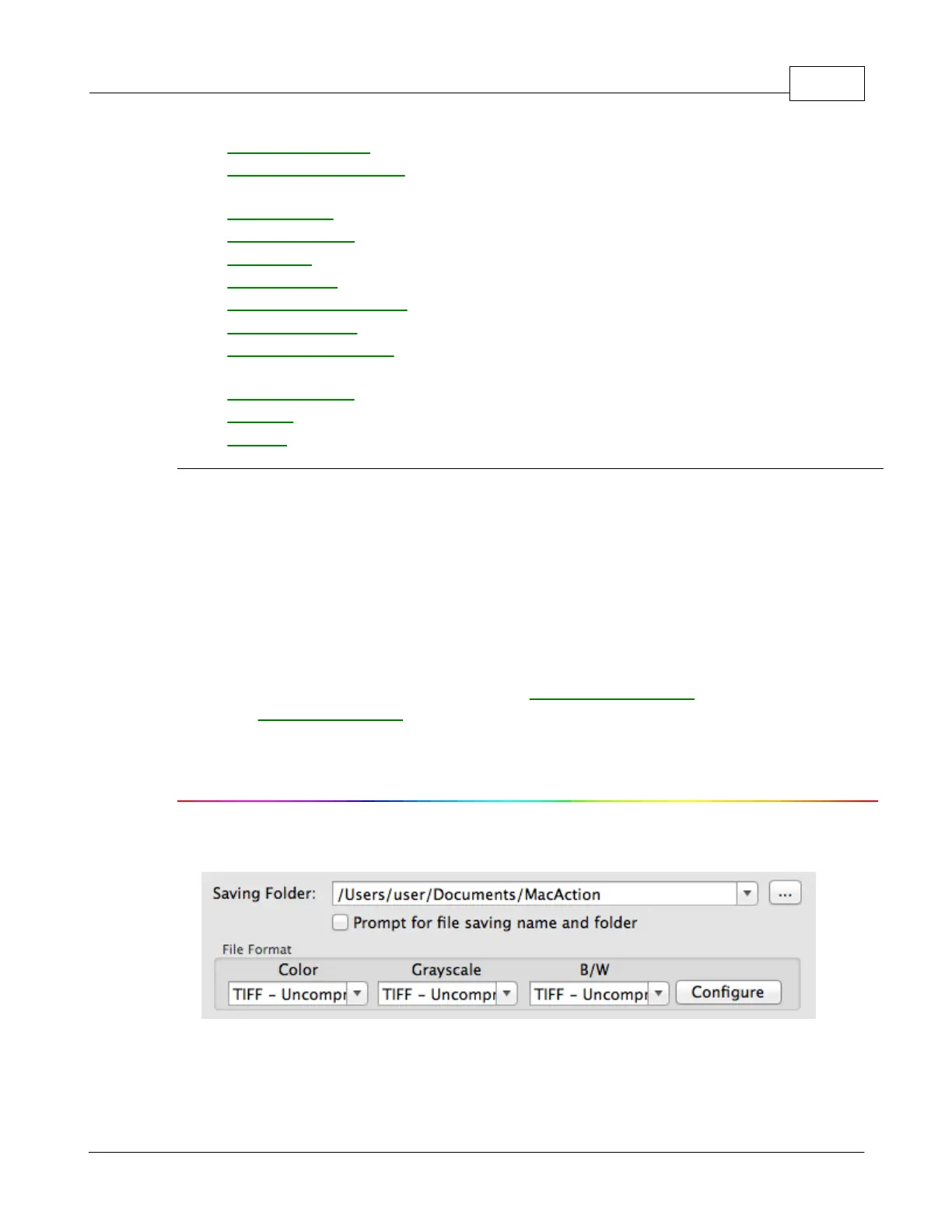
File Saving Settings
Saving Folder
The scanned documents or images are automatically saved to the folder
displayed here.

Table of Contents

Other manuals for Plustek SmartOffice PS286 Plus

Related product manuals