EN - 107MOVE_BA_V1.0
10 Navigation and settings in the menu
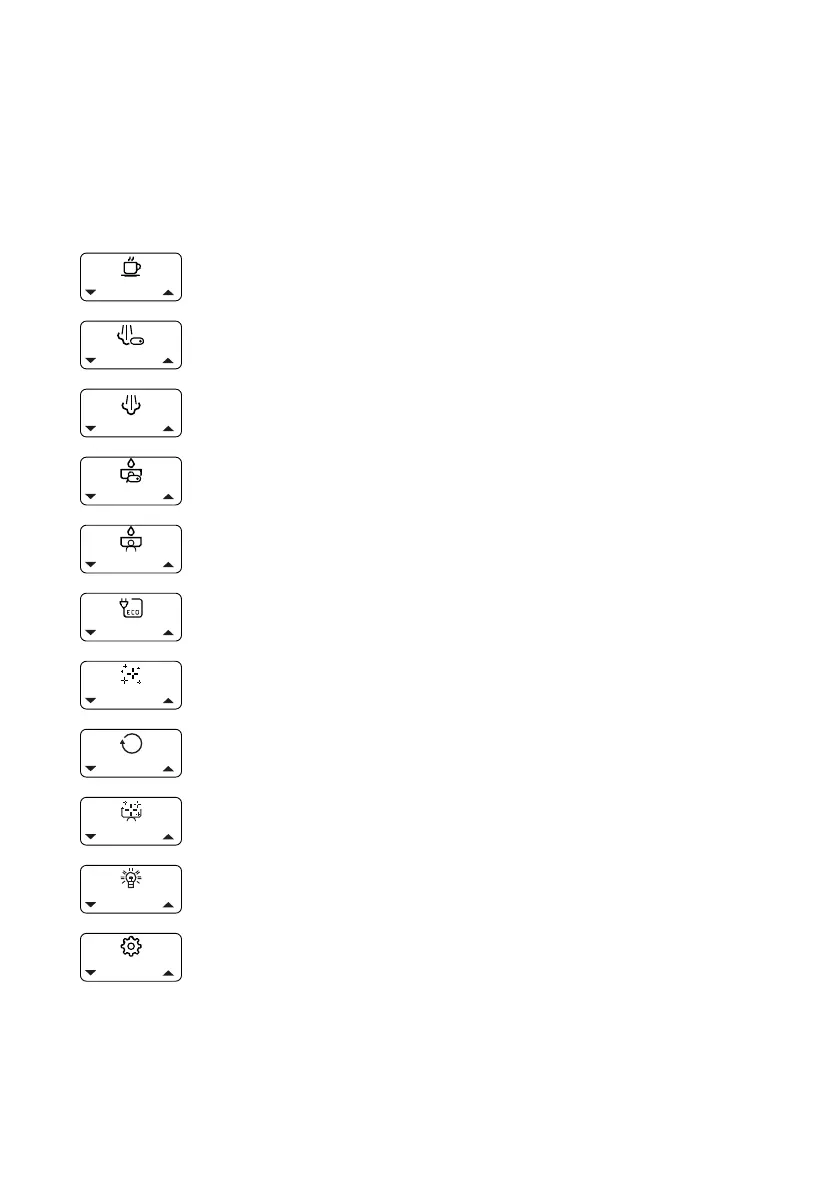
10.1 Icons on the display
All menu settings and machine statuses are shown on the display.
10.1.1 Menus for basic settings
“Brew Temperature” menu: Set the brew temperature (see Chapter
10.3.1, “Brew Temperature”)
“Steam Enable” menu: Switch the steam boiler on or off (see Chap-
ter 10.3.2, “Steam Enable”)
“Steam Temp” menu: Set the steam temperature (see Chapter
10.3.3, “Steam Temp”)
“Enable pre-infusion” menu: Switch the pre-infusion on and off (see
Chapter 10.3.4, “Pre-infusion”)
“Brew Settings” menu: Set the pull time and congure the pre-in-
fusion settings for the two pull buttons (see Chapter 10.3.5, “Brew
settings - setting via the menu”)
“ECO Mode” menu: Switch ECO mode on and off and set the duration
for ECO mode (see Chapter 10.3.7, “Eco Mode”)
“Cleaning Reminder” menu: Set reminder for cleaning the brew
group (see Chapter 10.3.8, “Cleaning Reminder”)
“Reset Reminder” menu: Reset the reminder functions “Cleaning
Reminder” and “Filter Reminder” (see Chapter 10.3.9, “Reset Re-
minder”)
“Automated cleaning” menu: Start the automatic cleaning of the
brew group (see Chapter 11.7.2, “Starting automatic cleaning of the
brew group”)
“Barista Lights” menu: Set the lights on the machine (see Chapter
11.7.2, “Starting automatic cleaning of the brew group”)
“Advanced User Settings” menu: Hide/show advanced optional set-
tings (see Chapter 10.4, “Advanced menu (user) settings”)



 To Next Page