MOVE_BA_V1.0EN - 118
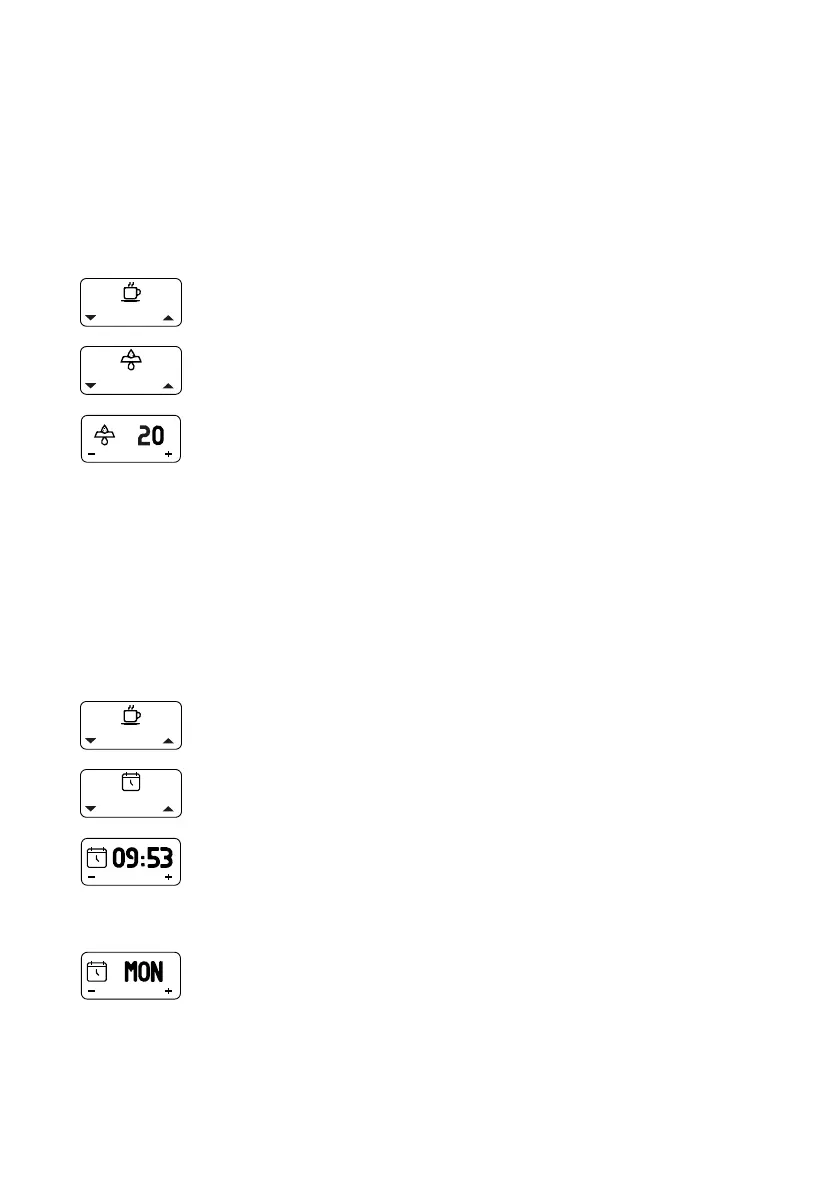
10.4.1 Filter Reminder
A reminder for the next water lter replacement can be set via the menu. To
be able to use this function, a water lter must be installed (see Chapter 7.3.2,
“Installing the water lter”).
The setting is applied in steps of 5 liters up to a value of 200 liters. This
function is deactivated (“OFF”) by default. The required interval for replacing
the lter can be found in the manufacturer’s specications for the water lter
used.
1. Open the main menu.
2. Select and open the “Filter Reminder” submenu.
3. Select and conrm the desired setting.
10.4.2 Clock Set
The time can be set to any value between “00:00” and “23:59”. The settings
“MON” (Monday), “TUE” (Tuesday), “WED” (Wednesday), “THU” (Thursday),
“FRI” (Friday), “SAT” (Saturday) and “SUN” (Sunday) can be selected for the
day of the week.
The settings are changed by briey pressing the display buttons. For a quick
search, for example when setting the time, the buttons can also be pressed
for longer until the desired value appears on the display.
1. Open the main menu.
2. Select and open the “Clock Set” submenu.
¾ The hour display ashes.
3. Set and conrm the hours.
¾ The minute display ashes.
4. Set and conrm the minutes.
¾ The day of the week ashes.
5. Set and conrm the day of the week.



 To Next Page