EN - 109MOVE_BA_V1.0
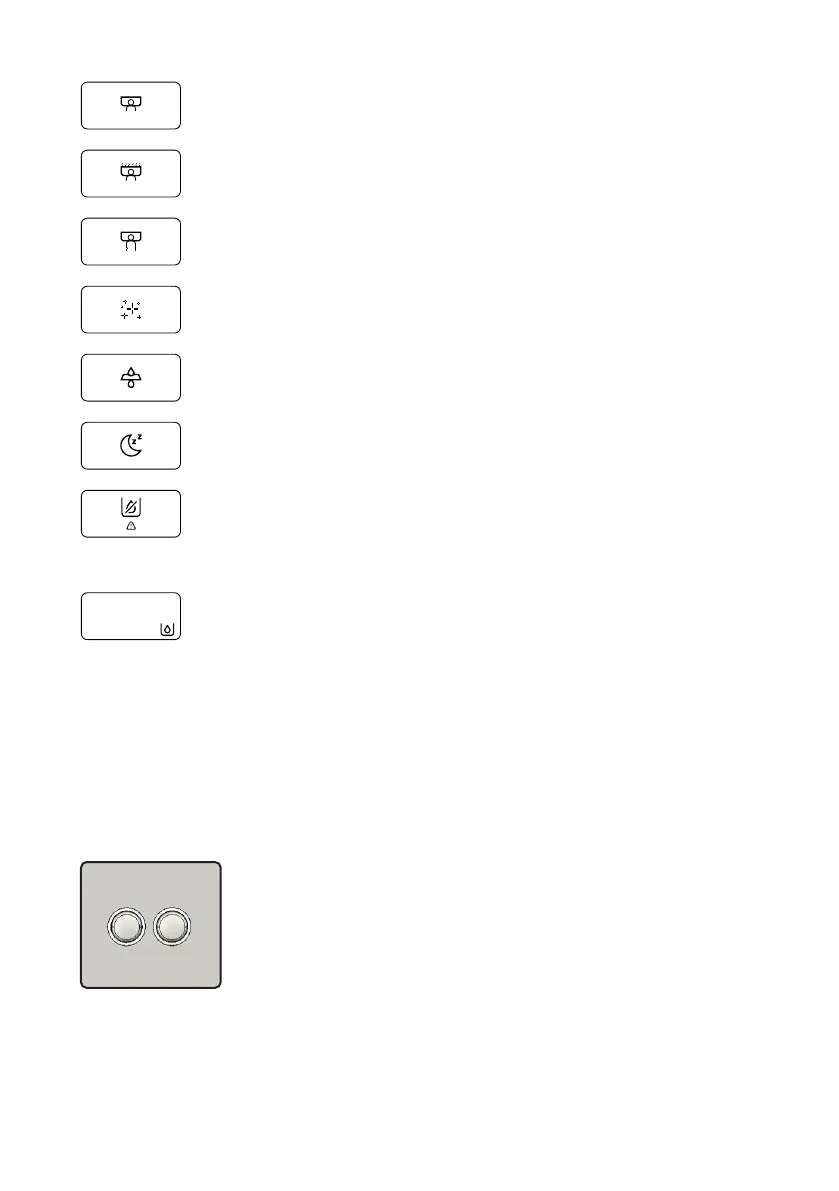
Passive pre-infusion in progress (see Chapter 10.3.4, “Pre-infusion”)
Active pre-infusion in progress (see Chapter 10.3.4, “Pre-infusion”)
Brewing process (pulling) (see Chapter 9.8, “Performing a ush”)
Reminder to clean the machine (see Chapter 10.3.8, “Cleaning Re-
minder”)
Reminder to replace the water lter (see Chapter 10.4.1, “Filter Re-
minder”)
Sleep icon to announce ECO mode (see Chapter 9.1.4, “ECO mode”)
Water tank icon
Water needs to be topped up (see Chapter 9.4, “Filling the water
tank with water”), or
Water tank not correctly installed (see Chapter 11.5.1, “Orientation of
the water tank”)
Rell icon (see Chapter 9.4, “Filling the water tank with water”)
10.2 Navigation in the menu
It is possible to navigate and change settings using the display buttons and
pull buttons.
If no input has been made in a menu within 30 seconds, the menu
automatically closes and the current brew temperature and, if activated, the
steam temperature are shown on the display.
Left-hand and right-hand display button
• Navigation up / down in a menu
• Reduce / increase settings or values



 To Next Page