EN - 119MOVE_BA_V1.0
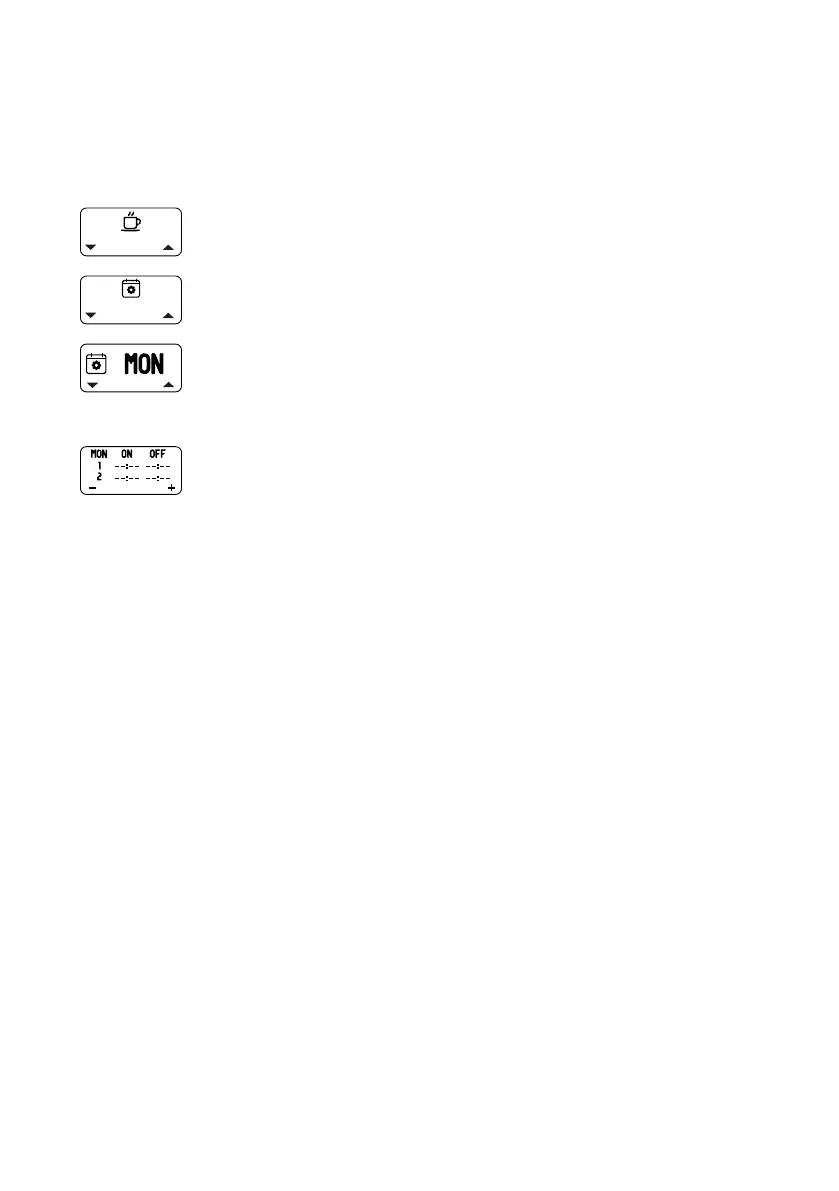
10.4.3 Schedule Set
The machine offers the possibility of setting two times per day for the
automatic switch-on (“ON”) and for the automatic switch-off (“OFF”). A value
does not need to be assigned to each switch-on and switch-off time. To delete
a switch-on or switch-off time, select the value “--:--”.
1. Open the main menu.
2. Select and open the “Schedule Set” submenu.
¾ The display for the day of the week appears.
3. Set the desired day of the week using the left-hand or
right-hand display button and conrm using the top pull
button.
¾ The display with the switch-on and switch-off times
appears.
4. Press the top pull button.
¾ The hour display for the rst switch-on time ashes.
5. Set the hours using the display buttons and conrm
using the top pull button.
¾ The minute display for the rst switch-on time ashes.
6. Set the hours using the display buttons and conrm
using the top pull button.
¾ The hour display for the rst switch-off time ashes.
7. Set the hours using the display buttons and conrm
using the top pull button.
¾ The minute display for the rst switch-off time ashes.
8. Set the hours using the display buttons and conrm
using the top pull button.
9. The second switch-on and switch-off times are set in the
same way.
10.4.4 Timer Enable
To be able to use the programmed switch-on and switch-off times, the timer
function must be activated (“ON”). If the timer function is not activated (“OFF”),
the machine ignores the programmed switch-on and switch-off times. In
this case, the machine uses the time set for ECO mode for automatically
switching off the heating function. When the timer function is deactivated,
the programmed switch-on and switch-off times are preserved and can be
reactivated at any time. The timer function is activated and deactivated as
follows:



 To Next Page