MOVE_BA_V1.0EN - 120
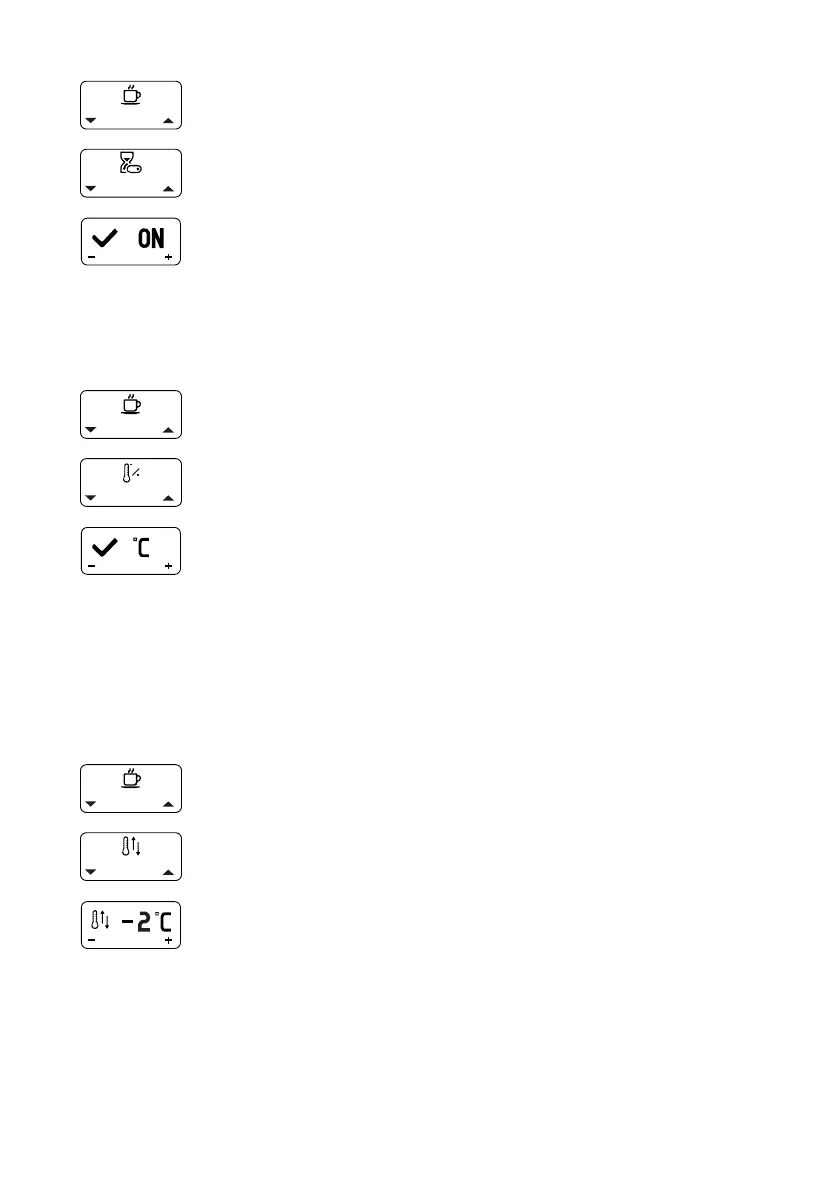
1. Open the main menu.
2. Select and open the “Timer Enable” submenu.
3. Select and conrm the setting “ON” (activate timer) or
“OFF” (deactivate timer).
10.4.5 Temperature Unit
The temperature can be displayed in °C or °F. By default, the machine uses
the unit °C.
1. Open the main menu.
2. Select and open the “Temperature Unit” submenu.
3. Select and conrm the setting °C or °F.
10.4.6 Coffee Offset Correction
The machine is designed for optimal espresso preparation.
External conditions can cause the water to cool down slightly on its way from
the boiler to the brew group. To compensate for this temperature loss, you
have the option to set the offset at a value of between -10°C and +10°C via the
menu. The setting 0°C is activated by default.
1. Open the main menu.
2. Select and open the “Coffee Offset Correction” submenu.
3. Select and conrm the setting.



 To Next Page