EN - 91MOVE_BA_V1.0
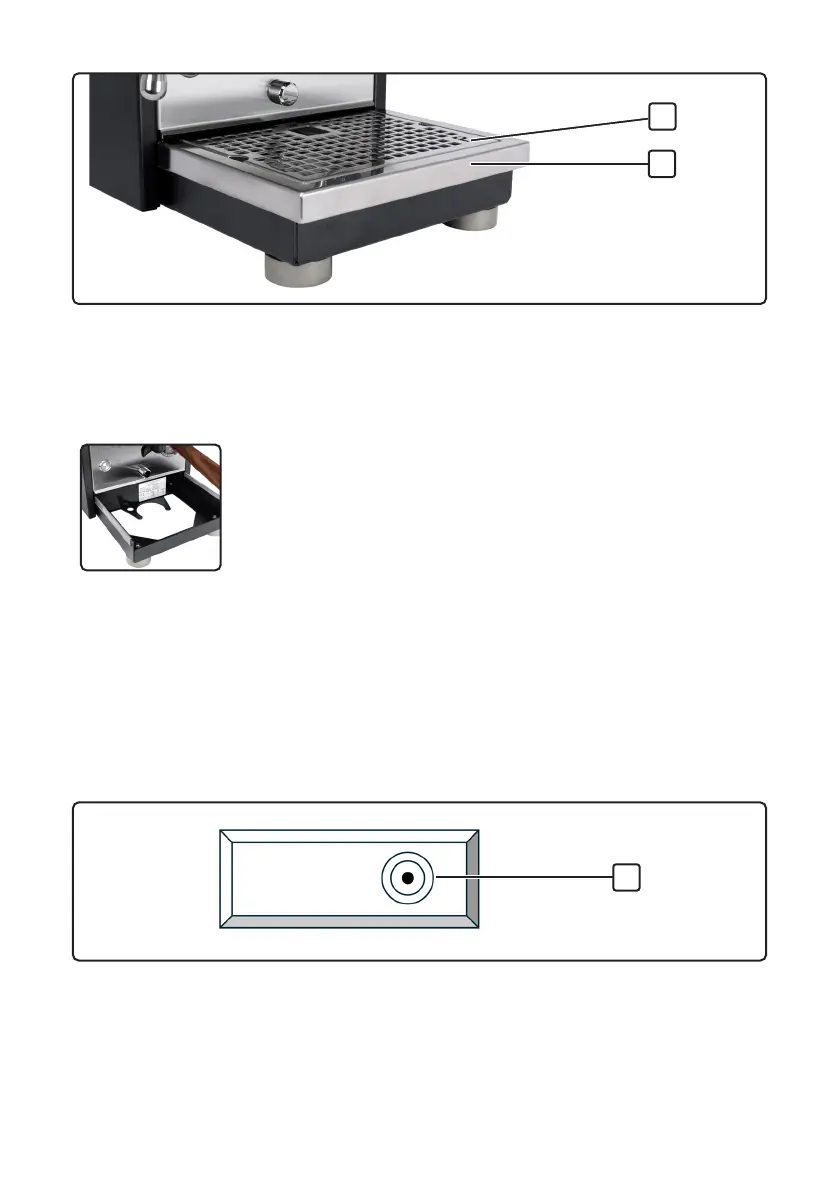
Fig.3 Drip tray and grid
1 Grid 2 Drip tray
7.3.1 Installing the blind lter and drip tray
Tip
The blind lter can be stored underneath the drip tray. There is
a corresponding mount for it in the drip tray holder.
1. Insert the blind lter.
2. Insert the grid (1, Fig.3) in the drip tray (2, Fig.3).
3. Place the drip tray with the recesses on the underside onto the holder
on the machine and push it in until it latches in place.
7.3.2 Installing the water lter
The water lter can optionally be acquired (see Chapter 12.1, “Spare parts and
accessories”). Install it as follows:
Fig.4 Plan view of water tank
1 Position of water lter adapter
1. Unpack and prepare the lter cartridge according to the manufacturer’s
specications.
2. Remove the water tank lid from the top of the machine.
1
2
1



 To Next Page