6.6 Working with the cable remote control
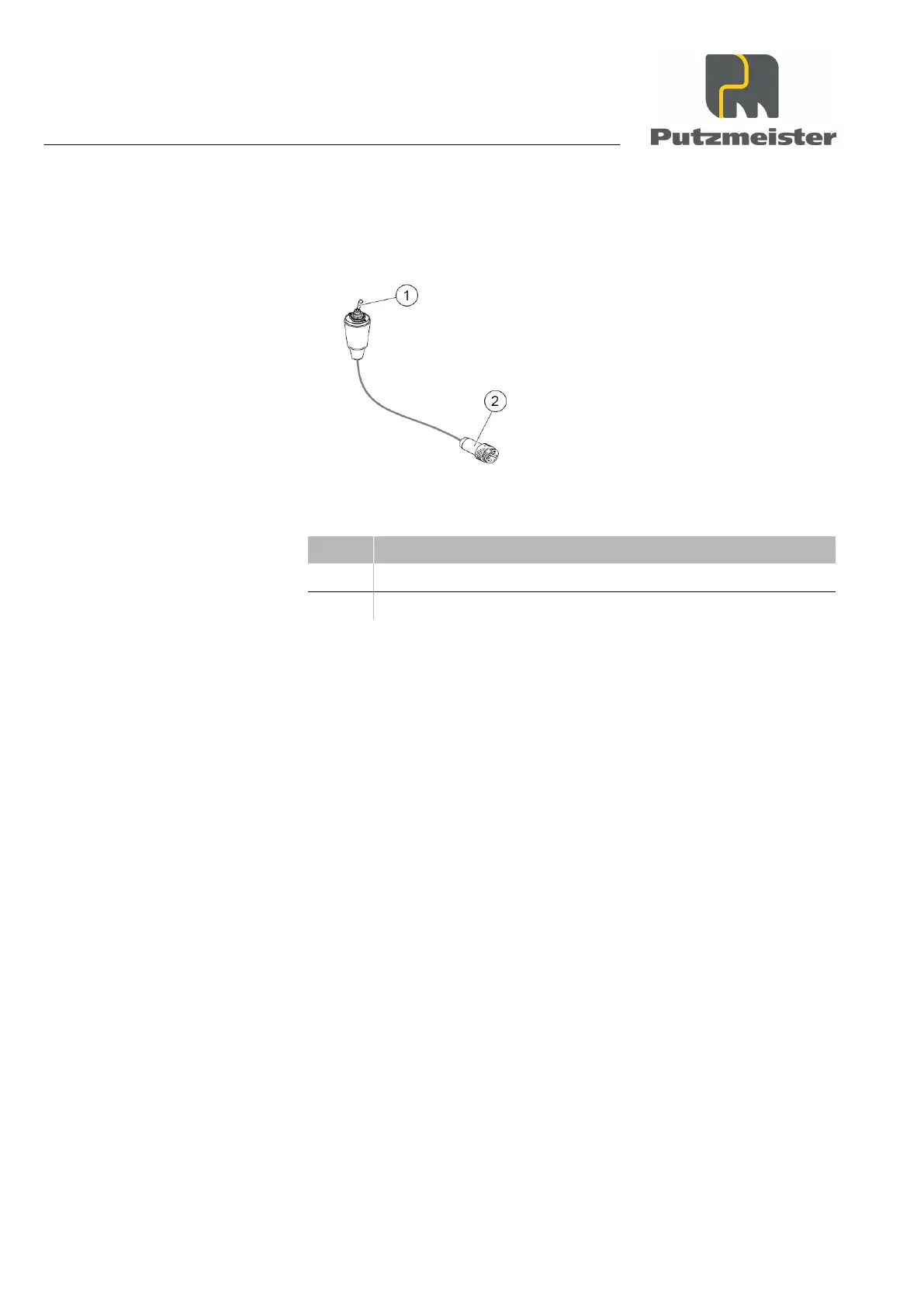
To use the cable remote control, proceed as follows:
Figure 31: Cable remote control
Item Designation
1 “ON – OFF” toggle switch
2 “Remote control” connector plug
1. Pull the bridge plug or the connector plug for the pressure switch
out of the “Remote control connection” socket on the control cabi‐
net.
2. Switch the “ON – OFF” toggle switch for the cable remote control
to OFF.
3. Plug the remote control connector plug into the “Remote control
connection” socket on the control cabinet
4. Switch the machine on at the main switch.
⇒
The power supply switches on.
5. Switch on the compressor (if present).
6. Switch on the pump using the “ON – OFF” toggle switch on the
cable remote control.
⇒
The pump starts running.
6.7 Pumping operations
Carefully complete the operations for starting up and setting up the
machine. Make sure that your machine is functioning correctly before
you fill the hopper with material and start pumping it through the deliv‐
ery line.
Operation
6 — 14


 To Next Page